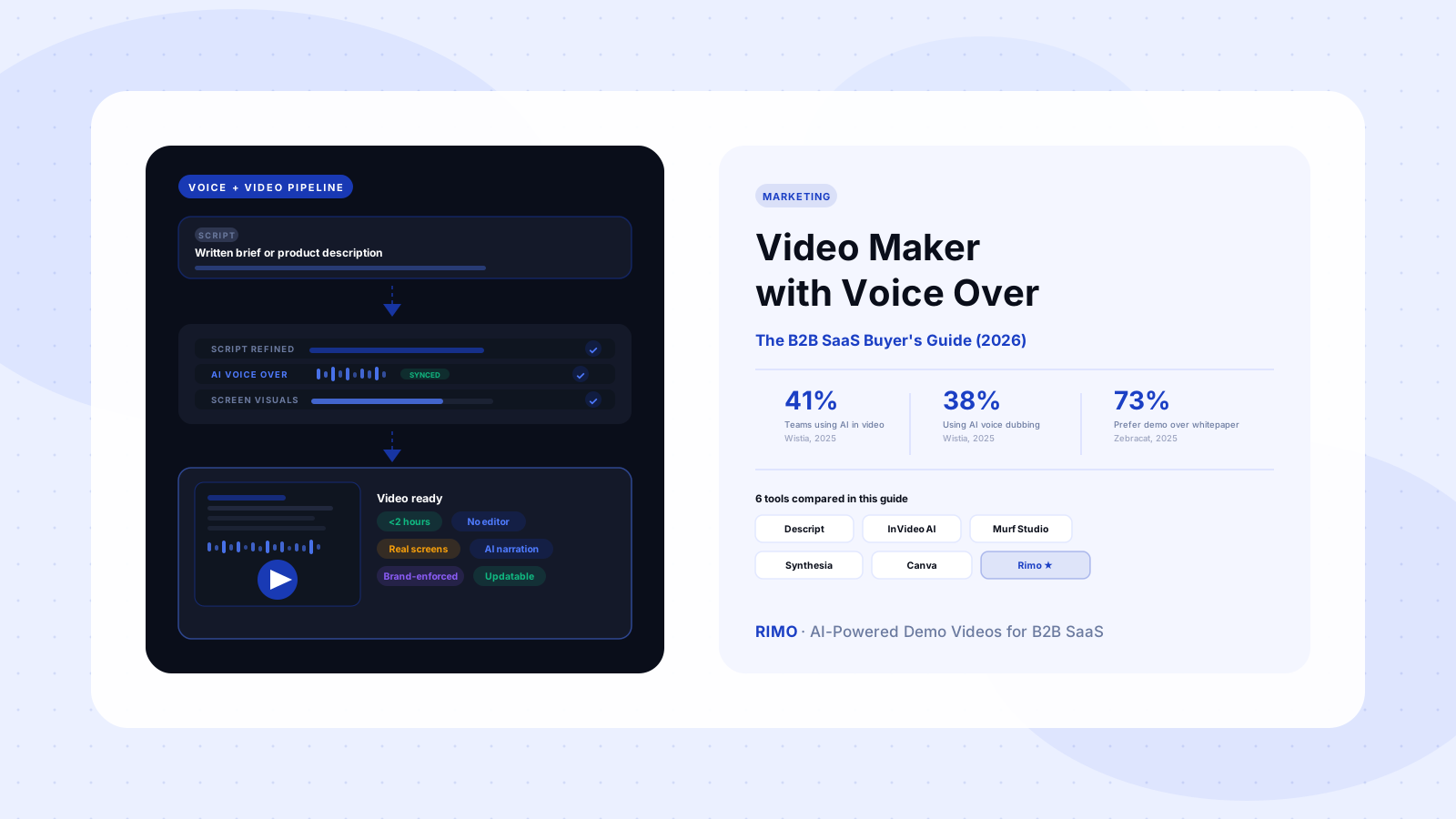
Video Maker with Voice Over: The B2B SaaS Buyer's Guide (2026)
You just shipped a new integration. The announcement video — recorded two weeks ago, voiceover commissioned separately, synced by hand — is already wrong. The feature got renamed in the release. The contractor is booked for another three weeks. And the campaign launch is Thursday.
This is the failure mode that most B2B SaaS video programs run into within 90 days of getting started. Not because anyone made bad choices. Because they solved the "video" problem and the "voice over" problem separately — and discovered too late that combining them at sprint cadence is its own entirely different operational problem.
A video maker with voice over — a tool where narration is part of the production workflow rather than added after the fact — changes this equation. But not every tool using that label changes it equally. This guide is for B2B SaaS marketing and product teams who need to produce professional narrated video at scale. It covers what the category actually means, what each major tool does well, where G2 users say they break down, and what you should actually evaluate before committing to a workflow.
In this guide
- What is a video maker with voice over?
- Why B2B SaaS teams can't separate video from voice over
- Three approaches to video with voice over — and why two of them break
- Top video makers with voice over for B2B SaaS
- What G2 users say about the most popular tools
- How to choose the right video maker with voice over
- The hidden cost of static voice over files
- FAQ
What Is a Video Maker with Voice Over?
A video maker with voice over is a software platform that lets you create, narrate, and export a finished video without needing a separate recording session, a standalone voice tool, or a multi-step post-production process. The narration — whether AI-generated or human-recorded — is produced within the same workflow as the visual content, synchronized automatically, and exported as a single finished file.
That sounds straightforward. In practice, it's the difference between a three-step workflow and a twelve-step one.
In a traditional B2B SaaS video production pipeline, voice over typically sits in steps seven or eight: plan, script, record screen, export footage, import to an editor, rough-cut, commission or record narration separately, sync audio to video, review, revise, then export again. When your product changes — which it will, because shipping software is the job — the cycle restarts from step one or step seven depending on how fundamental the update is.
An integrated video maker with voice over compresses that sequence. The best platforms produce a narrated draft from a brief in under two hours. That compression is not a quality tradeoff. It's an architectural one: the system generates visual and audio content from the same input, so they're aligned from the start rather than assembled separately and hoped to match.
Why B2B SaaS Teams Can't Separate Video from Voice Over
There's a category of video content where narration isn't a finishing touch — it's the structural element that makes the video useful. Product demos. Feature walkthroughs. Onboarding sequences. Sales follow-up assets. In all of these, the voice over is what converts footage into a guide. Without narration, a screen recording is passive. With it, it becomes an asset that can move a buyer through a decision — even when no sales rep is on the call.
The scale problem hits fast. A B2B SaaS product marketing team supporting a mid-sized product with eight key features, four buyer personas, and three major distribution contexts — homepage, outbound, post-demo follow-up — needs between 30 and 40 distinct narrated videos to cover the matrix adequately. That's a production program, not a project. Commissioning voice over for each one separately and syncing it manually is not a viable production model at that volume.
This is why the question has shifted. It's no longer "should we add voice over to our videos?" The answer to that is obviously yes. The question is now "which type of video maker with voice over actually fits a B2B SaaS production model?" — because not every tool calling itself by that name was built for the same job.
According to Wistia's 2025 State of Video report, AI use in video production more than doubled in a single year, rising from 18% to 41% of teams. Voice dubbing is the second most commonly adopted AI feature in video teams. These aren't early-adopter experiments anymore. Teams not yet running AI voice over in their video workflow are producing at a cost and pace disadvantage relative to teams that are.
Three Approaches to Video with Voice Over — and Why Two of Them Break
There are three ways B2B SaaS teams currently add narration to video content. Two of them are common. One of them actually holds up at production scale.
Approach 1: Record video, then add narration afterward
The standard workflow. Record your screen, export to a video editor, record or commission voiceover separately, sync audio to video, export. This has been the default approach for over a decade. It works for a first video, a product launch announcement, or an occasional explainer.
It breaks down when you need to maintain a library. Every product update requires a restart. Every new persona requires a full re-production. The sync step — manually aligning audio to visual — is where timeline delays accumulate most visibly. G2 reviewers across screen recording tools capture the frustration in consistent language: "had to re-record everything when the UI changed," "updating a single scene requires rebuilding the whole video," "our demo library is always behind the product." This isn't a failure of any specific tool. It's an architectural problem with the workflow itself.
Approach 2: Standalone AI voice tool + separate video editor
The increasingly common alternative. Generate AI voice over separately in Murf or ElevenLabs, export the audio file, and manually sync it inside a video editor. This solves the "find a human narrator" problem. It doesn't solve the sync problem, the update problem, or the consistency problem.
G2 reviewers for this category land on two pain points consistently: re-generating audio every time you change a word (consuming credits on each revision), and the lack of native integration with video editing software. The sync work stays manual. The workflow stays fragmented.
Approach 3: Integrated video maker with voice over
Narration is generated alongside the visual content, synchronized automatically, and embedded in the same production. This is the architectural shift that actually changes the production model — because it makes updates as fast as creation. Change one scene's script, regenerate its narration, update that segment only. The rest of the video stays intact.
This is the approach this guide evaluates in depth.
Top Video Makers with Voice Over for B2B SaaS
Not every tool in this category is built for the same job. Here's what the major options do well — and where they break down in real production conditions.
Descript
Descript's defining feature is text-based video editing: you edit the transcript and the timeline edits follow. For teams doing significant post-production work — cutting filler words, rearranging segments, removing mistakes — this is a real workflow advantage. The AI voice layer (Overdub) produces natural-sounding English narration.
Where it struggles: G2 reviewers cite performance degradation on projects longer than a few minutes, an interface that steepens significantly once you go beyond basic use cases, and increasing subscription costs as you move to tiers with meaningful team features. Descript is better suited for editing existing recordings than generating new narrated video from a brief. If your workflow starts with raw footage to be shaped, Descript fits. If it starts with a product brief and ends with a finished narrated demo, the tool requires more pre-existing material than most teams expect.
InVideo AI
InVideo AI handles script-to-video well for content teams producing explainer-style marketing video at speed. Provide a prompt or script, and the platform generates a video with visuals, transitions, and AI narration in minutes. Fast and cost-effective for general marketing content.
The limitation for B2B SaaS product demo work is fundamental: InVideo generates video from stock footage libraries, not from your actual product screens. The resulting videos explain concepts; they cannot accurately demonstrate how your software works. For B2B video marketing content where brand awareness is the goal, InVideo is effective. For buyer-facing product demos where accuracy is load-bearing, it's the wrong category.
Murf Studio (voice layer)
Murf is not a video maker — it's a voice generation platform — but many teams use it as the voice layer inside a multi-tool workflow. The neural voice quality for English content, particularly on premium voice models, is consistently rated highest on G2 for naturalness.
The production model friction is consistent across reviews: scripts over 1,000 words cause studio lag; re-generating audio on script revisions consumes credits regardless of change size; non-English voices lag English quality significantly. Teams that go through two or three internal review rounds before publishing often hit credit limits before the video is finalized. These aren't edge cases — they're predictable friction at normal B2B SaaS production cadences.
Synthesia
Synthesia produces polished presenter-led videos: write a script, select from 230+ AI avatars, and the platform generates a professional video with synchronized narration in 140+ languages. Strong for training, onboarding, and multilingual global content.
The specific limitation for product demo use: buyers evaluating B2B software want to see the software, not a presenter standing in front of it. Synthesia is purpose-built for presenter-format video; the format creates an expectations gap when used for product walkthroughs. It's the right tool for internal communications, onboarding sequences, and executive-led content. It's less suited to the demo-first sales asset most B2B SaaS marketing teams prioritize.
Canva Video with AI Narration
Canva's video tools — including AI avatar presenter features and text-to-speech narration — are accessible to any team already using Canva for design. For producing polished social video, branded template content, and lightweight explainers, the familiarity advantage is genuine.
The ceiling for B2B SaaS production is clear: Canva's video workflow is optimized for template-based output. It doesn't handle screen-accurate product demonstration at the depth a full product walkthrough requires. It's a strong entry point for simple marketing video. It is not a scalable system for a demo library.
VEED
VEED has built a reputation as an all-in-one online workflow — screen recording, AI text-to-speech, automatic captions, audio cleanup — in a browser-based interface. For teams that need basic narrated video without installing anything, VEED reduces friction meaningfully.
The gap for enterprise B2B SaaS teams is in depth: VEED is optimized for the creation of individual videos quickly. It doesn't have the workflow architecture for managing, updating, and maintaining a library of 30+ product demos across multiple personas and use cases. Good for one-off content. Not the infrastructure for a video production program.
Brief in. Narrated demo out. Under 2 hours.
Rimo takes a product brief and produces a finished narrated video — real product screens, AI voice, your brand. No separate voice tool, no sync work, no editor required.
What G2 Users Say About the Most Popular Tools
The most useful signal from G2 isn't the aggregate star rating — it's the pain points that appear repeatedly across unrelated reviewers. These are the issues real B2B SaaS teams hit in normal production conditions, not edge cases discovered during trials.
Pricing is more complex than the plan page suggests. Across Murf, Descript, and Synthesia, G2 reviewers consistently note that the features their team actually needs — premium voice models, team collaboration, API access, custom voice profiles — require tiers higher than the entry plan. Teams that sign up on a mid-tier plan expecting full access frequently discover this mid-project, at the worst possible moment.
Script changes cost more than expected. Multiple ElevenLabs and Murf reviewers flag a specific frustration: changing a single word in a voiceover script triggers a full re-render, consuming credits for the entire clip regardless of how small the change is. On a script that goes through two or three internal review rounds — standard for any buyer-facing B2B content — this billing behavior makes iteration expensive in ways that weren't obvious at signup.
Non-English voice quality lags noticeably. For B2B SaaS companies producing content for EMEA or APAC markets, multiple reviewers note that voices in Hindi, Spanish, French, and German sound substantially more robotic than English premium options. This gap is a function of training data availability, not something any platform resolves quickly. Teams producing multilingual demo content should test the specific target language before committing to any platform.
Integration with video editing tools is incomplete. G2 reviewers across Murf and ElevenLabs consistently request native integration with Adobe Premiere and Final Cut Pro. Neither exists. This means audio-to-video sync remains a manual step even after the AI voice generation is complete — the exact friction point that integrated platforms eliminate entirely.
Long scripts cause real performance problems. Murf Studio users in particular flag slowdown when working with scripts exceeding 1,000 words — preview features lag, the studio interface becomes unresponsive. For a product walkthrough with 15 or more scenes and scene-specific narration, this isn't a minor inconvenience. It becomes a workflow blocker.
How to Choose the Right Video Maker with Voice Over
The evaluation criteria that actually differentiate tools for B2B SaaS production are not the ones that appear in most comparison charts. Here's what to actually test.
Does the narration survive your product's specific language? Run a test script containing your actual product feature names, integration labels, API terminology, and any coined terms. AI voice models handle generic marketing copy well. Technical vocabulary is where quality floors become visible. Every new product term that ships adds a new potential failure point. This test takes ten minutes and should happen before any other evaluation step.
Is narration synchronized automatically or manually? Manual sync is tolerable for a handful of videos. At 30+ videos with quarterly updates, manual sync is a hidden production tax that accumulates faster than anyone models at the start of a program. Tools where narration and visuals are generated together — rather than assembled from separate exports — eliminate this step entirely, and that elimination compounds over time.
How does the update path actually work? Ask specifically: if we change the narration in one scene of an existing video, what needs to be rebuilt? If the answer is "the whole video," your demo library will always lag your product by the length of your production cycle. If the answer is "just that scene," you have a sustainable maintenance model. This question almost never appears in standard vendor evaluations — and it's the most predictive one for whether a video program succeeds at month twelve.
What does pricing look like at your real production scale? Calculate cost at your quarterly production volume including revision rounds, not just first-draft output. Credit-based models that consume tokens on re-renders — even single-word script changes — create unpredictable costs at normal B2B production cadence. Model this before committing, not after.
Can it show your actual product screens? This is the binary gate for B2B SaaS demo video. A tool that generates synthetic visuals or sources stock footage cannot produce screen-accurate product content. Verify this explicitly before any other step. For a marketing video maker being evaluated for demo production, this is not optional.
The Hidden Cost of Static Voice Over Files
Every narrated video is accurate on the day you publish it. No B2B SaaS product stays static long enough for that accuracy to hold.
Here's the math most teams skip: if your product ships a UI change once per quarter (conservative for most teams), your demo library has 25 videos, and each takes 90 minutes to update in a traditional screen-record-then-narrate workflow — that's 37.5 hours of production time per quarter, before a single new asset is created. At a modest content agency rate of $150/hour, that's over $5,600 per quarter in maintenance alone.
An integrated video maker with voice over that supports scene-level editing — update the narration for one section, regenerate only that segment — converts a 90-minute update into a 15-minute one. The quarterly maintenance load drops from 37.5 hours to under 7. That difference in operational cost is one that most buying guides never calculate — because they evaluate tools at the first-video stage, not the 25th-video-maintenance stage.
This is the insight that separates teams still actively using their script to video platform at month twelve from teams who bought one, produced a handful of videos, and let the subscription lapse. The second group almost universally ran into the update problem and had no fast path through it. The first group chose a tool where updating is as fast as creating.
For B2B SaaS teams thinking through how to create product demo videos that actually stay current, the right question isn't "how fast can we produce the first one?" It's "how fast can we update the fifteenth one when the product ships a new release in Q3?"
Narration Is Infrastructure, Not a Feature
The video maker with voice over you choose is not just a software decision — it's a decision about which production model your team is building.
A standalone voice tool plus a video editor is one model. Familiar, flexible, fine for occasional production. It fragments every update into a multi-tool coordination task and keeps your demo library perpetually behind your product's current state.
An integrated platform where narration and visuals are generated together is a different model. Faster to start. Dramatically easier to maintain. And for teams producing more than ten narrated videos per quarter — which any B2B SaaS team with a real go-to-market motion will exceed quickly — maintenance speed matters more than first-video speed.
Product demo videos, feature walkthroughs, persona-specific sales assets, onboarding guides: all of these need to reflect your product as it exists today, not as it existed three months ago. The only production model that makes that sustainable is one where creating a new video and updating an existing one take roughly the same amount of time.
If you're looking for a platform built specifically for product demo video production at B2B SaaS pace — one that handles real product screens, generates AI narration, and supports scene-level updates from a written brief — that's exactly the use case Rimo was built for.
Build a demo library that stays current
Rimo generates narrated product demo videos from a brief — real screens, AI voice, your brand. Update a single scene without rebuilding the whole video. Try it free today.
FAQ
What is a video maker with voice over?
A video maker with voice over is a software platform that lets you create and narrate a finished video within a single workflow — without needing a separate voice recording session, a standalone AI voice tool, or manual audio-to-video synchronization. The narration (AI-generated or human-recorded) is integrated with the visual content in the same production pipeline, producing an exported video where audio and visuals are already aligned. For B2B SaaS teams, this integration is the key operational difference between tools that work at production scale and tools that create fragmented, high-maintenance workflows.
What is the best video maker with voice over for B2B SaaS product demos?
For product demo videos specifically, the most important criterion is whether the platform can show your actual product screens — not AI-generated synthetic visuals or stock footage. Among widely-used tools, Descript handles editing existing recordings well; InVideo AI is strong for general marketing content but uses stock visuals; Synthesia excels at presenter-led and multilingual content; and integrated AI demo platforms like Rimo are built specifically for product demo production from a brief, combining real screen content with AI narration in a single workflow. The right choice depends on your primary use case — demo accuracy or general content creation.
How does AI voice over in a video maker work?
Most modern video makers with AI voice over use neural text-to-speech (TTS) technology: you provide a script or brief, the platform generates natural-sounding speech from a deep learning model trained on large datasets of human speech, then synchronizes that audio to the visual timeline. The quality gap between standard TTS and neural TTS is significant — neural models handle natural pacing, emphasis, and prosody in ways that produce results largely indistinguishable from professional human recording in most B2B product demo contexts. See the full breakdown in the complete AI voice over technology guide.
Can I use a free video maker with voice over for B2B marketing?
Free tiers exist across most tools in this category — InVideo AI, VEED, Descript, and Canva all offer limited free plans. The practical limitations for B2B production: free tiers typically watermark exports, cap monthly output at levels below what a real production program requires, restrict access to professional voice models, and exclude team collaboration features. For occasional content production or tool evaluation, free tiers are sufficient. For a video program supporting active sales and marketing — even at a startup scale — professional plans are the right starting point.
How do I add a voice over to an existing video?
In standalone workflows: export the video, generate voice over audio separately in a tool like Murf or ElevenLabs, then import the audio into a video editor (Premiere, DaVinci Resolve, CapCut) and manually sync it to the timeline. In integrated platforms: import the existing video or footage, write the narration script inside the platform, and let the tool generate and synchronize the audio automatically. The standalone approach gives more granular creative control. The integrated approach eliminates sync work and makes future updates significantly faster — a meaningful operational advantage for B2B SaaS teams maintaining a video library alongside a shipping product.
What makes a voice over sound professional in a B2B product demo?
Three factors matter more than the underlying technology: script quality, voice selection, and language handling. A well-structured script with deliberate punctuation — treating commas and dashes as pacing signals, not grammar — produces substantially better AI narration output than a loosely-written description. Voice selection requires testing at least three options against real product language before committing; different neural voices carry different implied authority and warmth that affects buyer perception. And any product with technical terminology should be explicitly tested for pronunciation accuracy — most AI voice models mispronounce coined product names, integration labels, and abbreviations that aren't in their training data.
Akshay Sharma
Product Leader · 10+ years in B2B SaaS
Akshay has spent 10+ years building and marketing B2B SaaS products. He writes about product storytelling, demo production, and the operational side of product marketing.