What Is an AI Video Maker? The B2B SaaS Guide (2026)
Type "AI video maker" into Google and you'll get 40 results that look identical in a thumbnail. Click through and you'll find a consumer social media tool, an avatar-based enterprise platform, a text-to-video generator built for synthetic clip creation, and a screen-based demo production tool — all using the same name for themselves.
They are not the same thing. For a B2B SaaS marketing or sales team evaluating this category, picking the wrong type is not a minor miscalculation. It's six months of budget and organizational trust spent on a tool that was never built for the job you needed it to do.
The category name "AI video maker" covers at least five meaningfully different tool types, each built for a different workflow, a different output format, and a different definition of "finished video." This guide is for B2B SaaS teams who need to cut through that confusion before spending a dollar. It covers what an AI video maker actually is, what the five types look like in practice, and how to evaluate each one against the work your team actually needs to do.
In this guide
What is an AI video maker?
An AI video maker is a software platform that uses artificial intelligence to automate part or all of the video creation process — including scripting, narration, visual assembly, editing, and export — without requiring a professional editor or production agency.
The operative phrase is "part or all." Some AI video makers handle one layer of the process: they generate a script, or they synthesize a voiceover, or they automate editing cuts. Others handle the entire pipeline from a plain-English brief to a finished, exported video. The distinction matters because platforms built to handle one layer rarely handle the others well — and the quality gap between a single-layer tool and a full-pipeline platform is wider than most buying guides acknowledge.
For B2B SaaS teams, choosing an AI video maker is primarily a production infrastructure decision. It determines whether your marketing team can produce eight demo videos per quarter or eighty. Whether your demo library stays current when your product ships. Whether your sales team has persona-specific assets for every stage of the buyer journey — or one generic homepage video from eight months ago.
How an AI video maker works
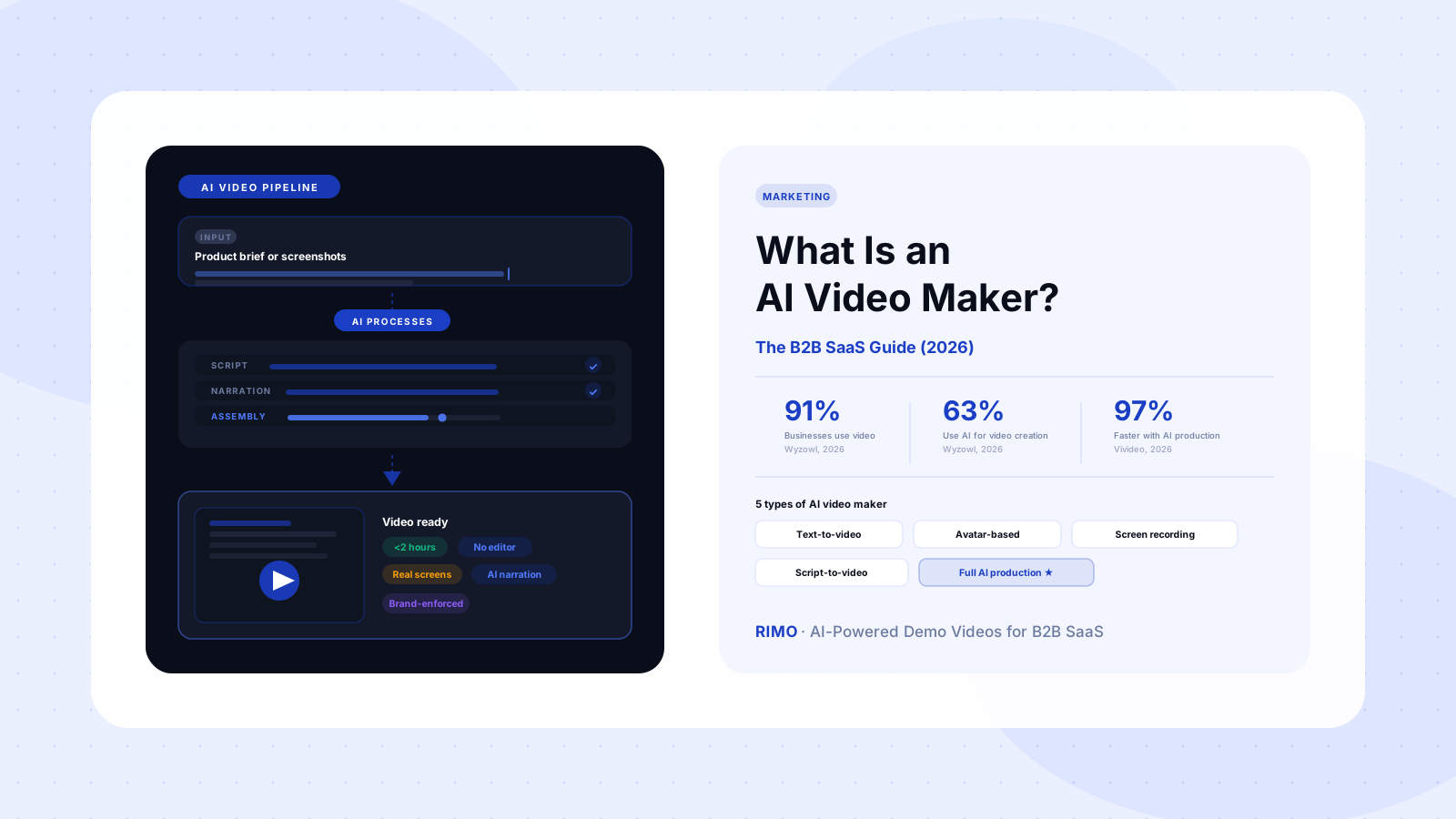
The underlying pipeline varies by platform, but most AI video makers automate four production layers:
Script generation. Given a brief — a product feature, a buyer persona, a specific use case — the tool generates a structured voiceover script. Quality varies significantly here. The best platforms produce scripts that read like they were written by someone who has actually used your product. The worst produce reformatted product description pages dressed up as sentences.
AI narration. The script is converted to spoken audio using synthetic voice technology. Quality has improved rapidly: the best AI narration in 2026 is largely indistinguishable from a professional voice actor on standard business content. Before committing to a platform, test it on a paragraph containing your product's specific terminology. Generic marketing copy sounds fine in most AI voices. Technical product language exposes quality floors quickly.
Visual assembly. The tool combines product screenshots, screen captures, brand elements, and motion graphics into a timed sequence synced to the narration. This layer is what transforms a passive recording into a video that guides the viewer through a story with intention.
Editing and export. Transitions, captions, lower thirds, and multi-format export are handled automatically — or with minimal manual input. At the best platforms, "multi-format" means one production session generates your LinkedIn video, your homepage embed, your email GIF, and your sales follow-up clip simultaneously, not a separate re-edit for each.
The speed from automating all four layers is significant. According to data from Vivideo, AI video production reduced average production time for a 60-second video from 13 days to 27 minutes. Not every team hits that exact number — actual time depends heavily on tool and workflow — but the directional shift is consistent across platforms and teams of all sizes.
The 5 types of AI video maker for B2B SaaS
Not every AI video maker is built for the same job. Understanding the five distinct types prevents the most expensive mistake in this category: choosing a platform that's genuinely good at something — just not the thing your team actually needs.
1. Text-to-video generators
Tools like Runway, Kling, and Sora take a written prompt and generate short video clips using AI-synthesized visuals. They're built for creative and social content. The output can be visually impressive for brand storytelling, entertainment, and abstract concept illustration.
They cannot accurately represent a real software interface, because there is no real interface to show — the visuals are generated, not captured. For B2B SaaS teams that need product-accurate demo content, this tool type is not the right category.
B2B SaaS fit: Brand intros and social ads. Not suitable for product demos.
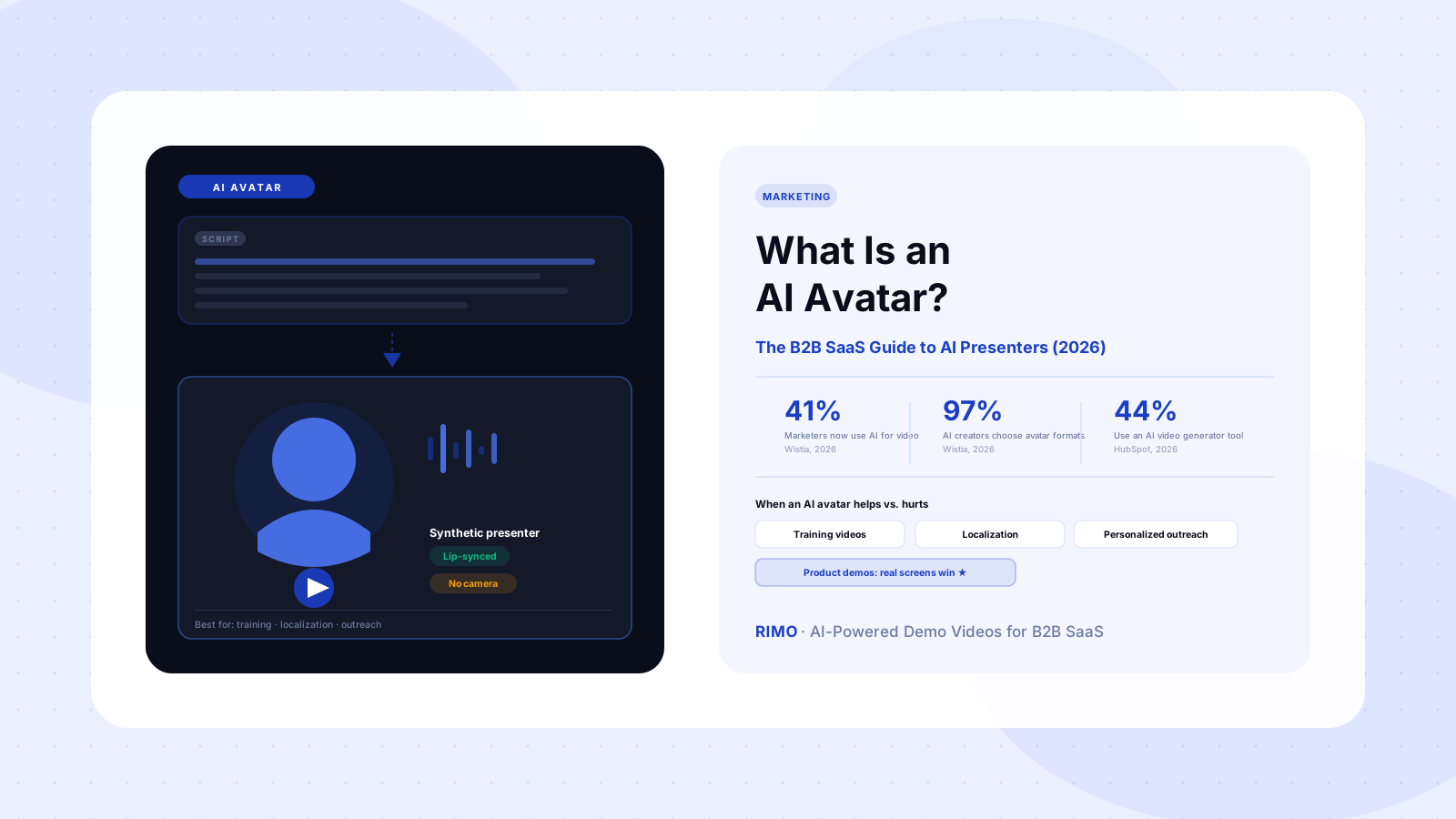
2. Avatar-based video makers
Platforms like Synthesia and HeyGen produce videos featuring AI-generated human presenters delivering your script. They're effective for enterprise training content, executive communications, and multilingual distribution — HeyGen supports 175+ languages with lip-synced narration, which is genuinely valuable for global SaaS teams.
The consistent G2 complaint for this category isn't quality — it's pricing structure. Synthesia users specifically flag that credits expire monthly: unused production minutes in a quiet period are lost, creating a cost structure that penalizes teams with uneven production volumes. Before committing to a platform in this category, evaluate whether the pricing model matches your actual production cadence, not your projected one.
B2B SaaS fit: Strong for training, onboarding, and multilingual content. Weaker for product demos requiring real software visuals.
3. Screen-recording-based video tools
Loom and Screencastify capture your screen in real time and layer lightweight editing on top. These are the most widely used "video tools" in B2B SaaS today. They're genuinely useful for async internal communication, quick customer walkthroughs, and support library content.
Here's the thing most evaluations miss: screen recorders are not demo video makers. They capture what happened during a recording session. A dedicated demo video maker produces what should happen in an ideal session — scripted, narrated, branded, and reusable without reshooting. Loom's most-cited complaint on G2 (appearing in 147 separate reviews) is "Recording Issues": frozen recordings, failed uploads, audio sync failures. That failure mode is inherent to live capture. Every screen recorder is only as reliable as the session it captured.
B2B SaaS fit: Useful for async communication. Not scalable for demo video production.
4. Script-to-video makers
These platforms take a written script and assemble a finished video from product assets, narration, and brand elements — without a live recording session. The output is consistent, brandable, and updatable without reshooting. This is the category most directly built for the demo video production problem in B2B SaaS.
Teams already running a script to video workflow manually — writing a script, recording to match it, editing the sequence — find that an AI-powered version cuts production time by 70–80% while significantly improving consistency across the library.
B2B SaaS fit: High. Built for the production scale demo libraries require.
5. Full AI production platforms
The newest category: platforms that handle the entire pipeline from brief to finished video using AI at every layer. You provide a product brief or a set of screenshots. The platform generates the script, narrates it, assembles the visual sequence, enforces your brand kit, and exports in multiple formats. This is where AI video production delivers its highest impact for B2B SaaS teams.
B2B SaaS fit: High. The right choice for teams producing more than ten videos per quarter across multiple personas and use cases.
Why consumer AI video tools fail B2B SaaS teams
The B2B SaaS video production context has requirements that most AI video tools were not designed for. Understanding these before starting an evaluation saves significant time.
Product accuracy is non-negotiable. A product demo video that shows the wrong UI, an outdated workflow, or a feature that doesn't exist creates a specific downstream problem: customers who churn when the product doesn't match what they were shown. Consumer AI tools that generate synthetic visuals or rely on stock footage cannot produce screen-accurate product walkthroughs. This isn't a quality difference — it's a category difference.
Skepticism is higher in B2B buying. A buyer evaluating a $50,000 annual SaaS contract applies more scrutiny to a demo video than a consumer watching a product ad. A polished AI-generated video with attractive visuals and smooth narration can perform worse than a less cinematic video that shows the real product accurately. The former signals "marketing." The latter signals "proof." For B2B conversion, proof outperforms polish consistently — which is a counterintuitive finding that most video production advice ignores.
The volume math breaks consumer tools. A B2B SaaS team supporting eight personas, six key features, and four distribution contexts (homepage, outbound, follow-up, champion enablement) needs at least 30–40 distinct videos to cover the matrix adequately. Consumer video tools are designed for occasional production. They don't have the workflow architecture to support a library that size.
This is why the conversation in B2B video marketing teams has shifted from "should we make demo videos?" to "which production system can keep pace with our product and our pipeline?"
How to evaluate an AI video maker for B2B SaaS
See what a real AI video maker looks like for B2B SaaS
Rimo takes a plain-English brief and produces a finished product demo — real screens, AI narration, your brand kit. No editor. No agency. Under two hours.
When evaluating an AI video maker for B2B SaaS, five criteria consistently separate tools that work from tools that look good in a 30-minute sales demo:
1. Can it show your real product? The platform must handle screen capture or product asset import at a quality level that accurately represents your actual software. If the output looks like a conceptual animation rather than a real product session, it will not convert enterprise buyers.
2. How fast from brief to finished video? Time-to-output is the most important metric and the hardest one to evaluate from a vendor demo. Run a trial. Give the tool a real brief — a specific feature, a specific persona, a specific use case — and measure actual production time. The gap between platforms can be two hours versus two weeks.
3. Does AI narration survive product language? Test the voiceover on a paragraph containing your product's specific terminology — integration names, workflow labels, technical feature names. This is the test most evaluations skip because it feels granular. It isn't. Product-specific language exposes the quality floor faster than any other test.
4. How does it handle updates? When you ship a new feature or redesign a workflow, how much of the existing video needs to be rebuilt? Platforms requiring full re-recording on every product change keep your demo library permanently behind the product. Look for scene-level editing that lets you update one part of a video without touching the rest.
5. What does it cost at your actual production scale? G2 reviewers consistently identify pricing as a top frustration with AI video tools. Evaluate against your quarterly production volume across all use cases — not your first month's planned output. The math often changes the conclusion significantly when you factor in all the videos your team needs: demos, explainers, tutorials, follow-ups, social ads.
The update problem: what no buying guide mentions
Every AI video maker buying guide covers features, pricing, integrations, and output quality. Almost none of them cover the update problem — and it's the one that determines whether a demo video program succeeds at month twelve or collapses at month three.
B2B SaaS products ship every two to four weeks on average. Demo videos go stale in 90 days — faster in competitive markets where the UI is itself a differentiator. A library of 40 demo videos last updated five months ago is not a marketing asset. It's a source of churn risk for customers who were shown one thing and received another.
The update problem explains why production speed matters beyond first-video economics. If your AI video maker takes two weeks to update a single video, your demo library will always lag your product. If it takes two hours — and allows scene-level editing so you can change one workflow step without rebuilding the whole video — you can maintain a library that accurately reflects what your product does today.
Teams that are still actively using their AI video maker twelve months after purchase almost universally have this capability. Teams that bought one, produced a handful of videos, and let the subscription lapse almost universally don't. The selection criterion most predictive of long-term program success is not the tool with the most features at purchase — it's the tool where maintenance is as fast as creation.
For teams thinking through how to create product demo videos at scale, the right question isn't "how fast can we make the first one?" It's "how fast can we update the tenth one when the product ships a change in Q3?"
What the best AI video makers have in common
After accounting for type and use case, the AI video makers that B2B SaaS teams consistently rate highest share a few characteristics that don't appear in feature comparison tables.
They're purpose-built for a specific job. Platforms that try to serve social media creators, enterprise training teams, product marketers, and feature film production simultaneously tend to serve none of them particularly well. The platforms with the highest sustained satisfaction ratings from SaaS teams are built around one specific workflow. Every design decision traces back to that workflow, and everything outside it is deliberately excluded.
They enforce brand without requiring effort. Brand consistency in a video library is a function of the tool, not individual discipline. A platform requiring manual brand application per video produces inconsistent output at scale. The best platforms enforce fonts, colors, logo placement, and intro/outro sequences at the template level — every video is on-brand by default, not by sustained personal effort.
They treat accuracy as a business requirement, not a production standard. The most important thing a B2B demo video can do is accurately represent how your product works. A video that does this — even with less polished production — outperforms a more cinematic video that misrepresents the workflow. The best AI video makers are built around real product content. Accuracy is not a feature in this context; it's the point.
They're built for the buying committee, not just the evaluator. B2B buying involves an average of six to ten stakeholders, according to Gartner. A demo video optimized only for the technical evaluator misses most of the committee. The best platforms let you produce persona-specific versions — the IT security angle, the CFO ROI angle, the end-user workflow angle — from a single base production without doubling your time investment.
The AI video makers that are still running at month twelve aren't the ones with the longest feature list at purchase. They're the ones where updating the library is faster than the product ships. If your tool can't keep pace with your product, your demo library is always wrong.
Pick the AI video maker that matches the job, not the feature list
The category spans from "text-to-video for social content" to "full AI demo production for enterprise B2B sales." Most buyers land in the wrong part of that spectrum because the tools look similar in a 30-minute product demo. The differences only appear when you're producing your fifteenth video under deadline pressure — or when your product ships a major UI change and you need to update 20 videos before the next campaign launches.
For B2B SaaS teams, the right AI video maker handles real product screens, maintains consistent brand output at scale, and updates fast enough to stay current with the product. That combination eliminates most consumer tools and most avatar-based platforms from consideration for your core demo use case. It points toward script-to-video and full AI production platforms built specifically for the marketing video maker workflow in B2B contexts.
If you're looking for a platform built specifically for product marketing and sales teams — one that handles screen capture, AI narration, brand enforcement, and scene-level updating in a single workflow — that's exactly the use case Rimo was built for.
Build your demo video library with Rimo
From a written brief to a finished product demo in under two hours — real screens, AI narration, your brand. No editor. No agency. Start today.
FAQ
What is an AI video maker?
An AI video maker is a software platform that uses artificial intelligence to automate part or all of the video creation process — including scripting, narration, visual assembly, editing, and export. The category covers five meaningfully different tool types: text-to-video generators, avatar-based video makers, screen-recording tools with AI editing layers, script-to-video platforms, and full AI production platforms. For B2B SaaS teams, the most relevant types are script-to-video platforms and full AI production platforms — both designed to produce finished product videos from scripts or product assets, without live recording sessions or professional video editors.
How is an AI video maker different from a screen recorder?
A screen recorder captures what happens on your screen during a live recording session. An AI video maker produces a finished video from a script, brief, or set of product assets — without requiring a live session. Practically: screen recorders are as reliable as the session they captured. If a recording goes wrong, you re-record. AI video makers produce consistent output regardless of recording conditions. For teams producing more than a few videos per quarter, this consistency and repeatability becomes a significant production advantage.
Can an AI video maker produce accurate B2B product demos?
Yes — if the platform is built for real product content rather than AI-generated synthetic visuals. Platforms that work from actual product screenshots, screen captures, or recorded footage can produce screen-accurate product demos. Platforms that rely on text-to-video generation — creating synthetic visuals from a prompt — cannot produce accurate product walkthroughs, because the visuals are fabricated rather than captured. B2B SaaS teams should verify specifically whether a tool works from real product content before evaluating it for demo video production.
How much does an AI video maker cost?
Pricing ranges from approximately $18/month for entry-level avatar platforms to $300–$500/month for professional B2B platforms with full production workflows, brand enforcement, and team collaboration. Enterprise tiers with SSO, analytics, and dedicated support typically start at $500–$1,000/month. The most common pricing trap is credit-based models where unused monthly minutes expire — G2 reviewers across multiple platforms cite this as a significant frustration in 2026. Evaluate pricing against your quarterly production volume across all use cases, not against your first month's planned output.
What is the best AI video maker for B2B SaaS marketing teams?
The best AI video maker depends on your primary use case. For avatar-led training and multilingual content, HeyGen and Synthesia are strong options. For async internal communication and quick screen captures, Loom works well for lower-stakes content. For full-cycle product demo production — brief to finished video with real product screens, AI narration, and brand enforcement — purpose-built platforms like Rimo are designed for that specific workflow. The evaluation criterion that matters most isn't feature breadth at purchase — it's how fast you can update an existing video when your product ships a change.
How long does it take to produce a video with an AI video maker?
With AI production platforms, B2B SaaS teams typically go from a written brief to a draft video in one to three hours for standard formats — 60–90 second demos, feature walkthroughs, and persona-specific follow-up assets. Review, revision, and export typically add two to four hours. Traditional production workflows average two to three weeks per video when accounting for scripting, recording, editing, voiceover, and revision rounds. According to data from Vivideo, AI production has reduced average time for a 60-second video from 13 days to 27 minutes — a 97% reduction in raw production time, before accounting for the coordination overhead that manual workflows generate.
Akshay Sharma
Product Leader · 10+ years in B2B SaaS
Akshay has spent 10+ years building and marketing B2B SaaS products. He writes about product storytelling, demo production, and the operational side of product marketing.