What Is a Sales Demo Video Maker? The B2B SaaS Guide
Your SE has a packed calendar for the next three weeks. Your prospect wants a sales demo video maker output — something polished they can watch with their CFO before the next call. Marketing wants a demo clip on the pricing page. Sales Ops wants a personalized video library for the new vertical they're pursuing. And your AE just forwarded a request: "can you send a quick product walkthrough for follow-up?"
You open Loom. You stare at the record button. Then you close it.
That gap — between "we need a demo video" and "we have capacity to make a good one" — is exactly the problem a dedicated sales demo video maker was built to close. Not a screen recorder. Not a video editing suite. A purpose-built tool that takes your product content and turns it into polished, on-brand demo videos that do the selling when your sales team isn't in the room.
This guide covers what a sales demo video maker actually is, how it differs from the tools you already have, what to look for when choosing one, and why the "update problem" that nobody talks about is the thing that breaks most demo libraries six months after launch.
In this guide
- What is a sales demo video maker?
- How it's different from a screen recorder
- The 4 types of sales demo video maker
- What features matter most in a sales demo video maker
- The demo update problem no evaluation covers
- How B2B SaaS teams use a sales demo video maker at every buyer stage
- FAQ
What is a sales demo video maker?
A sales demo video maker is a software platform that enables B2B SaaS teams to produce polished, on-brand product demo videos without requiring live screen recording sessions, professional video editors, or multiple rounds of manual revision.
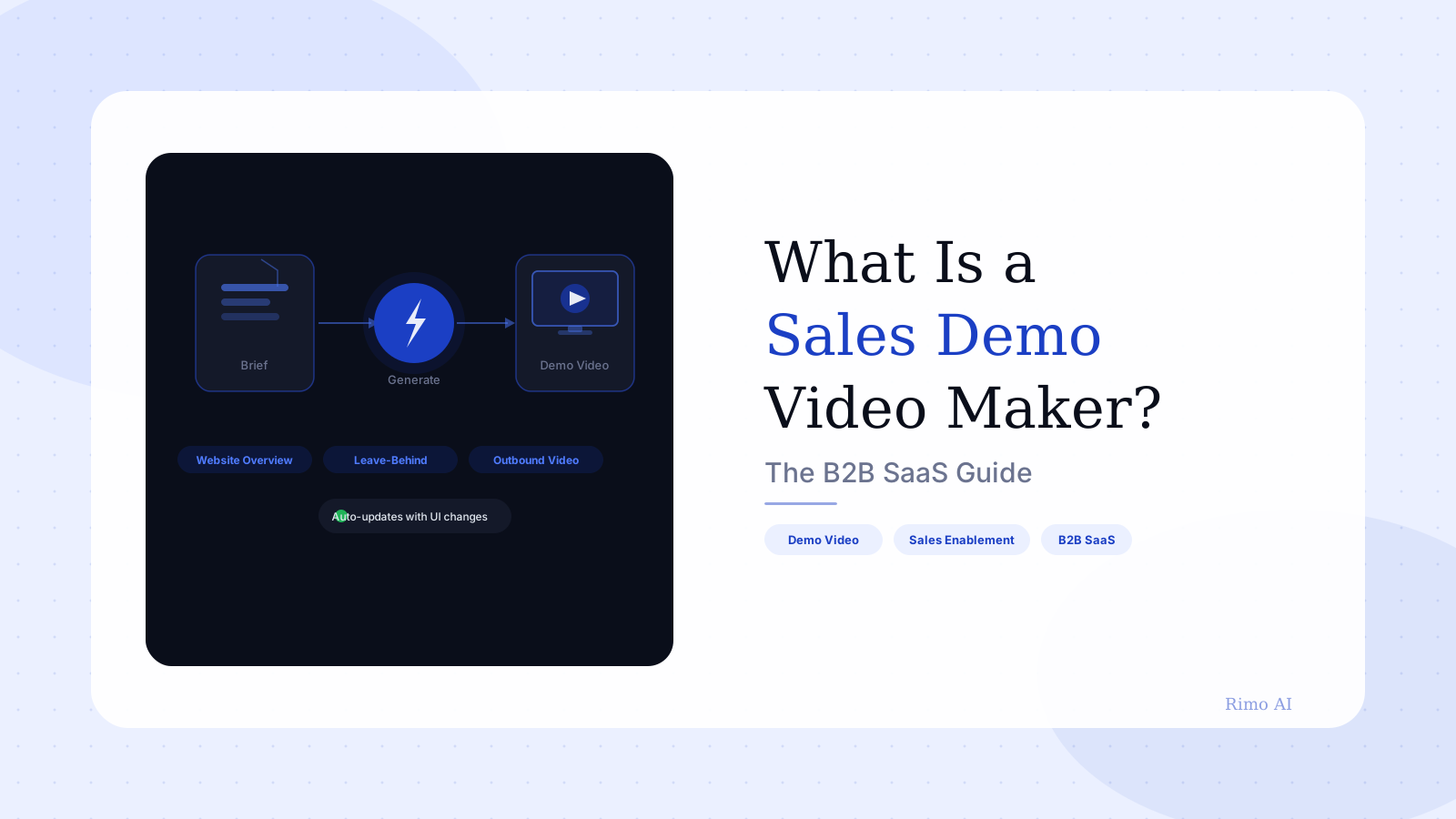
The key distinction is in the word "maker." A screen recorder captures. A video editor arranges existing footage. A sales demo video maker produces — from a script, a set of product screenshots, or a written brief, it generates a finished video complete with narration, UI callouts, branded visuals, and a narrative arc.
This category sits at the intersection of sales enablement and marketing content. Teams use these videos across the full buyer journey: on product pages and pricing pages, inside outbound sequences, as follow-up leave-behinds after live calls, and as champion-enablement assets for deals where the economic decision-maker wasn't on the original demo call.
The numbers explain the demand. Buyers are doing more of their evaluation asynchronously, across digital channels, before they ever get on a call. A sales demo video maker is the production infrastructure that lets teams meet buyers where they are — without requiring SE time for every new asset.
How it's different from a screen recorder
People conflate these two categories constantly, and that confusion is expensive. Picking a screen recorder when you need a sales demo video maker is like choosing a whiteboard marker when you need a design tool — technically related, practically very different.
Screen recorders — tools like Loom, Screencastify, or OBS — do exactly what their name says. They capture your screen in real time. The output quality is tied directly to how the recording session went: if you stumble over a sentence, clip the wrong window, or get a Slack notification mid-take, that's in the file. Editing is limited. Branding is surface-level. Producing 50 variants for 50 different personas requires 50 recording sessions.
The pattern shows up in user feedback. Loom's most-cited complaint on G2 is "Recording Issues" — 147 separate reviews mention frozen recordings, failed uploads, and unreliable audio capture. That's not a Loom-specific failure. It's inherent to the category. Every screen recorder is only as reliable as the live session it captured.
Sales demo video makers break that dependency. You provide the content — product screenshots, a script or a brief — and the tool produces the video. The output is consistent because it's generated, not captured. Update one scene without re-recording the whole video. Swap a logo or company name to create a personalized variant in minutes rather than hours.
For teams evaluating screen recording tools alongside purpose-built demo video tools, the right question isn't "which does more?" It's "which workflow scales to the number of demos my pipeline actually needs?"
The 4 types of sales demo video maker
Not all tools in this category work the same way. Understanding the four types helps you match a tool to your production workflow rather than discovering the mismatch after three months of trying to force a fit.
Type 1: AI-native generators
These tools take a brief, script, or product URL and produce a complete demo video using AI-generated narration, animated UI representation, and branded visuals. No screen recording required at any point in the workflow. They're fastest for new products, fast-changing products, and teams without dedicated SE capacity to run recording sessions.
This is where Rimo sits. The workflow is: describe what you want to show, provide your product screens or assets, and get a polished video. It's a fundamentally different production model from recording-based tools.
Type 2: Screen recording with AI post-production
These tools record live sessions first, then apply AI to edit, clean, and structure the output. They reduce time spent in editing but still depend on a clean recording session to start with. Better than raw screen recorders for production quality. More constrained than AI-native tools when it comes to bulk variant production or re-recording after UI updates.
Type 3: Interactive demo converters
Tools like Navattic or Arcade create clickable product tours rather than traditional linear videos. They're excellent for product-led growth contexts — self-serve onboarding, in-app walkthroughs, trial conversion. They're not videos. They don't embed in email, play in a sales sequence, or work as shareable leave-behinds in the same way a video does. The category is complementary to sales demo video production, not a substitute.
Type 4: Video-first sales platforms
Tools like Vidyard combine screen recording or video upload with distribution tracking, viewer analytics, and CRM integration. They tell you who watched your demo, how far they got, and which sections they rewatched. The production input is still recording-based, which creates the same update and scaling constraints as Type 2. But the analytics layer is more developed than most AI-native tools currently offer.
Most mature B2B SaaS teams use two of these: an AI-native tool for scalable production, and a video-first sales platform for distribution and tracking. Separate concerns, separate tools, better outcomes than trying to force one platform to do both.
What features matter most in a sales demo video maker
The marketing pages for these tools all look similar. The practical differences show up in production workflows, not feature lists. Here's what actually separates capable platforms from basic ones.
AI voiceover and narration quality The ability to generate natural-sounding narration from a script — without a human recording session — is the foundational production feature. It's what makes variant production and localization possible without proportionally scaling costs. Look for custom voice training (so the narrator sounds like your brand) and multiple accent or language options, not just a selection of generic AI voices.
Scene-level editing and modular structure This matters more than any other feature and is routinely under-evaluated during trials. A video built as a single monolithic file requires full re-production when anything changes. A video built from modular scenes — each independently editable — lets you update a single workflow step, re-render that section, and publish an updated version in under ten minutes. For a product that ships features every two weeks, the difference is whether your demo library stays current or decays.
Branded templates and visual controls A sales demo video that looks generic signals to a prospect that your company either doesn't care about quality or didn't invest in the demo. Strong template systems with logo injection, brand colour matching, font control, and consistent callout styling are non-negotiable for B2B SaaS contexts. Buyers calibrate perceived product quality against the quality of the assets you send them.
Personalization at scale The ability to swap a company name, logo, or industry use case to produce a personalized variant — without rebuilding the underlying video — is what separates a production tool from a project. Personalized demos outperform generic ones consistently. The barrier is always production bandwidth, not intent. A demo video script template approach to video structure makes this much easier: build the structure once, swap the persona details, produce a variant.
Analytics and viewer data Knowing whether a prospect watched your video, how far they got, and whether they rewatched specific sections is valuable information at the bottom of the funnel. Not every sales demo video maker has built-in analytics — some rely on integration with dedicated video hosting platforms. Clarify whether the tool integrates with your CRM and existing video infrastructure or whether you're managing an additional, disconnected silo.
Build your demo video library without a recording session
Rimo turns your product screens and brief into a polished, on-brand sales demo video. No SE time. No re-recording every time the UI changes. Modular scenes mean your library stays current.
The demo update problem no evaluation covers
Here's the practical challenge most buying decisions miss — and it's the one that turns a solid tool choice into an expensive maintenance problem six months after launch.
B2B SaaS products change fast. Feature releases, UI redesigns, pricing updates, rebrands, new integrations — the product that exists in January looks different in April. Screen recordings have a shelf life measured in weeks, not months. Teams that build a demo library on top of recording-based workflows discover that maintaining it becomes a second production job with no clear end.
This shows up in the Vidyard user feedback too. G2 reviewers repeatedly flag per-seat pricing that escalates sharply: one widely-referenced example shows a team's annual costs jumping from $240 to over $24,000 after a billing model change — while the underlying recording workflow still demands manual re-recording whenever a product screen changes. You're paying more for a workflow that doesn't solve the core problem.
The update problem is why AI-native generation is a structural advantage, not just a convenience feature. If your sales demo video maker can regenerate a single scene from a new screenshot — without touching the rest of the video — your demo library stays current at near-zero marginal cost. If it can't, your demo library's quality decays at the same rate your product ships updates.
One question to ask in every vendor evaluation: "If our UI changes in one specific section of an existing video, what does it take to update that video?" The answer will tell you more about long-term viability than any feature comparison chart.
For teams that also want to understand the broader demo video software landscape before committing, starting with that category-level view helps frame the full set of trade-offs.
How B2B SaaS teams use a sales demo video maker at every buyer stage
The conventional framing for demo videos is narrow. Most teams think of them as follow-up assets for active sales opportunities. That's one of six distinct use cases.
Top-of-funnel awareness A 60–90 second product overview on a homepage, pricing page, or targeted landing page. This answers "what does this product actually do?" before a prospect will commit their calendar to a discovery call. Wistia's 2026 State of Video data shows that product videos are among the assets with the highest reported business impact — not because they go viral, but because most of the buying decision happens before a rep ever gets on a call.
Outbound prospecting Personalized demo videos in outbound sequences — with the prospect's company name, industry vertical, or specific pain point in the opening frame — generate higher reply rates than text-only outreach. The production bottleneck is the only barrier; a sales demo video maker that supports personalized variants removes it. The same 90-second base video becomes 20 personalized versions in an afternoon.
Mid-funnel evaluation content When a prospect is actively evaluating, they need depth on specific workflows. Feature-specific micro-demos — two to four minutes, focused on a single use case or integration — are more useful here than a general product overview. These are also the videos a champion shares internally with the technical evaluator, the CFO, or the IT lead who wasn't on the original call. Your sales demo closes the deal in the room with the people who were there. The video closes it with everyone else.
Post-demo leave-behinds This is the use case most sales teams recognize immediately: a polished version of what was demonstrated on a live call, sent within 24 hours, specifically edited for the buyer's use case. 80% of B2B sales interactions now happen in digital channels (Gartner, 2025) — the leave-behind video is how you stay present in the conversations that happen after the call ends.
Competitive displacement Short, direct comparison videos that show your product doing something a named competitor handles poorly. These work in active competitive situations and in sales-assisted outreach to accounts you know are evaluating alternatives. The specificity is what makes them effective; a generic "we're better than X" claim lands differently than a 90-second video showing the specific workflow comparison.
Customer expansion Demo videos for existing customers — new features, new use cases, upsell content — are the most underproduced asset category in most B2B SaaS companies. Customers who understand the full surface area of your product expand faster than those who only know the workflows they onboarded with. An automated demo video creation workflow applied to expansion content can meaningfully lift net revenue retention without adding headcount to the CS team.
Choosing the right sales demo video maker for your team
The right tool depends on three variables: your production volume, your product velocity, and the technical sophistication of whoever will be running the workflow.
Low volume, low velocity — a startup with a stable product and a handful of demo needs per quarter can get by with a screen recording tool and careful editing discipline. The cost of a specialized tool isn't justified yet.
Medium volume, any velocity — once you're producing more than one new demo asset per week, or once your product ships UI changes regularly, the recording-based workflow breaks down. This is where a purpose-built sales demo video maker pays for itself: production time drops, update cycles shrink, and the quality floor rises because the output isn't dependent on individual recording sessions.
High volume — sales teams doing personalized outreach at scale, or marketing teams managing demo content across multiple verticals, need modular production at the core. Generic videos sent at high volume are worse than no video; the personalization capability is what makes the volume worthwhile.
Before evaluating specific tools, it's worth reading through the best demo video software tools comparison — it covers the trade-offs across platforms in detail, with pricing and workflow notes that will help frame a shortlist.
FAQ
What is a sales demo video maker? A sales demo video maker is a software platform that enables B2B SaaS teams to produce polished, on-brand product demo videos without live screen recording sessions or professional editing workflows. The tool takes product content — screenshots, scripts, or a brief — and generates a complete video with narration, branded visuals, and a structured narrative. It differs from a screen recorder in that it produces from content rather than capturing a live session.
How is a sales demo video maker different from a screen recorder? A screen recorder captures whatever happens on your screen in real time. The output quality depends entirely on how the live session goes. A sales demo video maker generates video from structured inputs — screenshots, a script, product assets — without any live recording. The practical difference is that demo video makers support modular editing, personalized variants, and update workflows that screen recorders cannot. For a product that ships updates regularly, only a purpose-built tool keeps the demo library current without constant re-recording.
How long should a sales demo video be? Length depends on where in the buyer journey the video sits. Homepage and outbound awareness videos perform best at 60–90 seconds. Feature-specific deep dives for active evaluators typically run two to four minutes. Post-demo leave-behinds that recap a specific live call can run up to five or six minutes for complex enterprise products. Anything longer than six minutes is a training video, not a sales demo. The most common mistake is producing one long video and using it everywhere, rather than producing purpose-specific lengths for each stage.
Can a sales demo video maker produce personalized videos for individual prospects? The best ones can. Personalization typically works at the scene level: you build a base video structure and swap specific scenes — an opening that names the prospect's company, a use case framed around their industry, a closing that references their specific pain point. The more modular your video's structure, the faster you can produce personalized variants at scale. This is one of the most important questions to test during a trial: build a base video, then try to produce five personalized variants and time how long it takes.
How do I keep my demo videos up to date when the product UI changes? This is the most underrated operational challenge in demo video production. If your tool is recording-based, a UI change means re-recording any video that shows the affected screens — which can be every demo video in your library at once. AI-native sales demo video makers solve this with scene-level editing: you replace the affected screenshot, regenerate that scene, and publish an updated video without touching the rest of the production. When evaluating tools, ask explicitly: "What is the workflow to update a specific scene in an existing video?" The answer should take minutes, not hours.
What should I look for when choosing a sales demo video maker? Five features drive real outcomes: AI voiceover quality (natural-sounding narration without recording), scene-level editing (update scenes independently without re-recording), branded template control (logo, colours, fonts), personalization support (swap use-case-specific content across variants), and analytics integration (track who watched and how far). Evaluate all five against your actual production volume and product update frequency before committing. A tool that looks complete in a demo can still break your workflow at scale if it lacks modular editing or forces full re-production on every update.
The question for most B2B SaaS teams is no longer whether to produce demo videos. Buyers expect them. The question is whether you have the production infrastructure to make them consistently, keep them current as your product evolves, and personalize them at the scale your pipeline demands.
A screen recorder answers none of those three questions at scale. A purpose-built sales demo video maker answers all of them — provided you choose one with modular editing at its core, not just a recording workflow with an AI voiceover bolted on.
Start with three videos: a 90-second product overview for the website, a feature-specific deep dive for your highest-converting use case, and a leave-behind template your SE team can personalize in under 15 minutes. Those three assets cover the majority of demo content needs and give you real usage data to evaluate your tooling before committing to a full library build.
Rimo is built for exactly this workflow — from brief to polished video, without recording sessions or video editors. Try Rimo free or book a demo to see how your team would use it.
Akshay Sharma
Product Leader · 10+ years in B2B SaaS
Akshay has spent 10+ years building and marketing B2B SaaS products. He writes about product storytelling, demo production, and the operational side of product marketing.