What Is a Digital Sales Room? The B2B Sales Guide (2026)
Your rep just finished a great call. The prospect was engaged, the champion asked smart questions, and now it's time to follow up — so the email goes out with a deck attached, a Loom link pasted below it, a pricing PDF, and a case study nobody will open. Three days later, the champion forwards that email to two stakeholders who weren't on the call, and both of them open it once, skim the deck, and never touch it again.
That's not a follow-up problem. It's a format problem. A static email thread was never built to carry a live deal through a buying committee of six or seven people, each arriving at a different moment with a different question — and every scattered attachment is a chance for the deal to quietly stall.
This guide covers what a digital sales room actually is, what belongs inside one, where most B2B SaaS teams get it wrong, and a practical way to build a video-first version of one this week — without buying a new platform first.
In this guide
- What is a digital sales room?
- Why digital sales rooms are replacing the follow-up email
- What actually goes inside a digital sales room
- Digital sales room vs. proposal software vs. interactive demo
- The digital sales room mistake most B2B SaaS teams make
- How AI and buying committees are changing the digital sales room
- A practical workflow: build a video-first digital sales room without new software
- Digital sales room software: what G2 reviews actually say
- How to measure whether your digital sales room is working
- FAQ
What is a digital sales room?
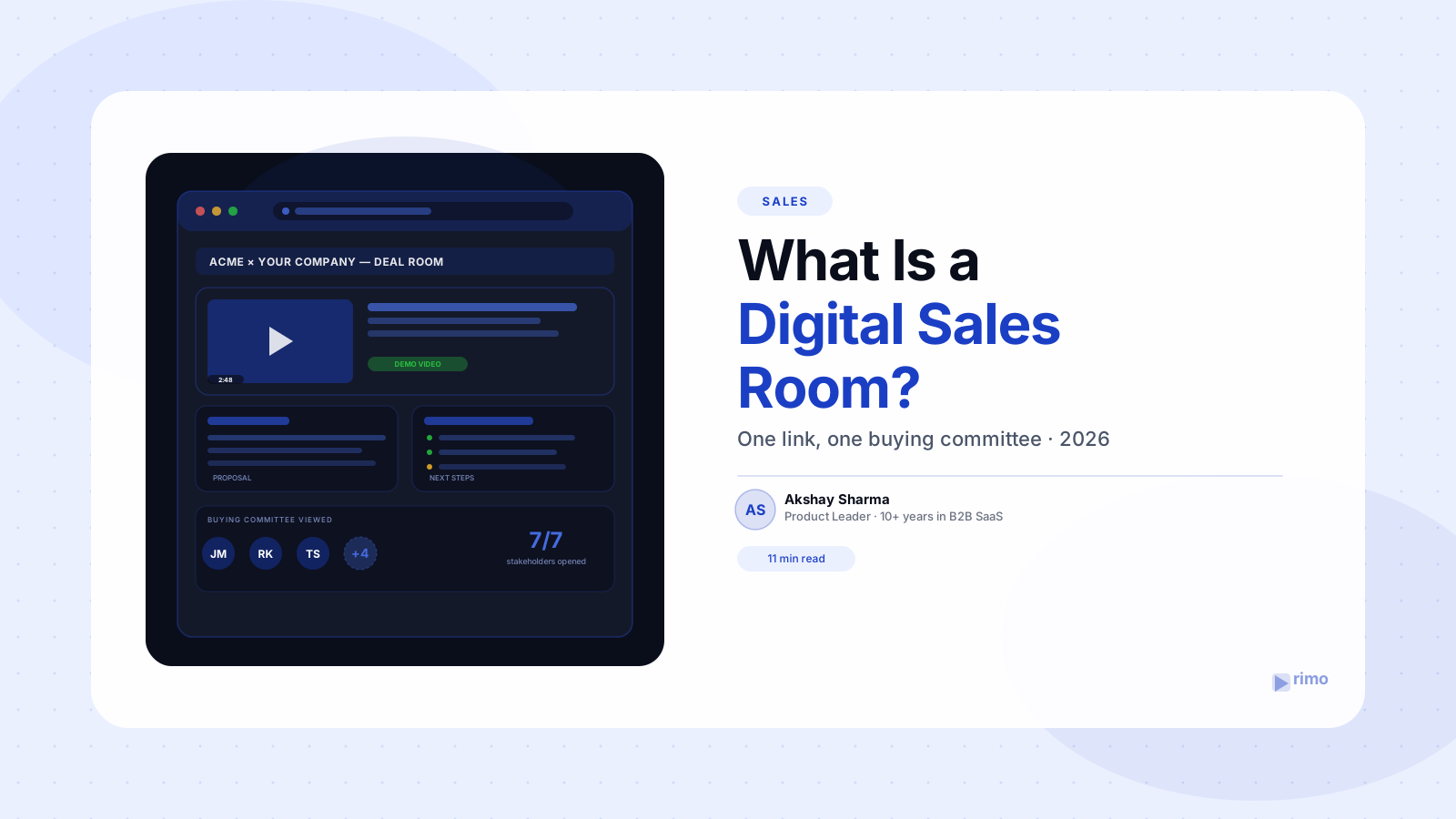
A digital sales room is a single, branded, private link that holds everything a buyer needs to evaluate and buy your product — the product demo video, the proposal, pricing, case studies, and a shared timeline of next steps — instead of spreading that content across a dozen email attachments.
The defining feature isn't the content itself. It's that a digital sales room is interactive and trackable on both sides. A buyer can revisit it, share it internally, and explore at their own pace; a seller can see exactly which stakeholder opened which section, for how long, and what they skipped.
That gap between what buyers want (self-serve, digital-first) and how most B2B SaaS teams still sell (attachments and a follow-up cadence) is exactly what a digital sales room is built to close.
Why digital sales rooms are replacing the follow-up email
A single champion rarely buys B2B software alone anymore. Gartner's research on buying committees shows the typical group now spans six to ten people, and the rep is present for only a fraction of the conversations those people have with each other about the deal.
An email thread cannot follow a deal into those internal conversations. A digital sales room can, because the link itself — not a specific person's inbox — becomes the artifact stakeholders pass around, reference in Slack, and return to before a decision meeting.
Here's the part that surprises most sales leaders: the room doesn't just make the buyer's job easier, it makes the seller's job easier too. Every open, every rewatch of the demo section, every skipped page is a signal a rep would otherwise have to guess at — and Gartner has found that tailoring content to what each buying-committee member actually cares about increases group consensus by 20% (Gartner). A room that shows you who looked at what is the only practical way to do that tailoring in real time.
What actually goes inside a digital sales room
Strip away the branding and every effective digital sales room contains the same core elements, arranged around the buyer's evaluation journey rather than the seller's pitch order:
- A short, specific demo video showing the exact workflow the buyer cares about — not a generic company overview
- The proposal or quote, kept current as terms evolve, instead of a static PDF that goes stale after the first revision
- Case studies or customer proof, ideally from a company the buyer will recognize as a peer
- A mutual action plan listing next steps, owners, and target dates for both sides
- A live Q&A or comment thread so a stakeholder who joins late doesn't need a separate recap call
- Engagement analytics, visible to the seller, showing what's actually being read or watched
Most teams get the list right and the sequencing wrong. They lead with the proposal, because that's the seller's instinct, when the demo video is what actually earns the attention of a stakeholder who's never spoken to the rep and has three minutes before their next meeting.
Digital sales room vs. proposal software vs. interactive demo
These three get conflated constantly, and the difference matters for what you actually need to buy or build.
Proposal software (like PandaDoc or DocuSign's document tools) generates and signs a single document — the proposal or contract. It's transactional: built for the final step of a deal, not the weeks of evaluation before it.
Interactive product demos — click-through walkthroughs of the actual software — answer "how does this work" for one specific stakeholder in one specific moment. A digital sales room is the container that can hold an interactive demo, or a recorded demo video, alongside everything else a buying committee needs across the full evaluation window.
The practical distinction: a proposal is a moment, a demo is an asset, and a digital sales room is the persistent space that holds both and outlives any single meeting on the calendar.
The digital sales room mistake most B2B SaaS teams make
Here's the contrarian part: most teams that adopt a digital sales room treat it as a nicer-looking version of the same static deck they used before — one video, one PDF, dropped into a branded template and called done.
That misses what actually drives adoption inside the buying committee. A room built for one persona (usually the champion) gives the economic buyer and the technical evaluator almost nothing tailored to their specific objections, so they fall back to asking the champion questions the room was supposed to already answer.
The fix isn't more content in the room. It's persona-specific sections — a short video answering the technical evaluator's integration question, a different one addressing the economic buyer's ROI concern — so each stakeholder finds their own answer without waiting on a live call. This is precisely the workflow a demo automation platform is built to support at scale, generating those persona-specific cuts from one underlying product without a video team re-shooting each variant by hand.
See how Rimo automates this → Rimo generates persona-specific demo videos from a single script and product — ready to drop straight into any digital sales room, with a transcript and schema markup included by default.
How AI and buying committees are changing the digital sales room
Buyer behavior has shifted faster than most sales playbooks have caught up with. Gartner's 2025 survey found buyers now use an average of seven information sources during a purchase, and 45% report using generative AI specifically to research vendors before ever speaking to a rep.
That changes what a digital sales room needs to contain. If a buyer's AI assistant is summarizing your room's content back to a stakeholder who never opened the link directly, the room's text, transcripts, and structure need to be as legible to a language model as they are to a human — the same principle behind generative engine optimization applied to a private deal artifact instead of a public blog post.
The unexpected implication: a digital sales room with a video that has no transcript is invisible to exactly the AI research step 45% of buyers are now taking. A room where every video ships with a clean, accurate transcript gives both the human stakeholder and their AI assistant something to actually work from.
A practical workflow: build a video-first digital sales room without new software
You don't need to buy dedicated digital sales room software to test whether the format works for your team. Here's a lightweight version to run with tools most B2B SaaS teams already have.
- Pick one active deal past the first call. Don't roll this out org-wide before you know it works for a single buying committee.
- Record or generate one short, specific demo video for the exact workflow that deal's champion cares about — three minutes beats fifteen.
- Publish the video with a full transcript on a single shareable page, not just as an email attachment.
- Add the proposal, one relevant case study, and a simple next-steps list to the same page, in that order.
- Share the single link, not separate attachments, and ask the champion to forward that link internally instead of forwarding the email.
- Check engagement weekly. Even basic link-tracking tools will show whether stakeholders beyond the champion are opening it — that's the signal dedicated software is worth evaluating.
If the workflow earns its keep on that one deal, the case for dedicated software writes itself, backed by your own data instead of a vendor's benchmark.
Digital sales room software: what G2 reviews actually say
If you do decide to buy, the category has matured fast, and G2 reviews reveal a consistent pattern across the leading tools worth knowing before you sign an annual contract.
Reviewers on G2 consistently praise Trumpet for the collaborative "pod" format and how easily reps can pull in existing video and documents — but the most-repeated complaint is the lack of native automation with tools like Zapier, which makes CRM-connected workflows harder to build than reviewers expect at the price point.
GetAccept reviewers highlight strong e-signature and proposal automation, but the most frequent complaints on G2 cluster around missing features and template inflexibility — several reviewers describe adapting their contracts to fit the platform's templates rather than the other way around. Higher-tier plans are also annual-only, with a 60-day notice period to cancel.
Aligned earns consistently high marks for ease of use and centralization, with reviewers specifically calling out how clearly it surfaces which stakeholders are engaging. The recurring complaint theme is limited customization and occasional friction with file uploads and mobile access.
We loved being able to see who from the buying committee actually opened the room — the problem was every workflow outside the core product needed a manual export, because nothing connected to our CRM out of the box.
The pattern across all three: the collaborative, trackable room itself is genuinely well-built across the category. Where teams get burned is assuming automation and customization are included at the entry tier, when reviewers consistently say those are exactly what gets gated or left out.
How to measure whether your digital sales room is working
Three metrics separate a working digital sales room from an expensive-looking template:
Stakeholder spread. Track how many distinct people open the room, not just total views — a room only the champion opens hasn't solved the buying-committee problem it exists to solve.
Video completion inside the room, not just the click. Vidyard's benchmark data shows teams using video in the deal cycle see 27% shorter deal cycles on average — a number worth proving to your own leadership with your own room's data, not a vendor's aggregate.
Time from room creation to first multi-stakeholder session. A shrinking gap here is the clearest early signal that the room is replacing internal recap calls instead of just sitting alongside them.
What this means for your next deal
A digital sales room only works if the content inside it is actually built for a buying committee — persona-specific, video-led, and current — not a nicer wrapper around the same static deck. Teams that treat the room as a distribution shortcut for old assets get a better-looking version of the problem they started with.
The fastest way to find out if the format works for your team is the workflow above, run on one live deal this week: one short demo video, a full transcript, and a single link instead of a scattered follow-up email. Start free with Rimo and every demo video you generate ships transcript-ready to drop straight into a room — the same asset that also earns video SEO value if you publish it publicly later.
FAQ
What is a digital sales room in simple terms?
A digital sales room is a single branded, private link that holds a demo video, proposal, pricing, and case studies for a B2B deal, so a buying committee can explore and share the content without a scattered email thread. Sellers get analytics on who viewed what; buyers get one place to return to instead of hunting through their inbox.
How is a digital sales room different from a proposal tool?
Proposal software like PandaDoc or DocuSign generates and signs a single document at the end of a deal. A digital sales room is broader — it holds the proposal alongside the demo video, case studies, and next steps across the entire evaluation window, not just the closing moment.
Do I need to buy software to build a digital sales room?
No. A lightweight version — one demo video with a transcript, the proposal, and a next-steps list on a single shareable page — can be built with tools most B2B SaaS teams already have. Dedicated software becomes worth evaluating once you've validated the format drives more stakeholder engagement on a real deal.
What should go in a digital sales room first?
Lead with a short, specific demo video addressing the exact workflow your champion cares about, not the proposal. Reviewers and buyers consistently engage with video first because it answers "how does this work" faster than a document can, and it's what non-champion stakeholders open first when a link gets forwarded.
Do digital sales rooms actually shorten sales cycles?
Directionally, yes. Vidyard's Video in Business Benchmark Report found teams using video in the deal cycle report 27% shorter deal cycles and 56% higher proposal engagement on average, and digital sales rooms are the format built specifically to keep that video in front of the full buying committee, not just the champion.
How do AI tools change what belongs in a digital sales room?
Buyers increasingly use AI assistants to research vendors before a call, and those assistants can only work from text — meaning a video without a transcript is effectively invisible to that research step. A room built with transcribed video and clear structure is legible to both the human stakeholder and the AI tools they use to evaluate it.
Akshay Sharma
Product Leader · 10+ years in B2B SaaS
Akshay has spent 10+ years building and marketing B2B SaaS products. He writes about product storytelling, demo production, and the operational side of product marketing.