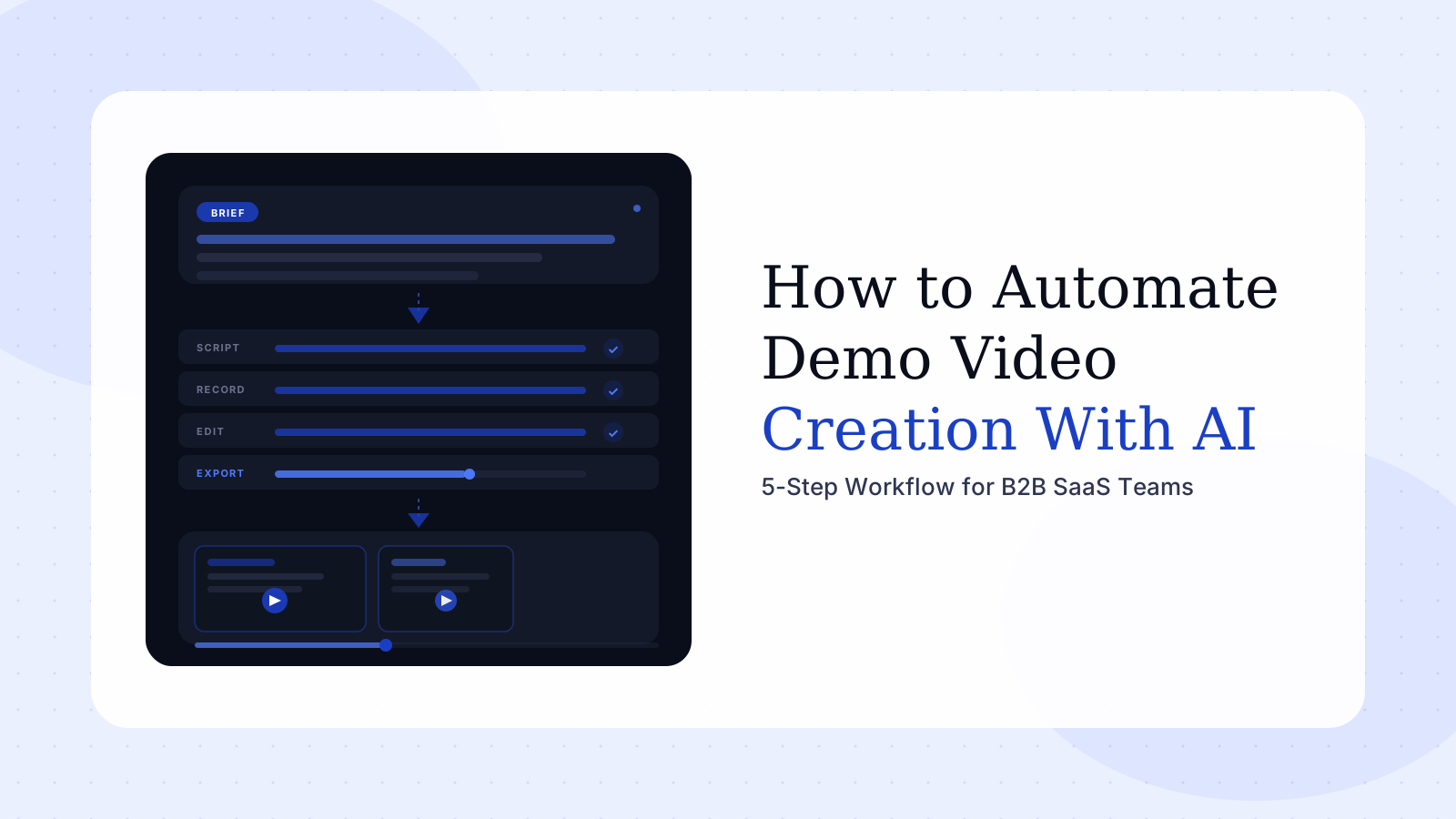
How to Automate Demo Video Creation With AI
Your last product launch shipped a demo video two weeks after the feature went live. Not because you were slow — because the process requires it. Brief the contractor, align on the script, set up the recording environment, capture the footage, edit the draft, revise twice, get sign-off, export, upload. Six steps, each one a handoff. By the time the video is published, you're already fielding questions about what changed.
To automate demo video creation with AI means removing those six handoffs — not replacing human judgment, but eliminating the wait that lives between each one. Done right, the same workflow that takes weeks manually runs in hours. The output keeps pace with a shipping product instead of lagging three releases behind.
This guide explains how to actually do that. Not which tool to buy, but how to design the workflow, where AI genuinely helps, and where human judgment still has to drive.
In this guide
- Why automating demo video creation with AI is different now
- The hidden cost of manual demo video production
- How to automate demo video creation with AI: a 5-step workflow
- What to look for in an AI demo video generator
- Automate demo video creation vs. traditional production
- How to keep AI-generated demo videos current
- FAQ
Why automating demo video creation with AI is different now
AI video tools have existed for years. What changed recently isn't the underlying technology — it's the threshold of output quality and workflow integration. The first generation required significant manual correction before output was publishable. The current generation is different enough to run in production.
According to Wistia's 2025 State of Video report, AI use in video production more than doubled in a single year — jumping from 18% of companies in 2024 to 41% in 2025. That adoption spike didn't happen because teams suddenly had more time to experiment. It happened because the tools started working reliably enough for real production use.
Three capabilities arrived at roughly the same time and made automation practical:
AI-generated voiceover that sounds intentional, not robotic. Early text-to-speech felt like a placeholder. Current implementations can render pacing and tone that fits a professional product walkthrough without requiring a human recording session.
Screen capture that no longer requires a pristine take. AI post-processing can now clean up cursor inconsistencies, stabilize pacing between screens, and apply transitions without requiring the original recording to be frame-perfect.
Brief-to-structure generation. The step that consumed the most human time — converting a buyer brief into a structured scene plan — can now be drafted by AI in under a minute. A product marketer describes the demo in plain English and receives an organized scene sequence to review and approve, instead of building it from scratch.
The parts of demo video production that were slow, repetitive, or required specialist skills are now automatable. The parts that require judgment — what the buyer needs to understand, which workflow to lead with, what outcome to promise — still do.
The hidden cost of manual demo video production
Most B2B SaaS teams underestimate what manual demo video production actually costs. The invoice from the video contractor is visible. The internal time isn't.
A typical manually produced demo video involves: one round-trip with a PMM to align on the brief, one or two recording sessions because first takes rarely work, at least two editing passes, one async feedback round from a stakeholder who wasn't in the brief, and a final export-and-upload sequence. That's six to eight hours of calendar time across multiple people — spread over two to three weeks of elapsed time.
G2 reviews of the tools most teams use reveal a consistent pattern. For Loom — one of the most widely adopted recording tools — "recording issues" is the single most-mentioned complaint, appearing in over 147 reviews. Browser extensions freeze at critical moments. Recordings cut mid-take. The tools were designed for async messaging, not for the controlled, repeatable environment that a demo video production pipeline requires (G2, 2025–2026).
Pricing structure compounds the problem. Teams using free-tier recording tools discover that scaling — adding seats, unlocking editing features, removing watermarks — triggers price increases that can be 10x or more over the free tier. The economics look fine for one person making occasional recordings. They break down for a product marketing team running videos at launch cadence.
The deeper cost is velocity. Fast-shipping SaaS products change constantly. A demo video recorded in January shows a workflow that may look completely different in April. Most teams respond by leaving the outdated video live — because updating it means starting the production process over again.
The real cost of manual demo production isn't the contractor invoice. It's the six-week window where your product ships a feature and your demo library still shows the old one.
How to automate demo video creation with AI: a 5-step workflow
Automating demo video creation isn't about pressing a button and walking away. It's about restructuring the stages of production so AI handles the slow parts, and you make the decisions that actually matter.
Step 1: Write the brief before touching any tool
The most common mistake teams make when adopting AI demo video tools is treating the brief as optional. They go straight to recording, expecting AI to figure out the story from the footage. AI cannot invent the buyer's problem for you — and without that, no amount of production automation produces a video that persuades anyone.
A brief for AI-assisted demo production has four parts:
- Audience: the specific role watching this video, and what they already know
- Problem: the friction they experience before your product enters the picture
- Core demonstration: the one workflow that proves your product solves that problem
- Outcome: what the viewer should feel confident about after watching
Write it in plain English. Two to four sentences is enough for a 90-second demo. The AI uses this to generate the scene structure, the voiceover framing, and the pacing. A precise brief means less to correct afterward.
Step 2: Generate the voiceover script with AI
Once the brief is clear, AI can generate a draft voiceover script mapped to the scene sequence. This used to require either a copywriter or a PMM spending several hours writing and rewriting until the script was specific enough to match real on-screen actions.
A good AI-generated script draft for a 90-second demo will be approximately 150–200 words. Review it for three things: does it name the buyer's problem in the first 15 seconds, does each sentence correspond to a specific on-screen action, and does the final sentence tell the viewer what to do next.
Edit only what fails those checks. The instinct to rewrite every word is the instinct that turns a 30-minute AI task back into a 3-hour manual one.
Step 3: Capture real product screens in a controlled environment
AI automates the production layer — it doesn't eliminate the need for real product screens. Understanding what a product demo video is and why real screens matter is still the foundation: B2B buyers trust real product screens. Animations and mockups lower credibility with the buyers who matter most — the ones actively evaluating software before a purchase decision.
What AI changes is how forgiving the recording process can be. Instead of requiring a perfect linear take, you record each scene separately, with clear start and stop points. AI post-processing handles cursor cleanup, pacing adjustments, and scene assembly.
Set up the recording environment before hitting record:
- Use a dedicated demo environment with clean seed data
- Remove onboarding modals, internal notifications, and test artifacts
- Lock the viewport at a consistent zoom level and window size
- Record one workflow per session — don't try to capture multiple flows and cut between them later
This setup takes fifteen minutes. It prevents an hour of editing corrections.
Step 4: Let AI handle post-production
This is where the efficiency gain is most visible. Manual post-production — cutting takes, adding captions, applying transitions, syncing audio to screen actions, adding lower-thirds and CTAs — can take four to six hours on a 90-second demo.
AI post-production compresses this into minutes. Current tools automatically sync the voiceover to the screen sequence, apply branded templates for captions and transitions, generate thumbnail frames, and export in multiple aspect ratios for different distribution channels.
One discipline to keep from this step: don't treat AI output as final without a review. Watch the assembled video once from start to finish. Focus on two things — does the pacing feel natural as the voiceover describes what's on screen, and does the video end with a clear next step visible. Fix what's broken. Don't optimize what isn't.
See how Rimo automates this
Describe your demo in plain English. Rimo records the real product screens and produces a production-ready video — no editor required.
Step 5: Build a repeatable release system, not a one-off project
The teams that get the most value from AI demo video automation don't use it for one video. They use it to build a system that produces videos at the pace their product ships.
That means defining:
- A standard brief template every stakeholder fills out before production begins
- A record-ready checklist for the demo environment — so every recording starts from the same baseline
- An asset classification system that distinguishes evergreen demos from campaign-specific ones
- A review protocol with a fixed number of feedback rounds, not open-ended revision cycles
When this system exists, a new feature can move from brief to published demo in 24–48 hours. For product marketing teams managing multiple concurrent launches, this structure is the difference between demo video as a constant fire drill and demo video as a predictable, schedulable output.
What to look for in an AI demo video generator
The AI video market is growing fast. Market data puts AI video generation at $716.8 million in 2025, up from $614.8 million in 2024, with 75% of marketing videos expected to be AI-generated or AI-assisted by the end of 2026. With that growth comes a lot of tools claiming to solve this problem — and most of them solve different parts of it.
When evaluating an AI demo video generator for B2B SaaS use, three capabilities separate useful tools from impressive demos:
Brief-to-workflow generation, not just recording assistance. Tools that start from a plain-English brief and generate a structured scene plan save the most time. Tools that only assist with post-production after you've already done the hard work manually are less transformative. The question to ask: does the tool start from the story, or does it start from the footage?
Support for real product screens. Some AI video tools generate animated or avatar-based content that looks polished but doesn't show the actual product. For B2B buyers evaluating software, this undermines credibility at precisely the moment trust matters most. The tool must support — and ideally systematize — real screen capture alongside its AI production layer.
Modular output, not monolithic videos. A 5-minute product tour software experience is almost impossible to keep current when your product ships every two weeks. Tools that produce short, scene-based videos you can update or swap independently are far more sustainable for fast-shipping teams.
Evaluate based on the team size and cadence you actually need, not the lowest-tier entry price. Many tools offer compelling entry plans that break down at scale — either through pricing jumps or through editing features that require significant manual work to unlock.
Automate demo video creation vs. traditional production: when to use each
Automating demo video creation with AI isn't the right approach for every video. There are still production scenarios where a skilled human team produces distinctly better output.
Use AI automation when:
- You need a demo video within 24–48 hours — for launch timing or a sales cycle in motion
- You're producing persona-specific or use-case variants at volume
- The video is a functional asset: a feature walkthrough, a sales follow-up, a use-case explainer
- You need to keep a library of demos current across a fast-shipping product
Use human-led production when:
- The video is a brand-level statement: a company launch, a major rebrand, a keynote asset
- Production value itself is part of the message — an enterprise deal where every detail signals quality
- The content requires significant original creative direction beyond product demonstration
The honest tradeoff: AI automation produces consistent, fast, functional output. Human production produces distinctive, high-effort, brand-defining output. For sales engineers creating personalized videos at volume, AI is almost always the right call. For a once-a-year company launch video, human production judgment still earns its place.
Most B2B SaaS teams should be running both in parallel — using AI for their ongoing demo library and investing human production resources only for high-stakes brand moments. The mistake is treating them as mutually exclusive rather than complementary.
How to keep AI-generated demo videos current
The shelf-life problem in demo video production doesn't disappear with AI — but AI makes it manageable for the first time.
Fast-shipping SaaS products update navigation, rename features, redesign workflows, and change pricing structures. A demo video recorded in January shows a product that may not exist in June. This is one of the most overlooked costs of video production, and it's why teams end up with outdated assets representing their product to thousands of buyers every day.
AI-assisted production changes the economics of updates. When the production chain runs in hours instead of weeks, a UI change is a one-scene replacement rather than a full rebuild. The brief already exists. The template is set. The only thing that changes is the specific screen reflecting the new design.
The teams that solve this structurally do two things differently.
First, they keep demos short and modular — one workflow per video, one persona per video. A 90-second demo showing a single feature update requires about 30 minutes to update with AI tooling. A 5-minute product tour of the same feature requires starting over.
Second, they treat demo video updates as a maintenance task on the product release calendar, not a one-off project. When a sprint ships a feature that affects a demo, the update brief goes into the same production queue as the feature work. By the time the feature is live, the demo is ready.
Building out a repeatable demo video production process is what makes this sustainable at scale. Wistia's 2025 State of Video report found that 71% of companies now produce video in-house. The ones doing it well are building systems, not relying on heroics.
The brief, the story, the choice of which workflow to show — those remain the hardest and most important decisions in demo video production. What AI removes is everything between those decisions and a finished video: the waiting, the revision cycles, the production backlog that made demo videos a quarterly event instead of a weekly capability.
If your team is running a six-week production cycle for demo assets, the problem isn't quality — it's the process. Automating demo video creation with AI is how you fix the process without sacrificing the output.
Try Rimo free — describe the demo in plain English, and Rimo records the real product screens and produces a production-ready video. No contractor, no six-week wait.
FAQ
What is AI demo video automation?
AI demo video automation uses artificial intelligence to handle the production steps that traditionally required manual editing — voiceover generation, scene assembly, captioning, transitions, and multi-format export. In a fully automated workflow, a product marketer or sales engineer provides a brief and product screen recordings, and the AI handles assembly and post-production. This reduces production time from weeks to hours without a dedicated video team.
How long does it take to create a demo video with AI?
For a standard 90-second use-case demo with a pre-written brief and controlled screen recording, AI-assisted production typically takes 2–4 hours from start to finished video. That includes brief review, AI-generated script, recording setup, screen capture, and AI post-production. Manual production of the same asset typically takes 2–4 weeks of elapsed time across multiple people and multiple handoffs.
Can AI demo videos use real product screens?
Yes — and they should. The best AI demo video platforms are built to work with real product screen recordings, not animations or avatar-based mockups. Real screens build buyer credibility in ways that animated alternatives cannot. Platforms like Rimo are designed to capture and produce demos using actual product workflows, so what buyers see reflects how the product genuinely works.
What is the difference between an AI demo video generator and a screen recorder with editing tools?
A screen recorder with editing tools automates individual editing steps but still requires a human to capture all footage, assemble the narrative, and manage the full production workflow. An AI demo video generator starts earlier in the process — from a brief — and handles scene structure, voiceover script, and production assembly with minimal manual input. The difference is whether AI is assisting an existing manual process or replacing it with a brief-driven workflow.
How often should AI-generated demo videos be updated?
Any time a visible UI change affects the workflow shown in the video, the affected scene should be updated. For fast-shipping B2B SaaS products, this may mean quarterly updates to core demos and ongoing updates to feature-specific videos. AI-assisted production makes this practical — a scene replacement takes hours, not weeks. Keeping demos short and modular is the structural change that makes ongoing maintenance sustainable rather than heroic.
Is Rimo a good fit for automating demo video creation?
Rimo is built specifically for B2B SaaS product marketing, product, and sales teams that need to produce demo videos at the pace their product ships. It starts from a plain-English brief, records the real product screens, and handles AI-powered post-production — including captions, transitions, and branded templates. It's designed for teams that need consistent, current, high-quality demo output without a dedicated video production pipeline.
Akshay Sharma
Product Leader · 10+ years in B2B SaaS
Akshay has spent 10+ years building and marketing B2B SaaS products. He writes about product storytelling, demo production, and the operational side of product marketing.


