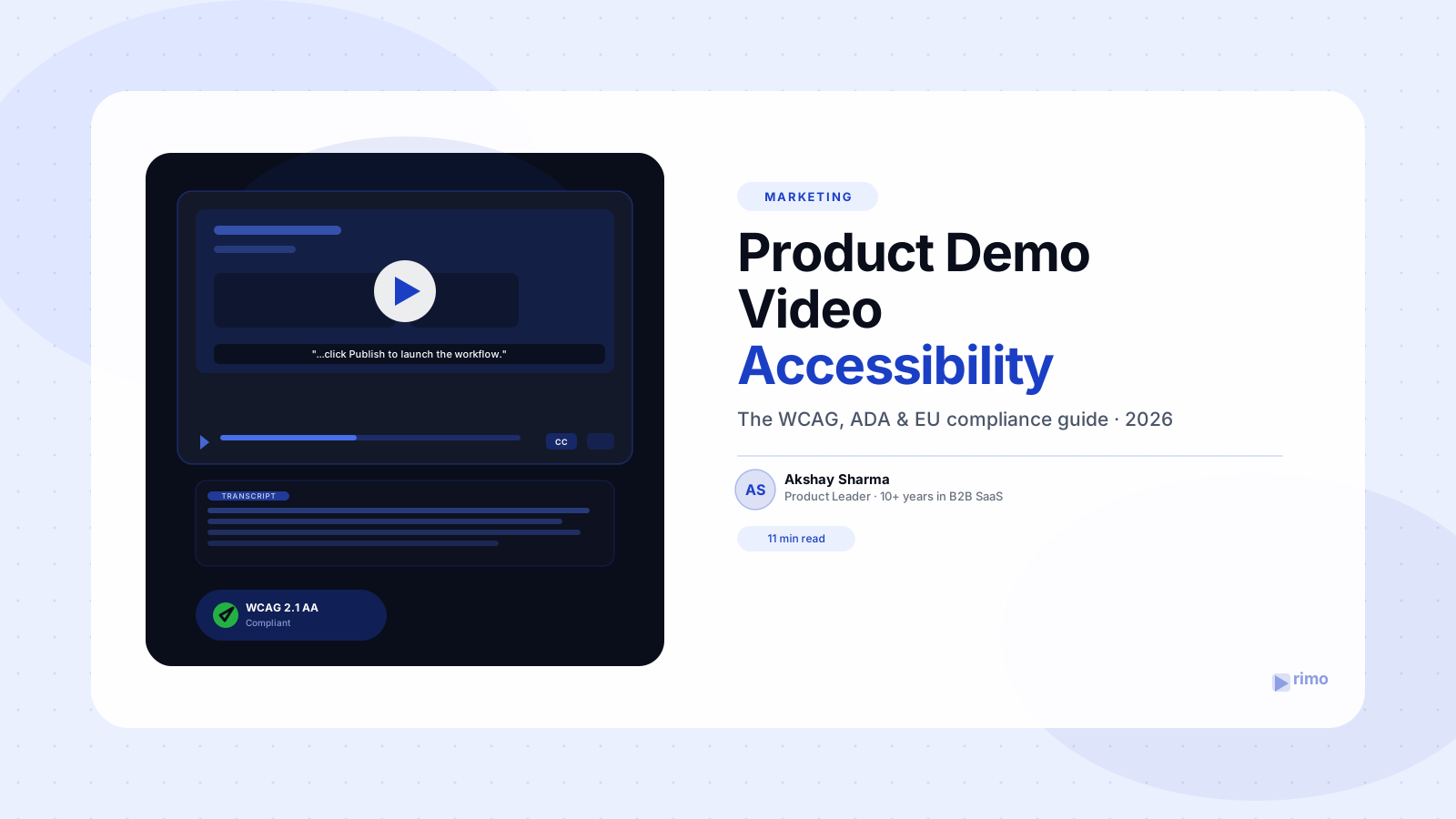
Product Demo Video Accessibility: The 2026 WCAG & EU Guide
Your demo video lives on the homepage, in the sales deck, and in every "see it in action" email your SDRs send. Then a Fortune 500 prospect's procurement team sends back a vendor security questionnaire, and buried in section 4 — next to SOC 2 and data residency — is a line item asking about product demo video accessibility: whether your video content meets WCAG 2.1 AA. Nobody on the marketing team knows the answer, and the deal is now waiting on it.
That scenario is playing out more often in 2026, not less. Enterprise buyers have quietly added accessibility conformance to procurement checklists the same way they added security reviews a decade ago, and video — the format B2B SaaS teams lean on hardest for product storytelling — is usually the least accessible asset in the funnel.
This guide covers what product demo video accessibility actually requires under WCAG, the ADA, and the EU's 2025 accessibility law, where most B2B SaaS teams get it wrong, and a practical checklist you can run against your next demo video before it ships — not after legal flags it.
In this guide
- What is product demo video accessibility?
- Why product demo video accessibility matters more in 2026
- What every accessible product demo video needs
- Where B2B SaaS teams get this wrong
- DIY captions vs. a specialist vendor: how to choose
- A practical accessibility checklist for your next demo video
- The question buying committees are starting to ask
- FAQ
What is product demo video accessibility?
Product demo video accessibility is the practice of making a product demo video — captions, audio, on-screen UI, and the player it sits in — usable by people who are deaf, hard of hearing, low-vision, or navigating without a mouse. It's governed by the same Web Content Accessibility Guidelines (WCAG) that apply to the rest of your site, applied to a format most teams never think to test.
The confusion starts with what counts as "done." Auto-generated captions feel like accessibility. They aren't, on their own — WCAG 2.1 Level AA requires captions to be accurate and synchronized, a transcript to exist independently of the video player, and, for demos where the screen shows information the narrator doesn't say out loud, an audio description track (Success Criterion 1.2.5).
A product demo video is unusually exposed here compared to other video content. It's dense with on-screen text — feature labels, cursor movement, UI callouts — that a captions-only approach simply doesn't cover, because captions transcribe speech, not screen activity.
Why product demo video accessibility matters more in 2026
For years, video accessibility was a nice-to-have that only regulated industries — government, education, healthcare — took seriously. Two legal changes closed that gap this cycle, and a third shifted the business case entirely.
The European Accessibility Act and video
The European Accessibility Act (EAA) took effect on June 28, 2025, and applies to any business — inside or outside the EU — whose digital products and services reach EU audiences. Audiovisual content, including marketing and product videos, must ship with accurate, synchronized captions, and live video captions specifically must hit at least 98.5% accuracy (European Accessibility Act, 2025).
The requirement isn't single-language, either. Captions and audio descriptions must exist in the language of each EU market you serve — an English-only caption track doesn't satisfy the rule for a German or French buyer. Non-compliance carries fines of up to €1,000,000 depending on severity (European Accessibility Act, 2025).
Most B2B SaaS teams read "EU regulation" and assume it doesn't apply to them. If your homepage demo video is visible to a visitor in Berlin or Amsterdam, it does.
ADA, WCAG 2.1 AA, and the DOJ's 2026 deadline
In the US, the Department of Justice's April 2024 final rule sets WCAG 2.1 Level AA as the required standard for ADA Title II compliance, with the first enforcement deadline — April 24, 2026 — hitting public entities serving populations over 50,000 (U.S. Department of Justice, 2024). Private companies aren't directly named in that rule, but it's the standard courts increasingly point to when private-sector lawsuits get filed.
And private-sector suits are climbing fast. UsableNet's 2025 year-end data shows 3,117 website accessibility lawsuits filed in US federal court in 2025 alone — a 27% jump over 2024 — with more than 5,000 total digital accessibility complaints filed across state and federal courts that year (UsableNet, 2025).
The Wistia 2026 State of Video Report backs up what the lawsuit data implies: 90% of video teams surveyed are already taking accessibility steps, and captions are almost always where they start — partly in direct response to the EAA and similar 2025-era laws (Wistia, 2026 State of Video Report).
What every accessible product demo video needs
Accessibility for a demo video breaks into four layers, and most teams stop at the first one.
Closed captions. Synchronized, accurate text for every spoken word — not just approximately timed, and not missing product-specific terms. This is the WCAG baseline (Success Criterion 1.2.2).
A standalone transcript. A text version of the full video, published on the page independent of the video player itself, so screen readers and search crawlers can both parse it without needing the video to load.
Audio description. A narration track describing on-screen visual information the speaker doesn't mention out loud — required at WCAG Level AA whenever your demo shows something the audio alone doesn't convey. Most screen recording-based product demos fail this by default, because the whole point of a screen recording is to show, not narrate, every UI interaction. Teams that already script their narration with an AI voice over tool have a head start here — the script itself just needs to account for what's on screen, not only what's being said.
A keyboard-operable, accessible player. Play, pause, caption toggle, and volume controls that work without a mouse and are readable by screen readers — this is a player-level requirement, not a video-content requirement, and it's easy to miss if you embed a third-party player without checking.
Where B2B SaaS teams get this wrong
The most common failure isn't skipping captions entirely — most teams have some captioning in place by now. It's assuming generic auto-captions are good enough for a product with its own vocabulary.
G2 reviewers of dedicated captioning tools flag this repeatedly. Rev users report accuracy dropping noticeably with accents, background noise, or multiple speakers, with "inaccurate transcription" among the most frequently cited complaints in recent reviews (G2, 2026). 3Play Media earns praise for hitting 98–99% accuracy on tight turnarounds, but reviewers note it gets expensive fast for teams producing video at volume, and multi-language requests can get the primary-language track mishandled if the request isn't scoped precisely (G2, 2026).
None of that is really about accent or turnaround time, though. The actual failure mode is proper nouns and feature names — a general-purpose captioning model has never seen your product's terminology, so it transcribes your integration name or internal feature label as the closest common word it knows. A caption that renames your core feature is worse than no caption, because it actively teaches a buyer the wrong term.
The second failure is treating captions and audio description as the same problem. They aren't. A demo video can have perfect captions and still fail WCAG Level AA if the on-screen UI conveys information — a status change, a chart update, a color-coded alert — that the narrator never says out loud.
Both failures usually trace back to the same root cause covered in our list of product demo video mistakes: accessibility gets treated as a post-production afterthought instead of a line item in the original script and shot list.
Captions and transcripts, built in from the first draft
Rimo generates polished product demo videos from a plain-English brief — with synchronized captions and a full transcript included automatically, not bolted on after the edit is locked.
DIY captions vs. a specialist vendor: how to choose
This is a build-vs-buy question every team producing more than a couple of demo videos a quarter eventually has to answer, and there's no single right answer — it depends on how much your videos change and how much technical vocabulary they carry.
When auto-generated captions are good enough
For low-stakes, high-volume content — internal training clips, quick feature announcements, social cuts — AI captioning built into your video tool is usually fine, provided someone spends five minutes correcting product-specific terms before publishing. The error rate on general English is low enough that a manual pass fixes what's left.
When you need a specialist captioning vendor
For anything customer-facing that a prospect, an auditor, or a procurement reviewer might scrutinize — your homepage demo, a sales enablement leave-behind, an onboarding series — the calculus changes. Verbit reviewers describe "near perfect" captioning with same-day turnaround, and 3Play Media's published accuracy sits in the high 90s, which is the range you actually need when a caption error could misstate what your product does (G2, 2026). The cost is real — specialist vendors bill per minute, and it adds up across a growing video library — but it's cheaper than a stalled enterprise deal or a demand letter.
Here's the part most compliance guides skip: the honest answer is usually a hybrid. Auto-caption everything by default so nothing ships completely uncaptioned, then route your highest-traffic, most customer-facing videos — the ones linked from your homepage and pricing page — through a human accuracy pass or a specialist vendor. Treating every video as equally high-stakes just means your captioning budget runs out before your most important video gets covered.
A practical accessibility checklist for your next demo video
Run this before a new product demo video goes live on any customer-facing page:
- Captions are synchronized within 0.5 seconds of the spoken audio and reviewed by a human for product-specific terms.
- A full transcript is published as text on the page, not locked inside the video player.
- Any on-screen information not spoken aloud — status changes, color-coded alerts, chart data — has an audio description or gets restated in narration.
- The video player's controls (play, pause, captions, volume) are operable by keyboard alone.
- Caption and transcript language matches every regional market the video is served to, not just English.
- Color contrast on any burned-in text or callouts meets WCAG's 4.5:1 minimum ratio.
The question buying committees are starting to ask
Here's the reframe most accessibility content misses: this isn't primarily a legal-risk story for a marketing team, it's a deal-risk story. Accessibility conformance is becoming the SOC 2 of video — a buyer won't ask about it on most deals, and then on the one enterprise deal where a buying committee includes someone with a hard accessibility requirement, it blocks the deal outright until someone can prove conformance.
That's a very different failure mode than a slow page load or a broken link. It doesn't show up in your analytics dashboard, and it usually surfaces for the first time in a procurement questionnaire — at the exact moment in the deal cycle when a six-week fix isn't an option.
There's a second, quieter benefit that has nothing to do with legal risk: captions and transcripts are also what search engines and AI answer engines read, since neither can watch a video directly. The same caption track that satisfies WCAG is the raw text that helps a demo video get found and cited in the first place — which is the core argument behind video SEO as a discipline. Treat accessibility work as pure compliance overhead and you'll under-invest in it. Treat it as a distribution asset that happens to also be legally required, and the budget conversation gets a lot easier to win internally.
For teams also localizing demo videos for non-English markets, the EAA's multi-language caption requirement lines up neatly with the workflow most teams already use for AI video translation — the caption and transcript output from that process typically satisfies both jobs at once.
Product demo video accessibility isn't a separate project to schedule for "someday." It's a handful of specific, checkable requirements — accurate captions, a standalone transcript, audio description where the screen carries information the narrator doesn't, and a keyboard-operable player — that take longer to explain than to fix if you build them into your production workflow instead of retrofitting them under deadline pressure. The teams that get this right treat it as a default setting in their demo video software, not a manual QA step someone has to remember.
Rimo generates product demo videos with synchronized captions and transcripts included by default, so accessibility isn't a step your team has to remember to add later.
FAQ
Does a product demo video legally need captions? If your business serves EU customers, yes — the European Accessibility Act requires synchronized captions on audiovisual content reaching EU audiences as of June 28, 2025. In the US, captions aren't universally mandated by federal statute for private companies, but WCAG 2.1 AA (the standard courts reference in ADA lawsuits) requires them, and lawsuit volume against private-sector websites rose 27% in 2025 alone (UsableNet, 2025).
What's the difference between captions and audio description? Captions are a text version of spoken dialogue, synchronized to the audio. Audio description is a separate narration track describing visual information — like an on-screen status change or a chart — that the speaker doesn't say out loud. A screen-recording demo often needs both, since it relies heavily on visuals the narrator may not verbally describe.
Are auto-generated captions good enough for WCAG compliance? They can meet the technical bar for Success Criterion 1.2.2 if they're accurate and synchronized, but general-purpose AI captioning frequently mistranscribes product names, feature labels, and technical terms. Most teams need a manual review pass on customer-facing demo videos before auto-captions are compliance-ready.
Does the European Accessibility Act apply to a US-based SaaS company? Yes, if your product or its marketing content is available to customers in the EU. The EAA applies based on who can access your content, not where your company is headquartered.
What WCAG level should a B2B SaaS demo video target? WCAG 2.1 Level AA is the standard referenced by both the EU Accessibility Act and the US DOJ's 2024 ADA rule, and it's the level most enterprise procurement questionnaires ask about. It requires captions, a transcript, and audio description where applicable — Level AAA adds requirements most B2B teams don't need to chase.
How much does it cost to make an existing demo video accessible? Retrofitting captions and a transcript onto an existing video typically runs from a few dollars per minute with an AI-assisted tool to $10–20+ per minute through a specialist human-reviewed vendor like 3Play Media or Verbit, depending on turnaround speed and accuracy tier required. Building captions and transcripts in from the start, as part of the original production workflow, avoids the retrofit cost entirely.
Akshay Sharma
Product Leader · 10+ years in B2B SaaS
Akshay has spent 10+ years building and marketing B2B SaaS products. He writes about product storytelling, demo production, and the operational side of product marketing.