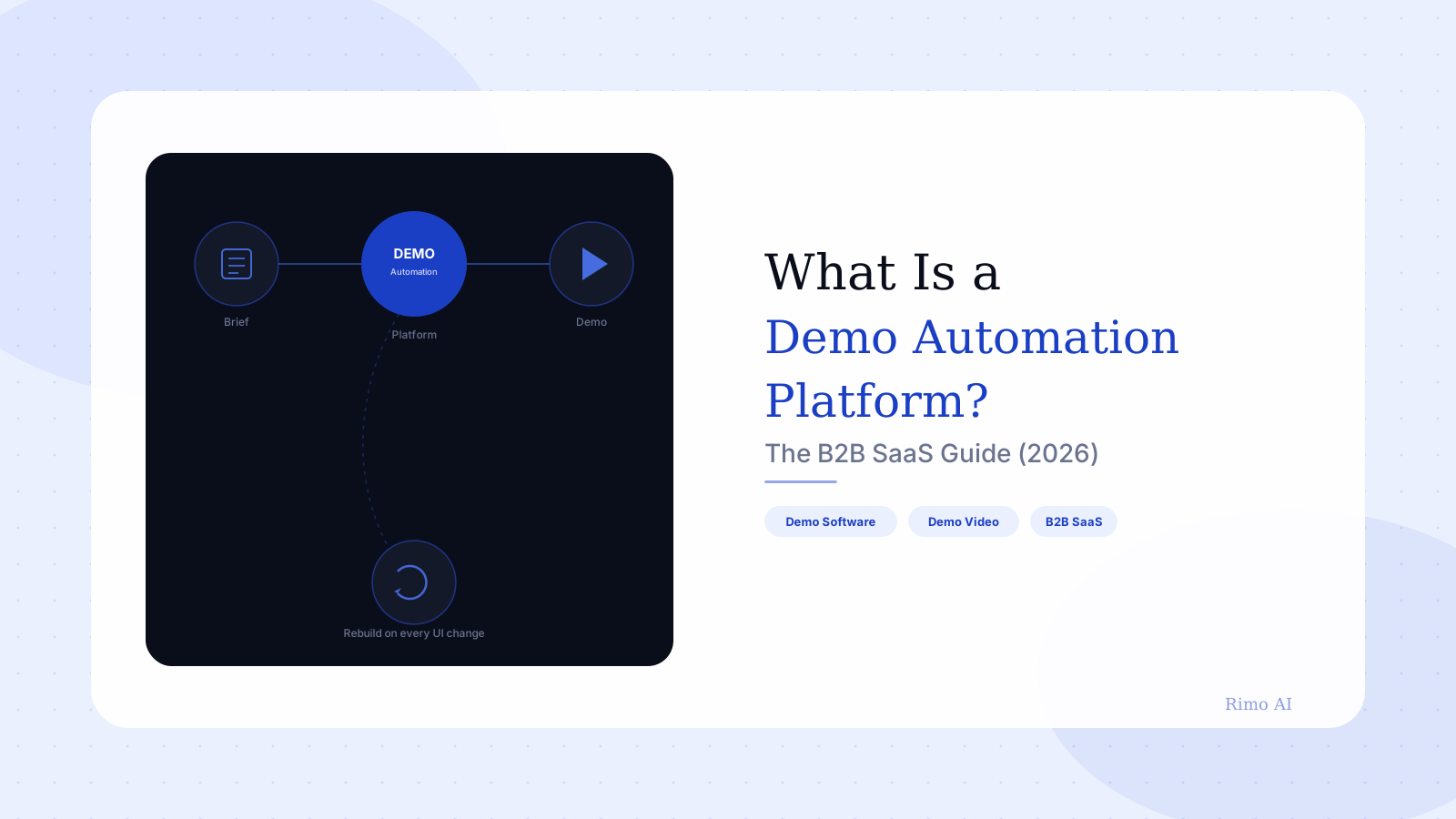
What Is a Demo Automation Platform? The B2B SaaS Guide (2026)
It's week three of evaluating vendors for your demo problem, and you've now sat through four sales calls that all use the word "automation" to mean something slightly different. One vendor means cloning your app's HTML so a rep never touches a staging environment again. Another means recording a flow once and letting prospects click through it themselves. A third just means "we'll build your demos for you, eventually."
Meanwhile, your actual problem hasn't moved: reps are demoing off a staging environment that breaks every other sprint, the deck the AE used in Tuesday's call doesn't match what shipped Wednesday, and nobody on the team agrees on what "the demo" even is anymore.
This guide cuts through the category confusion. It defines what a demo automation platform actually is, how the category's leading tools (Walnut, Storylane, Reprise, Navattic) differ in practice — not just in their pitch decks — what they cost once you account for the maintenance nobody mentions on the pricing page, and where an AI-native approach changes the math entirely.
In this guide
- What is a demo automation platform?
- How a demo automation platform works
- 5 demo automation platforms compared
- What a demo automation platform actually costs
- Demo automation platform vs. AI demo video
- Who actually needs a demo automation platform
- How to choose a demo automation platform
- FAQ
What is a demo automation platform?
A demo automation platform is software that lets go-to-market teams build, edit, and distribute product demos without engineering involvement — typically by cloning a product's screens (via HTML capture or screen recording) into an editable, clickable environment that a rep, a prospect, or a marketing page can run independently of the live product.
The category exists to solve one specific problem: live product demos are fragile. They depend on staging environments, seeded data, and an available human. A demo automation platform decouples the demo from all three.
In practice, that means a sales engineer or solutions engineer builds a demo flow once — capturing real screens, replacing sensitive data, adding guided hotspots — and that flow can then run in a live call, sit embedded on a landing page, or get sent cold to a prospect who never talks to a rep at all.
That last use case is the one driving most of the category's growth. Buyers increasingly want to self-serve their own evaluation, and a product demo that only exists as a scheduled call with a human can't meet that demand.
That Gartner figure is worth sitting with. A majority of buyers would rather not talk to a rep at all during evaluation — which means the demo, not the discovery call, is increasingly the first real impression a product makes.
How a demo automation platform works
Strip away the marketing language and most demo automation platforms follow the same four-step mechanism.
Capture. The platform clones your product's UI — either by recording a real session (screenshot-based capture) or by injecting a script that reads the live DOM (HTML capture). HTML capture produces a more realistic, interactive clone; screenshot capture is faster to set up but feels noticeably more static to a sharp buyer.
Edit. Inside an editor, the demo builder swaps real customer data for fictional data, adds guided tooltips or hotspots, and sequences screens into a story — onboarding flow, then dashboard, then the feature that closes the deal.
Personalize. Most platforms let you duplicate a base demo and swap logos, sample data, or specific screens per account — so a fintech prospect sees fintech-flavored sample data instead of generic placeholder content.
Distribute and track. The finished demo gets a shareable link, an embed code for a landing page, or a recording slot in a sales sequence, with analytics on which screens a prospect actually viewed and for how long.
Interactive demo software vs. a live screen share
It's worth being precise about what this replaces and what it doesn't. Interactive demo software is excellent at replacing the scheduled, repeatable demo — the one an SDR runs twenty times a month with minor variations. It is a poor substitute for the live, adaptive demo a solutions engineer runs in a high-stakes enterprise call, where the buyer asks an off-script question and the SE needs to pivot in real time.
The category's own vendors will tell you this if you ask directly. The honest pitch isn't "replace your SEs." It's "stop asking your SEs to manually rebuild the same demo flow every time the product changes."
5 demo automation platforms compared
Most buyer's-guide content in this category reads like a feature checklist. What actually predicts whether a tool will frustrate your team six months in is the maintenance burden and the pricing curve — both of which show up consistently in verified G2 reviews, not in vendor demos.
- Walnut — Strong HTML-capture fidelity, but reviewers flag a steep entry price (around $9,200/year, with no free trial) and a real maintenance tax: every product UI change means revisiting and re-validating demo flows, with a risk that a stale screen gets caught live in front of a prospect (G2 reviews).
- Storylane — The most-repeated G2 complaint by volume is that HTML demos don't render correctly on mobile devices; a second cluster of reviews calls out image editing as slower than expected. Pricing also has a sharp step-function — from a low-cost starter tier to roughly $500/month flat once HTML capture is unlocked (G2 reviews).
- Reprise — Reviewers consistently describe a steep learning curve for building complex, multi-branch demos, alongside intermittent rendering glitches — blank screens or misplaced pop-ups — and requests for deeper analytics (G2 reviews).
- Navattic — Generally praised for ease of use on simple demos, but the mobile demo builder draws repeated criticism as "confusing," and analytics are described by multiple reviewers as fairly surface-level — hard to tie directly to pipeline outcomes (G2 reviews).
- Consensus — Positions itself around automated demo delivery at scale rather than manual builds; independent G2 review text on specific pain points was harder to isolate from vendor comparison content, which is itself a signal worth noting if you're trying to evaluate it on reviews alone.
Every time engineering ships a UI change, somebody on our team has to go back through every demo flow and check what broke. That part never made it into the sales pitch for the tool.
That maintenance tax is the detail every comparison post skips, and it's the single biggest driver of the real total cost below.
What a demo automation platform actually costs
The list price is the smallest number in this equation. Three costs compound on top of it, and only one of them shows up on a pricing page.
License cost. Entry tiers range from roughly $40/user/month (Storylane's starter plan) to $9,200/year flat (Walnut), with most mid-market deployments landing between $6,000 and $15,000 annually once HTML capture, multiple seats, or advanced analytics get unlocked.
Build time. Capturing and editing a single polished demo flow — sequencing screens, adding hotspots, scrubbing sensitive data — typically takes a sales engineer several hours per flow, multiplied across however many personas or industries you sell into.
Maintenance time — the real number. This is the cost the G2 reviews above are actually describing. Every product release that touches a captured screen requires someone to notice, re-capture, and re-validate. At a company shipping weekly, that's not an occasional task — it's an ongoing headcount allocation that rarely gets budgeted as one.
Here's the contrarian part: the platforms aren't lying about what they do. They genuinely do automate the building of a demo. What they don't automate — and can't, by design, because they're built on a clone-and-edit model — is the upkeep. A captured screen is a snapshot. Snapshots go stale the moment the product changes underneath them.
What if the demo updated itself?
Rimo generates branded product demo videos directly from your live product and a brief — no manual screen capture, no re-editing every time the UI ships a change. See how Rimo automates this →
Demo automation platform vs. AI demo video
This is the distinction almost nobody covering this category makes clearly, and it's the one that matters most going into 2026.
A demo automation platform automates distribution — it takes a demo a human built once and makes it repeatable, shareable, and trackable. The build itself is still manual: a person captures screens, a person edits the sequence, a person updates it when the product changes.
An AI-native demo video generator automates the build. You provide a brief, a script, or a product walkthrough, and the system generates a polished, branded video — voiceover included — without anyone manually cloning UI screens first.
No-code demo platform limitations worth knowing before you buy
No-code demo platforms are genuinely no-code for the editing step. They are not no-code for the capture step, and they are not no-code for the ongoing maintenance step — both still require a person with product context to do real work, repeatedly, for the life of the tool.
This isn't an argument that one category replaces the other. Interactive, click-through demos and narrated demo videos solve different moments in the funnel — self-serve exploration versus a polished asset an AE attaches to a follow-up email. The honest framing is that an AI demo video generator and broader demo video software often sit side by side in the same GTM stack, covering different jobs.
Where the two genuinely compete is on maintenance economics. A video generated from a live walkthrough re-records cleanly when the product changes. A captured HTML clone has to be manually re-captured, screen by screen, and that difference compounds every sprint.
Who actually needs a demo automation platform
The honest answer is: fewer teams than the category's growth would suggest.
You're a strong fit if your sales motion is high-volume and repeatable — the same handful of demo flows, run dozens of times a month, where the cost of building once and reusing widely clearly outweighs the maintenance tax. Self-serve PLG companies sending cold demo links to inbound leads fit this profile well.
You're a weaker fit if your product changes weekly, your deals are highly customized per account, or your demo strategy depends on a solutions engineer adapting in real time to whatever the buyer asks. In that world, the platform becomes another system someone has to babysit — and babysitting systems is exactly what understaffed presales teams don't have slack for.
A product marketing manager at a mid-market SaaS company will recognize this pattern immediately: you buy the tool in Q1 because three competitors have one, two people get trained on the editor, and by Q3 only one demo flow actually gets maintained because everyone else moved on to the next priority. The tool isn't the failure. The maintenance plan that never got staffed is.
How to choose a demo automation platform
Run any shortlist through these checks before signing.
- Who owns maintenance, named by title, not by team? If the answer is "whoever has time," the tool will decay within two quarters.
- What's the real cost at your release cadence? Multiply your average weekly UI-touching releases by the hours it takes to re-validate a demo flow, and add that to the license price.
- Does it cover mobile rendering if your buyers will view on mobile? Both Storylane and Navattic reviewers flag this as a real gap — test it yourself before buying, don't take the demo's desktop view as proof.
- Does the analytics layer tie back to pipeline, or just to clicks? Several reviewers across this category describe analytics as surface-level; ask for a live look at a dashboard with real account data, not a sales deck screenshot.
- What happens to a flow when the underlying screen changes? Ask the vendor to show you the re-capture workflow live, not describe it.
FAQ
What is a demo automation platform?
A demo automation platform is software that lets go-to-market teams build interactive, clickable product demos — typically by cloning a product's UI through screen recording or HTML capture — and then distribute and track those demos without needing a live engineer or a working staging environment for every call.
What's the difference between a demo automation platform and an interactive product tour?
The terms are largely interchangeable in practice. "Demo automation platform" usually refers to the broader category and toolset (capture, edit, personalize, distribute), while an interactive product tour more often describes the specific clickable asset that platform produces for a website or onboarding flow.
Are demo automation platforms worth it for small sales teams?
It depends on demo volume and product change frequency. Teams running the same few demo flows dozens of times a month against a relatively stable product see the clearest return. Teams with highly custom deals or fast-shipping products often find the maintenance overhead outweighs the time saved on the initial build.
How much does a demo automation platform cost?
Entry pricing ranges from roughly $40 per user per month for basic tiers to $9,200 per year for more advanced HTML-capture platforms, with most mid-market deployments landing between $6,000 and $15,000 annually once multiple seats and advanced features are included. That figure excludes the ongoing internal time required to maintain demo flows as the product changes.
Can AI replace a demo automation platform?
AI doesn't replace the distribution and tracking layer a demo automation platform provides, but it changes how the underlying demo content gets built and kept current. AI-native demo video generation removes the manual screen-capture and re-editing cycle that drives most of the category's maintenance complaints, which is a meaningfully different cost model rather than a feature upgrade.
Which demo automation platform has the best reviews?
Review sentiment varies by use case rather than producing one clear winner: Walnut scores well on capture fidelity but draws criticism on price and maintenance; Storylane and Navattic are praised for ease of use but flagged for mobile rendering and analytics depth; Reprise gets credit for flexibility but criticism for its learning curve. Evaluate against your specific release cadence and buyer device mix rather than an aggregate star rating.
In conclusion: a demo automation platform solves a real problem — live demos are fragile, and buyers increasingly want to self-serve. But every platform in this category inherits the same structural limitation: a captured screen is a snapshot, and snapshots need a human to keep them honest every time the product ships. If your team is already stretched thin on demo maintenance, the better question isn't "which platform automates the build" — it's "what would it take to stop manually rebuilding demos every sprint." Rimo generates branded product demo videos straight from your product and a brief, with no screen-capture step to re-do when the UI changes. Try Rimo free and see your first demo video in under an hour.
Try Rimo free →
Tags: Demo Automation Platform, Interactive Demo Software, Sales Engineering, Demo Video, B2B SaaS, GTM Blog Category: Marketing Related posts: What Is a Sales Engineer? · Automating Demo Video Creation With AI · Product Demo Video vs. Interactive Product Tour Schema: Article, FAQPage
Akshay Sharma
Product Leader · 10+ years in B2B SaaS
Akshay has spent 10+ years building and marketing B2B SaaS products. He writes about product storytelling, demo production, and the operational side of product marketing.