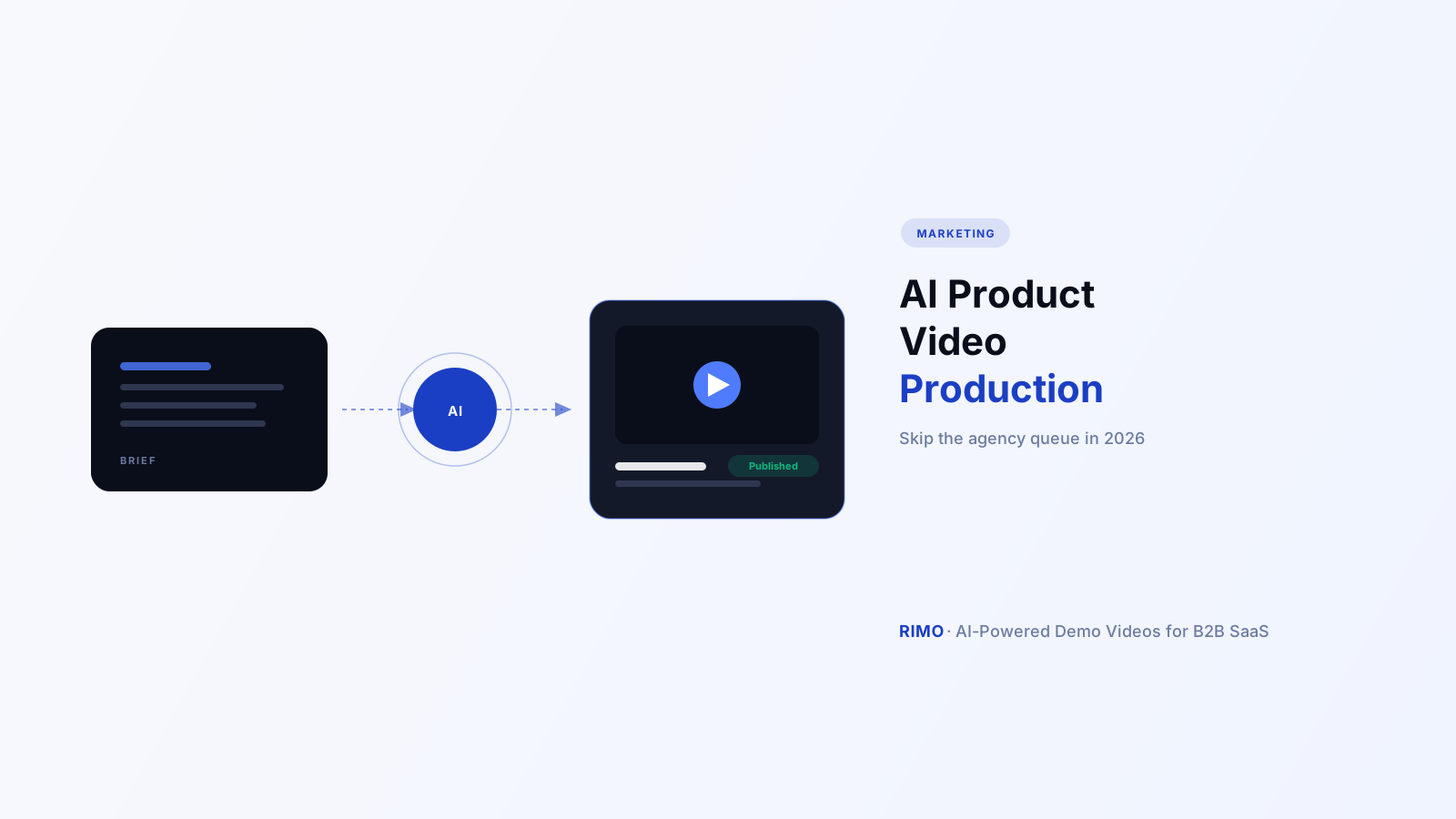
AI Product Video Production: How B2B SaaS Teams Skip the Agency Queue in 2026
You filed the video production request three weeks ago. The agency quote came back at $4,500 for a 90-second product video, with a four-week turnaround and two rounds of revisions included — and that's before anyone tells you the UI changed again last sprint, so the screens in the brief are already wrong.
Meanwhile, your VP wants something to send to the next ten demo requests by Friday. Your in-house option is a designer who's never touched video and a marketer who's three other launches deep this quarter. Neither path gets you a video this week.
That gap — between what video production used to require and what a B2B SaaS team can actually staff or pay for — is exactly what AI product video production exists to close. This guide breaks down what it actually is, where AI tools genuinely replace an agency and where they don't, what real users say after months of use (not the demo-day reviews), and a workflow you can run starting today.
In this guide
- What is AI product video production?
- Why B2B SaaS teams are moving production in-house
- The 3 ways teams approach AI product video production today
- In-house AI video production tools
- Hybrid: agency templates plus AI assembly
- Outsourced agency with AI augmentation
- What G2 reviewers actually say about AI video production tools
- Build vs. buy: AI product video production vs. an agency
- How to set up an AI product video production workflow in 6 steps
- Mistakes that turn AI video production into a mess
- How to measure whether it's working
- FAQ
What is AI product video production?
AI product video production is the use of AI tools — voiceover generation, automated editing, scene assembly, captioning — to turn a script, brief, or screen recording into a finished product video without a video editor, studio, or production agency handling each step by hand.
It's a broader term than "demo video maker." Production covers the whole pipeline: scripting, narration, editing, pacing, captions, export formatting for every channel a video needs to live on. A product demo video is one output of that pipeline. So are launch announcement clips, onboarding tutorials, and the 30-second cut that runs as a paid ad.
The distinction that matters for B2B SaaS specifically: most general-purpose AI video tools were built for marketing content that doesn't need to reflect a live, changing product. Yours does. A product video that's accurate at launch and wrong three sprints later isn't a minor cosmetic issue — it's a video actively contradicting what a prospect sees in their own trial.
Why B2B SaaS teams are moving production in-house
According to Wistia's 2025–2026 State of Video Report, AI use in video production more than doubled in a single year — from 18% to 41% of teams. That's not a slow adoption curve. That's a category tipping over.
It's tipping because the math stopped working the old way. Wistia found 71% of companies now produce video in-house, but 51% are keeping video budgets flat or cutting them even as demand for video content keeps climbing. Something has to absorb that gap, and increasingly it's AI tooling, not headcount.
The buyer-side data backs this up just as hard. Vidyard's 2025 Video in Business Benchmark Report, based on over 940,000 videos analyzed, found high-tech companies increased video output by 149% year-over-year, and teams using video report 35% higher win rates, 28% more pipeline, and 27% shorter deal cycles. Video isn't a nice-to-have asset class anymore — it's load-bearing in the pipeline, which is exactly why the team that used to make "the occasional explainer" now needs a repeatable video production system instead of a one-off project.
Here's the part most teams get wrong when they read those numbers: the conclusion isn't "make more videos." It's "make the right videos faster, with less manual labor per video." A team that doubles its video output by doubling its editing hours hasn't solved the actual constraint — it's just moved the bottleneck to a different week.
The 3 ways teams approach AI product video production today
Most comparisons treat "AI video tool" as one category. In practice, B2B SaaS teams land on one of three structurally different approaches, and picking the wrong one wastes more time than picking the wrong vendor inside the right one.
In-house AI video production tools
A platform turns a script or brief plus your actual product UI into a finished, narrated video — voiceover, captions, pacing — with no agency or freelance editor in the loop. This is the fastest path and the only one built to keep pace with a product that ships weekly. The tradeoff: it asks your team to own the script and brief quality, which is a muscle most marketing teams haven't built yet.
Hybrid: agency templates plus AI assembly
Some teams keep an agency for brand templates, motion graphics, and the "hero" launch video, then use AI tools for the higher-volume, lower-stakes content — feature update clips, sales follow-ups, internal training. This works when brand polish on flagship content matters more than speed, but it means running two production processes in parallel, which is its own coordination cost.
Outsourced agency with AI augmentation
Traditional agencies increasingly use AI internally to speed up editing and revisions, but the client-facing experience — briefs, approval rounds, turnaround time — looks largely unchanged. You get agency-grade polish with a shorter timeline than five years ago, but still measured in weeks, not hours, and still priced per project rather than per video.
See AI product video production in action
Rimo turns a product brief into a finished, narrated video using your real UI — no agency queue, no editor, ready in hours. Generate your first video free.
What G2 reviewers actually say about AI video production tools
Vendor marketing pages all say roughly the same thing: fast, easy, professional. G2 reviews from people six months into actually using these tools tell a more specific story, and the same complaints show up across multiple unrelated products — which is the signal worth paying attention to.
Pricing and credit systems are the most repeated frustration. Across reviews of HeyGen, roughly 40% of negative feedback centers on a confusing credit system and rising costs as usage scales — reviewers specifically flag "expensive" and "cost issues" as recurring tags. Descript reviewers describe a similar pattern: AI credits run out faster than expected, and one enterprise user described pricing climbing from $30/month to "hundreds" as their team grew. This is the complaint that shows up across three or more unrelated tools, which makes it the one worth budgeting around before you buy, not after.
Limited customization is the second cross-tool pattern. Synthesia reviewers cite restricted avatar options and slow custom-avatar approval as a recurring limiter. Colossyan and Pictory reviewers raise the same theme from the template side — once you're past the default options, there's not much room to make the output look like your brand instead of the vendor's demo reel.
Robotic-sounding voiceover is a complaint that compounds with a trust problem. Pictory reviewers flag synthetic-sounding narration specifically. That matters more than it sounds: Wistia's 2025–2026 research found 83% of consumers say they've watched a video they suspected was AI-generated, and the top giveaways were robotic gestures (67%) and unnatural voices (55%). A flat AI voice doesn't just sound worse — it's the exact signal that tips a viewer into skepticism about everything else in the video.
Support quality is the fourth recurring theme. Pictory and Descript reviewers both describe support that's slow or fully automated — "basically non-existent, just an AI bot," in one reviewer's words — which matters most exactly when you're under a Friday deadline and something doesn't render correctly.
None of the top-ranking articles on this topic synthesize G2 sentiment at all — most are vendor landing pages or generic listicles. If you're evaluating an AI product video production tool, ask about credit-pricing structure, brand customization limits, and voice quality before you commit budget — not after the first invoice surprises you.
Build vs. buy: AI product video production vs. an agency
This is the decision most teams skip past, going straight to "which tool" without first answering "should this be a tool at all for this video."
When AI product video production wins
Choose AI production when the video needs to reflect your actual, current product; when you need volume — multiple variants by persona, channel, or language — from one source brief; or when the refresh cycle matters, because the UI you're showing will change again next quarter and you'll need to update the video, not remake it. This is most demo videos, most feature update clips, and most sales-enablement content.
When an agency still wins
Choose an agency for a flagship brand campaign where motion design and a distinct visual identity matter more than speed or volume, for content that won't need updating for a year or more, or when the deliverable genuinely needs live-action footage AI can't substitute for — real customers, real offices, real hands on a real product in a non-software context.
The contrarian point worth sitting with: most teams don't actually have an agency problem or a tool problem. They have a brief problem. A vague brief produces a mediocre video regardless of who or what executes it — and AI tools simply make that mediocrity visible faster and cheaper than an agency does, because there's no creative director in the loop to push back on a weak premise before production starts.
How to set up an AI product video production workflow in 6 steps
This is the operational layer most comparison guides skip, because they're written by people comparing pricing pages, not people shipping a video this week.
- Write the brief around the buyer's question, not a feature list. "Show a technical evaluator that SSO setup takes under 10 minutes" produces a better video than "show the new SSO feature."
- Source the real UI. Screen-record or connect the actual product — current build, real workflows, anonymized data where needed. Mockups age the moment design ships the next iteration.
- Generate narration that matches your brand voice deliberately, not the tool's default. Given how often AI voice over shows up as a complaint, treat voice selection as a brand decision, not a default setting.
- Assemble per use case, not per asset. A 30-second paid social cut and a 3-minute sales follow-up are different videos with different pacing — produce both from the same brief rather than trimming one into the other.
- Tag every video to the feature or release it covers. This is the step that makes refreshing possible later instead of discovering six months from now that twelve videos show a UI that no longer exists.
- Set a refresh trigger tied to your release calendar, not a calendar reminder. When a tagged feature changes, the video tied to it should be flagged automatically for review.
Teams running this workflow with an AI demo video generator typically get from brief to publishable draft in under two hours for a straightforward update — the agency benchmark for the same deliverable is four to six weeks.
Mistakes that turn AI video production into a mess
The tool isn't usually the failure point. These patterns are.
- Skipping the brief and prompting directly. Typing a vague request into a generator and hoping for the best produces exactly the generic, off-brand output the G2 complaints describe. The brief is the actual production step; the tool just executes it.
- Using one video for every audience. An enterprise IT buyer and a startup founder don't care about the same sections. Modular source material lets you reassemble per segment instead of producing from scratch each time.
- No source of truth for what's already live. Without tagging, teams regenerate videos that already exist or, worse, leave stale ones up because nobody remembers they were tied to a feature that changed.
- Treating the first draft as the final draft. AI output is a strong starting point, not a finished asset — a 30-second pass to tighten pacing and check the voiceover against your brand tone is still worth the time.
How to measure whether it's working
Most teams never measure this, which is exactly why AI video tools get cut at renewal time even when they're working — nobody can show it.
Three numbers are enough to start: completion rate (and where viewers drop off, which matters more than the rate itself), conversion comparison between prospects who watched a video and those who didn't, and time-to-first-draft for your own team — the internal number that justifies keeping the tool independent of buyer-facing impact. For a full breakdown of attribution models, see our guide on measuring product demo video ROI.
One thing worth flagging before you build a dashboard around this: a 40% completion rate concentrated at the same drop-off point across every viewer tells you exactly which section to fix. The same 40% with drop-off spread evenly across the video usually means the whole thing runs too long — a different diagnosis, a different fix.
AI product video production isn't a single tool category, and treating it like one is how teams end up evaluating a feature gap instead of the actual decision: whether the video needs to track a live product, how much volume you actually need, and whether your team can write a brief sharp enough that the AI output reflects it. Get that right and the agency queue stops being the constraint.
Try Rimo free and turn this week's feature update into a published video before the next demo call.
FAQ
What is AI product video production?
AI product video production is the use of AI tools to convert a script, brief, or screen recording into a finished video — including voiceover, captions, and editing — without a video editor or agency handling each step manually. For B2B SaaS, the strongest tools build the video around your actual, current product UI rather than generic mockups or an avatar.
How is AI product video production different from an AI product video maker?
"Production" describes the full pipeline — scripting, narration, editing, formatting for every channel. "Maker" usually refers to the specific tool executing that pipeline. In practice the terms overlap heavily, but production is the broader operational term marketing and demo teams use when describing the end-to-end process, not just the software.
Can AI product video production replace a video production agency entirely?
For most recurring B2B SaaS content — demo videos, feature updates, sales follow-ups — yes, especially when the video needs to track a product that changes often. For flagship brand campaigns or content requiring live-action footage and distinct visual design, an agency still typically produces the stronger result.
How much does AI product video production cost compared to an agency?
AI tools for teams typically run $50–300 per month depending on seats and volume, versus $2,000–5,000+ per video from an agency with multi-week turnaround. Watch for AI tools that gate genuinely useful editing features behind the highest pricing tier — a recurring complaint across G2 reviews of tools like HeyGen and Descript.
What are the biggest complaints about AI video production tools?
Across G2 reviews of leading tools, the most repeated complaints are confusing credit-based pricing that escalates with usage, limited avatar or template customization, robotic-sounding voiceover, and slow or fully automated customer support. These show up across multiple unrelated products, which makes them worth checking before you buy rather than after.
How fast can a team realistically produce a video with AI?
For a single feature update with an existing brief template, teams typically go from brief to publishable draft in under two hours. A more involved multi-scene video usually takes under a day. The traditional agency benchmark for the same deliverable is four to six weeks.
Tags: AI product video production, AI video production for SaaS, AI product video maker, automated video production, B2B SaaS, demo video Blog Category: Marketing Related posts: What Is a Product Demo Video?, Video Production Software for B2B SaaS: 2026 Buyer's Guide, AI Product Demo Video Maker: The 2026 Framework for Choosing (and Using) One Schema: Article, FAQPage
Akshay Sharma
Product Leader · 10+ years in B2B SaaS
Akshay has spent 10+ years building and marketing B2B SaaS products. He writes about product storytelling, demo production, and the operational side of product marketing.