Product Tour Software: 11 Tools Compared for B2B SaaS (2026)
Your VP of Marketing just asked why the website still makes prospects book a call to see the product. Your PLG competitor has a click-through tour live on their homepage, and it's converting. You've got two weeks before the next pipeline review to show progress, and every "best product tour software" list you've found so far is written by one of the vendors you're trying to evaluate.
That's the actual problem with shopping for product tour software right now: almost every ranking in the category is published by a company that's also a contender in it. You can usually tell within the first three entries which tool paid for the placement. What's missing is a comparison that starts from your buying situation — sales, marketing, or onboarding — instead of starting from a vendor's own scorecard.
This guide ranks 11 product tour software tools using G2 review data, pulls the specific complaints that show up across multiple platforms, and gives you a decision framework built around the question that actually determines fit: what job is the tour doing, and who updates it when your product changes next sprint?
In this guide
- What is product tour software, exactly?
- The 11 best product tour software tools for B2B SaaS
- Product tour software: head-to-head comparison
- The maintenance problem nobody puts in their pricing page
- Product tour vs demo video: which job needs which tool
- How to choose: a framework, not a ranking
- FAQ
What is product tour software, exactly?
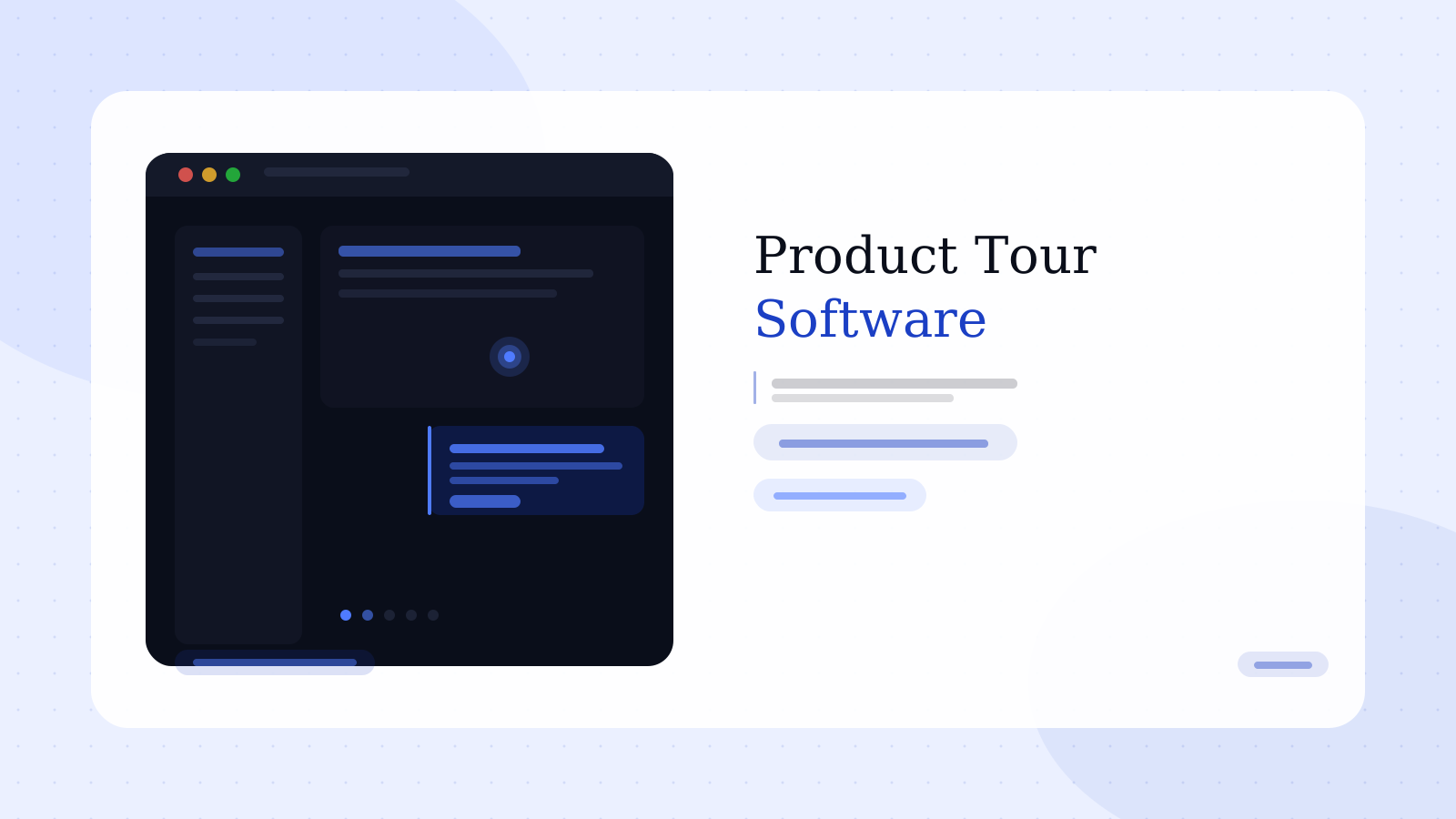
Product tour software lets you build a guided, click-through simulation of your product that a prospect or user can navigate without touching a live environment. Most tools work one of two ways: they capture your real product as HTML (cloning the DOM so the tour behaves like the actual app), or they use screenshots stitched together with hotspots and tooltips layered on top.
The category spans three distinct buying motions, and conflating them is the single most common mistake teams make when evaluating tools. Marketing teams want top-of-funnel tours embedded on a website or in an ad landing page. Sales teams want personalized, sandboxed tours an AE can send after a call. Product teams want in-app walkthroughs that onboard a new user inside the live product itself.
Those are three different jobs, and a tool optimized for one is often mediocre at the other two — which is exactly why vendor-written "best of" lists tend to rank their own category strength first and gloss over the other two.
These numbers point to the same shift: buyers want to evaluate before they'll book a call, and a static product demo video or a locked-down sales deck doesn't let them poke around. Product tour software exists to give self-directed buyers something to click through on their own time.
The 11 best product tour software tools for B2B SaaS
Each entry below includes the primary use case, the G2 pain points that show up across multiple reviewers (not just one disgruntled user), and the specific buying situation where it wins.
1. Storylane — Best overall for marketing and sales teams
Storylane supports both HTML capture and screenshot-based tours, and reviewers consistently cite it as the easiest tool in the category to get a first tour live. G2 scores it around 99/100 for ease of use, well ahead of HTML-only competitors that require engineering involvement to set up capture.
G2 pain point: Several reviewers want better support for duplicating an existing tour into a new one for a different segment or account, instead of rebuilding from scratch each time a rep needs a personalized version.
Best for: Teams that need both marketing-facing tours and sales-personalized demos from one platform without a steep setup curve.
2. Navattic — Best for marketing-led top-of-funnel tours
Navattic built its reputation on self-serve, embeddable tours designed to sit on a homepage or pricing page and convert visitors without a sales conversation. It's a strong fit for product-led growth motions where the tour is doing top-of-funnel work, not closing a specific deal.
G2 pain point: Tours are a separate, captured copy of the product, not a live connection to it — so every time the UI changes, someone has to manually go back and rebuild the affected steps. Reviewers flag this as the main ongoing cost after setup.
Best for: PLG-motion SaaS companies that want a tour embedded directly in the marketing site with minimal sales involvement.
3. Arcade — Best for fast, visually polished demos with AI production
Arcade leans into AI-assisted production, generating polished tours quickly with auto-generated voiceover and visual styling. Customer case studies cite meaningful lifts in booked meetings when tours replace static screenshots on landing pages.
G2 pain point: The visual polish is a strength, but reviewers note the platform leans more "marketing asset" than "deep product simulation" — it's not the right tool if you need a buyer to click through complex multi-step workflows accurately.
Best for: Marketing teams prioritizing visual polish and speed over deep product fidelity.
4. Walnut — Best for sales-only personalized demos
Walnut is built specifically for sales teams running personalized demo environments per account, with no marketing-facing tour use case. It's enterprise-priced and positioned that way.
G2 pain point: Multiple reviewers flag missing editor basics — autosave and auto-linking between steps — that competitors include by default, and HTML cloning setup takes meaningfully longer than Storylane's equivalent. G2's own ease-of-use score for Walnut sits closer to 32/100, a wide gap from Storylane's. Pricing is also enterprise-only with no public tier, which several reviewers called out as a friction point for evaluating against competitors transparently.
Best for: Enterprise sales orgs with budget for a dedicated, sales-only demo platform and the GTM ops support to run it.
5. Reprise — Best for pre-sales and solutions engineering teams
Reprise targets the pre-sales motion specifically — solutions engineers building demo environments tailored to a single prospect's data and use case ahead of a technical evaluation.
G2 pain point: The horizontal use case (marketing, support, onboarding) is weaker than the vertical pre-sales use case it's built for, which several reviewers note creates friction when a company tries to standardize on one tool company-wide.
Best for: Companies with a dedicated pre-sales or solutions engineer function running technical demo cycles.
6. Demostack — Best for sandboxed, data-realistic sales demos
Demostack focuses on building demo environments populated with realistic (not fake-looking) data, specifically so a sales demo doesn't look obviously staged to a technical buyer.
G2 pain point: Setup requires meaningful initial investment to connect and populate realistic data sets — it's not a same-day tool the way screenshot-based platforms are.
Best for: Teams selling into technically sophisticated buyers who notice (and penalize) obviously fake demo data.
7. Tourial — Best for marketing tours with built-in lead capture
Tourial focuses on the marketing use case with native lead-gen forms and CRM hand-off built into the tour flow, positioning the tour as a conversion asset rather than just an education tool.
G2 pain point: Customization depth is more limited than HTML-capture competitors for teams wanting pixel-exact replication of complex UI states.
Best for: Demand gen teams that want the tour itself to double as a gated, lead-capturing asset.
8. Userpilot — Best for in-app onboarding tours
Userpilot is built for the third use case the category covers — guiding an already-signed-up user through your live product, not a prospect through a simulation. It combines onboarding flows, feature announcements, and product analytics.
G2 pain point: Reviewers note the segmentation and analytics depth is strong, but it's the wrong tool entirely for a marketing-facing, pre-signup tour — a common mismatch when teams buy it expecting both use cases.
Best for: Product teams running in-app activation flows for users who already have an account.
9. Appcues — Best mature option for mid-market onboarding
Appcues is one of the longest-standing tools in the in-app guidance space, with a mature feature set for onboarding flows, NPS surveys, and feature adoption nudges layered on top of a live product.
G2 pain point: As an established platform, pricing scales up quickly at mid-market and enterprise tiers compared to newer entrants in the same in-app category.
Best for: Mid-market SaaS teams standardizing on a single in-app guidance platform across the whole user lifecycle.
10. Pendo — Best for tours backed by deep product analytics
Pendo pairs in-app guides with product analytics at a depth most pure tour tools don't attempt — you can see exactly where users drop out of a guide and tie that to broader usage data.
G2 pain point: The analytics depth comes with a steeper implementation lift; teams that just want a quick onboarding tour without the analytics layer often find it more platform than they need.
Best for: Product teams that want tour performance data tied directly into a broader product analytics stack.
11. Usetiful — Best free tier for small teams
Usetiful offers one of the more generous free tiers in the category, making it the practical starting point for early-stage teams that need basic in-app guidance without committing budget yet.
G2 pain point: Feature depth and design flexibility are noticeably lighter than paid-tier competitors once a team's needs grow past basic step-by-step tooltips.
Best for: Early-stage startups validating whether in-app guidance moves activation metrics before investing in a paid platform.
A tour shows what your product looks like. A demo shows how it solves a problem.
If your tour is converting clicks but not pipeline, the gap is usually narrative — not interactivity. Rimo turns a plain-English brief into a polished demo video built on your real product screens.
Product tour software: head-to-head comparison
| Tool | Primary use case | Setup | Update method | Free tier |
|---|---|---|---|---|
| Storylane | Marketing + sales | Fast | Re-capture | Yes |
| Navattic | Marketing | Fast | Manual rebuild | Yes |
| Arcade | Marketing | Fast | Re-capture | Yes |
| Walnut | Sales only | Slow | HTML re-clone | No |
| Reprise | Pre-sales | Moderate | HTML re-clone | No |
| Demostack | Sales (data realism) | Slow | Data + UI rebuild | No |
| Tourial | Marketing + lead gen | Fast | Re-capture | No |
| Userpilot | In-app onboarding | Moderate | Live (no rebuild) | No |
| Appcues | In-app onboarding | Moderate | Live (no rebuild) | No |
| Pendo | In-app + analytics | Slow | Live (no rebuild) | No |
| Usetiful | In-app onboarding | Fast | Live (no rebuild) | Yes |
Notice the pattern in the "Update method" column. The in-app onboarding tools update live because they sit inside your actual product — there's nothing to re-capture. The marketing- and sales-facing tools, by contrast, are working from a captured copy, which means every UI change creates a maintenance task somewhere on this list. That distinction matters more than any feature checklist.
The maintenance problem nobody puts in their pricing page
Here's the part every vendor comparison glosses over, because it's not a selling point: a captured tour is a snapshot. The moment your product ships a UI change, that snapshot is wrong, and it stays wrong until a human notices and fixes it.
This is exactly the issue Navattic's own reviewers raise — the tour isn't a live copy of the product, so it drifts out of sync as your roadmap moves. It's not unique to Navattic. Every HTML-capture and screenshot tool on this list has the same structural problem; the only variable is how painful the fix is.
For a B2B SaaS company shipping weekly, that's not a quarterly cleanup task — it's a standing maintenance line item someone has to own. Most teams don't budget for it because it's invisible until a prospect clicks through a stale tour mid-demo and notices a button that no longer exists.
One thing worth saying plainly: more interactivity is not automatically better. A 14-step click-through tour that a buyer abandons at step 4 has converted nothing. The tours that actually move pipeline tend to be the shortest ones that answer one specific buyer question — not the most comprehensive ones.
Product tour vs demo video: which job needs which tool
This is the question most comparison guides skip entirely, and it's the one that determines whether a tool purchase actually fixes the problem you have.
A product tour is built for self-directed exploration — a buyer who wants to click around at their own pace before talking to anyone. A demo video is built for narrative — showing a specific workflow solving a specific problem, with a voiceover explaining why each step matters, distributed anywhere a link or embed works: outreach emails, LinkedIn, a sales deck, a homepage hero.
They fail in opposite ways. A tour with no narrative leaves a buyer clicking through screens without understanding why any of it matters to them. A video with no interactivity can't let a buyer test the specific edge case they actually care about. Most high-performing B2B SaaS go-to-market teams run both — a tour for self-serve top-of-funnel exploration, and video for the moments where a clear story matters more than free clicking.
The teams that get this wrong tend to buy a $9,000/year tour platform expecting it to also replace their need for narrated, distributable demo videos — and end up needing both line items anyway, just later and with less budget runway than if they'd planned for both from the start.
How to choose: a framework, not a ranking
Skip the "best overall" pick and answer three questions about your specific situation instead.
Who clicks through this tour, and when in the funnel? A cold website visitor needs a short, marketing-polished tour (Storylane, Navattic, Arcade, Tourial). A qualified prospect post-discovery-call needs a personalized sales tour (Walnut, Reprise, Demostack). An already-signed-up user needs live in-app guidance (Userpilot, Appcues, Pendo, Usetiful) — not a captured simulation at all.
Who owns the update cycle when the product changes? If the honest answer is "nobody, currently," pick a tool with the lightest re-capture workflow and budget real hours for it monthly, not a one-time setup cost.
Does this need to stand alone, or pair with a narrated asset? If the buyer needs to understand why a workflow matters, not just what it looks like, the tour alone won't carry that. Pair it with a demo video built around the same workflow so the story and the click-through reinforce each other instead of competing for the same homepage slot.
If you're building the narrated half of that pairing and don't have a video team to produce it, that's the specific gap Rimo fills — a plain-English brief becomes a finished demo video on your real product screens, no editor required. Try Rimo free →
In conclusion: there's no single best product tour software, no matter how confidently a vendor's own blog ranks itself first. The right pick depends on which of the three jobs — marketing, sales, or onboarding — you actually need solved, and whether you have a realistic plan for keeping it accurate after the next sprint ships. If your gap is the narrative half of your demo motion rather than the click-through half, book a demo and see how Rimo handles it.
FAQ
What is the best product tour software for B2B SaaS?
There's no single best tool because the category covers three different jobs. Storylane is the strongest overall pick for teams needing both marketing and sales tours without heavy setup. Navattic and Arcade lead for top-of-funnel marketing tours. Walnut and Reprise are built specifically for sales and pre-sales teams. Userpilot, Appcues, and Pendo serve in-app onboarding for users who already have an account — a fundamentally different use case from the others.
Is there free product tour software?
Yes. Storylane, Navattic, Arcade, and Usetiful all offer free tiers with meaningful functionality, not just a trial. Usetiful's free tier in particular is generous enough for early-stage teams validating whether in-app guidance moves their activation numbers before committing budget to a paid platform.
What's the difference between product tour software and a demo video?
Product tour software produces a click-through simulation a buyer navigates at their own pace. A demo video is a narrated, linear asset that explains why a workflow matters while showing it. Tours work best for self-directed, top-of-funnel exploration. Videos work best wherever a clear story needs to travel — outreach, LinkedIn, sales decks, or a homepage. Most effective B2B SaaS go-to-market motions use both for different moments in the buyer journey.
How much does product tour software cost?
Pricing varies widely by use case. Free tiers exist at Storylane, Navattic, Arcade, and Usetiful. Mid-market marketing tools typically run from a few thousand dollars a year. Enterprise sales-only platforms like Walnut are priced without a public tier and typically run well into five figures annually once you account for seats and usage volume.
How do I keep a product tour updated as my product changes?
For HTML-capture and screenshot-based tools, someone has to manually re-capture the affected screens every time the UI changes — there's no way around this with a snapshot-based tool. For in-app tools like Userpilot, Appcues, or Pendo, the guide lives inside the live product, so it doesn't drift out of sync the same way. Budget for ongoing maintenance hours when evaluating a captured-tour tool, not just the setup cost.
Should I buy a product tour platform or a demo video tool first?
It depends on where your funnel is leaking. If buyers are dropping off because they can't explore the product themselves before talking to sales, start with a tour. If buyers are dropping off because they don't understand why a feature matters to their specific problem, a narrated demo video usually closes that gap faster. Many teams eventually need both, just rarely in the same budget cycle.
Akshay Sharma
Product Leader · 10+ years in B2B SaaS
Akshay has spent 10+ years building and marketing B2B SaaS products. He writes about product storytelling, demo production, and the operational side of product marketing.