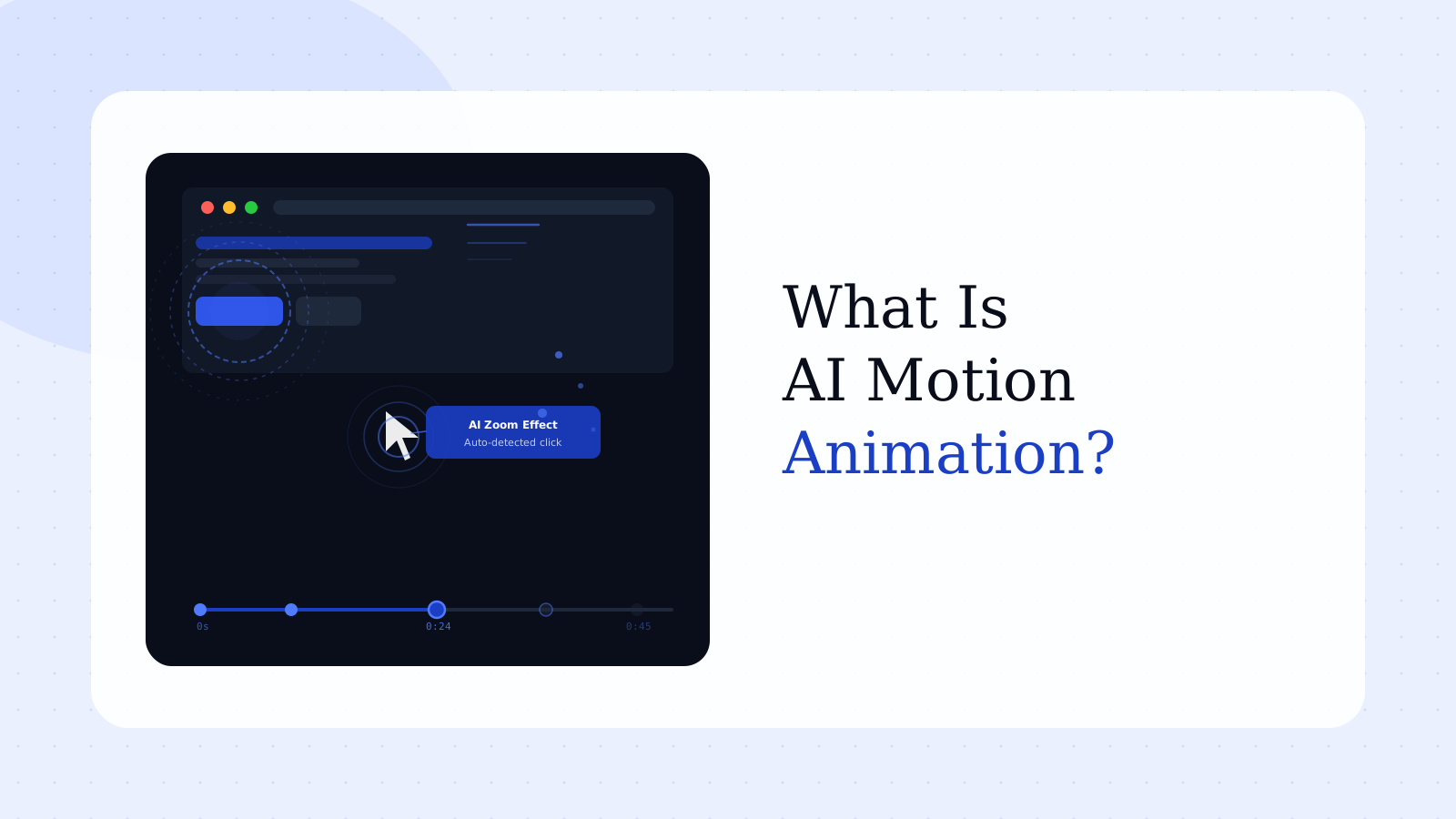
What Is AI Motion Animation? A Guide for B2B SaaS Product Videos
Your product ships a meaningful new feature. You have screenshots, a Loom recording, and a brief from the product team. What you don't have is the three weeks or $8,000 it takes to hire an animator to turn that into something a buyer would actually watch.
Most B2B SaaS marketing teams live in this gap permanently. The product moves fast. Buyer expectations for polished video content have risen. And motion design — the discipline of making software come alive through animation — has always required either a specialist or a budget most teams can't justify for every feature launch.
AI motion animation changes that calculation. Not by replacing good design judgment, but by automating the mechanical parts: the transitions, the zoom effects, the highlighted callouts, the smooth flow between product steps that makes a demo feel intentional rather than improvised. This guide explains what AI motion animations are, how they differ from traditional motion design, the types most relevant to SaaS product videos, and how B2B teams are using them today.
In this guide
- What is AI motion animation?
- Why animated product demos outperform raw screen recordings
- 5 types of AI motion animations for SaaS product videos
- How AI motion animation works: from raw screen to finished demo
- Top AI motion animation tools for B2B SaaS teams
- AI motion animation vs. traditional motion design
- How to get better results without a motion design background
- FAQ
What is AI motion animation?
AI motion animation refers to the use of artificial intelligence to generate, automate, or enhance animated visual effects in video content — without requiring a human animator to create each movement frame by frame.
In the context of B2B SaaS product demo videos, this means two distinct things. First, AI tools that automatically apply motion effects to product screen recordings — adding zoom-ins on key clicks, cursor animations, highlight callouts, and smooth transitions at moments the AI identifies as visually significant. Second, AI tools that generate animated sequences from prompts, templates, or existing assets: motion graphics, animated text, and UI walkthroughs that would previously require After Effects and a specialist to produce.
The distinction matters enormously in practice. A traditional animated explainer uses characters, illustrations, or abstract visuals narrated over a concept-level description of your product — and requires outsourcing to a studio with 4–6 week timelines. AI motion animation, as the term is most useful to SaaS teams in 2026, refers to AI-generated movement applied to real product interfaces or structured video content, making the product feel dynamic and guided rather than static and flat.
The result a PMM with no animation background can produce in an afternoon.
Why animated product demos outperform raw screen recordings
A raw screen recording is honest. It's also brutal to watch.
The cursor wanders. Irrelevant UI elements crowd the frame. Nothing draws the viewer's eye to the thing that matters. The viewer — a buyer who has never seen your product before — has to do all the cognitive work of figuring out where to look, what's important, and what everything means. That cognitive load is the real reason most demo videos lose viewers in the first 15 seconds. Not because the product is bad, but because the demo asks the viewer to work too hard.
Animation solves a specific problem: it directs attention. When a zoom effect pulls the viewer toward a key field, when a callout ring appears around the button that solves their problem, the viewer doesn't need to hunt for what matters. The video has already done that work. That's the mechanism behind higher completion rates — not aesthetics, not production polish. Attention direction.
This frustration shows up in G2 reviews of popular screen recording tools with uncomfortable consistency. "Recording Issues" is the top complaint category for Loom with over 147 mentions in G2 reviews through 2025–2026, and users consistently describe the same downstream problem: the raw recording isn't polished enough to publish, and the in-app editing doesn't go beyond basic trimming. One reviewer summed it up precisely: "Trimming works but anything beyond that — moving sections around, cleaning up filler words, tightening pauses — sends me back into Descript or CapCut" (G2, 2025).
AI motion animation closes that gap by adding the enhancement layer that previously required a separate editing workflow — and a separate skill set.
Landing pages with embedded video see up to 86% higher conversion rates than those without (Vidyard, 2025). But raw screen recordings and polished animated demos are not equivalent inputs. Buyers can tell the difference, and the gap in engagement rates reflects it.
5 types of AI motion animations for SaaS product videos
Not all AI motion animations serve the same purpose. These five types cover the most common use cases for B2B SaaS product marketing:
1. Auto-zoom and click animations
The AI detects when a significant UI action occurs — a click, a form submission, a key button interaction — and automatically applies a zoom-in or highlight effect at that moment. The viewer's attention follows the cursor without the producer manually keyframing every transition.
This is the most widely available and immediately useful type of AI motion animation for demo video production. For teams creating product demo videos from screen recordings, auto-zoom is the single highest-leverage animation effect: it converts a flat walkthrough into a guided visual experience with no additional effort.
2. Animated text and callout overlays
Rather than static caption bars or title cards, AI tools generate animated text that fades in, slides in, or pulses at key moments. Callout boxes with animated borders draw attention to specific UI elements without requiring the viewer to follow along based on voiceover alone.
This is especially useful when a specific narration step corresponds to a specific on-screen element. An animated callout creates visual confirmation — reducing cognitive load further and catching viewers who are watching without audio.
3. AI-generated scene transitions
Transitions between product screens or recording segments are often the weakest part of an in-house demo video: a hard cut, a jarring jump, or a title card that feels like a slideshow. AI transition generation produces smooth morphing effects, pan-and-zoom bridges, and contextual motion between scenes. The output maintains production quality across the full video without manual editing between every segment.
4. Avatar-driven animated demos
Some AI motion animation platforms combine animated product screens with a virtual presenter — an AI avatar that appears alongside the product, narrates the demo, and draws attention to relevant elements. This works especially well for onboarding and tutorial videos where a guided human-like presence improves watch-through rates.
This category requires the most care in a B2B context. Avatar quality varies significantly between tools, and a low-fidelity avatar undermines the professional credibility that a demo video needs to establish with a skeptical technical buyer.
5. Data visualization animations
Dashboards, reporting interfaces, and metric-heavy product screens are among the hardest elements to demonstrate in a static screenshot. AI data animation tools generate sequences where numbers count up, graphs build progressively, and filters apply in real time — showing the speed and intelligence of the product rather than just its static state.
This is one of the most underused animation types in B2B SaaS demo strategy. Teams show screenshots of dashboards when they could be showing the dashboard building itself. The difference in buyer impression is significant.
How AI motion animation works: from raw screen to finished demo
The production workflow for AI motion animation has converged around a consistent set of steps across purpose-built tools:
Step 1: Input
Most AI motion animation tools accept either a screen recording of the product workflow or a text script describing the steps. Some accept both, synchronizing narration timing with visual actions automatically.
Step 2: AI detection and segmentation
The AI analyzes the input for key actions, transitions, and emphasis points. It segments the recording into logical scenes and identifies which UI elements deserve visual attention — clicks, inputs, new screens, data loading, button interactions.
Step 3: Motion layer application
Based on the detection pass, the AI applies an animation layer: zoom-ins at click events, callout boxes at significant UI moments, smooth transitions between scenes. Most tools allow manual adjustment after this step. The AI handles the baseline without any manual keyframing.
Step 4: Narration and audio sync
AI-generated voiceover (or uploaded human narration) is synchronized to the animation timeline. Caption tracks are generated automatically and time-aligned to the audio.
Step 5: Brand layer and export
Logo, brand colors, intro and outro cards, and lower thirds are applied from a saved template. The video exports in multiple formats — typically MP4 for landing pages, with social-optimized cut-downs for LinkedIn and email outreach.
The typical in-house timeline for this full workflow: 2–4 hours for a 90-second animated demo from a raw screen recording, compared to 3–6 weeks using a traditional animation studio.
From screen recording to animated demo in hours
Rimo applies AI motion animation to your product screens — zoom effects, callouts, narration, brand elements — and delivers a production-ready demo video without manual editing or motion design expertise.
Top AI motion animation tools for B2B SaaS teams
Different tools optimize for different parts of the animation workflow. The right choice depends on whether you're producing concept-level brand video or product-specific demo content.
For general AI animation from prompts: Runway ML and Pika Labs generate motion effects from text prompts or static images. These are strong creative platforms for broad video generation — brand content, concept clips, visual experiments. They aren't optimized for the specific challenge of making a real product UI look polished and professional.
For animated explainer video creation: Synthesia, HeyGen, and Vyond generate animated video content with AI presenters, animated scenes, and custom avatars. These handle concept-level product storytelling well — narrating the problem your product solves more than demonstrating the product itself. They require significant scripting effort and don't handle real product screen animation natively.
For screen-focused product demo animation: Clueso and Supademo take screen recordings and apply automatic zoom, callout, and transition animations. Both are purpose-built for the product demo use case. Supademo's research found that top-performing SaaS demo videos average 10–12 steps and use AI voiceover 54% of the time versus 44% for average performers (State of Interactive Demos, 2026). G2 reviewers consistently note that Vidyard's advanced AI features carry a steep learning curve — purpose-built demo animation tools tend to have significantly lower friction for marketing teams producing content at volume.
For fully AI-powered demo video production: If you need a platform that handles the complete workflow — from a plain-English brief to an animated product demo with narration, branding, and motion effects applied — Rimo is built specifically for B2B SaaS marketing teams. Rimo takes product screens and delivers production-ready animated demo videos without requiring manual editing or any motion design expertise. For teams who want to evaluate options, see best demo video software for a full comparison.
The most useful tool for most B2B SaaS PMMs isn't the most powerful AI animation platform — it's the one that integrates into the existing workflow without adding a new skill requirement.
AI motion animation vs. traditional motion design
Traditional motion design — After Effects, Cinema 4D, custom keyframing — gives complete creative control. Every element moves exactly as specified. Brand expression is precise. The result can be indistinguishable from professional broadcast-quality production.
AI motion animation delivers roughly 80% of that quality in approximately 5% of the time.
That framing isn't a criticism — it's the correct way to think about the tradeoff. For most B2B SaaS demo use cases, the buyer doesn't need broadcast quality. They need a clear, guided view of the product that reduces confusion and builds trust. AI motion animation does that reliably.
The cost of traditionally animated product demo production runs $6,000–$15,000 per video through a US-based agency, with 3–6 week production timelines. AI motion animation tools range from free tiers to $50–$200 per month for team plans, with production time measured in hours.
Where traditional motion design still maintains a genuine advantage:
- Enterprise brand launch films running as paid media in competitive contexts
- Product films appearing in trade show or large-format display environments
- Brand identity animations requiring absolute precision across a full creative system
For product walkthroughs, feature demos, onboarding sequences, sales leave-behinds, and social clips: AI motion animation is not a compromise. It's the right tool for the job. The quality level of purpose-built AI demo animation tools in 2026 meets professional B2B buyer expectations — and far outperforms the unedited screen recordings most teams are currently publishing.
One important nuance: "AI motion animation" is not a single quality tier. The gap between a well-applied auto-zoom from a purpose-built demo tool and a generic AI video export is real. Quality depends heavily on the specificity of the inputs and whether the tool matches the specific use case.
How to get better results without a motion design background
The most common mistake teams make with AI motion animation is treating the AI layer as a complete substitute for production judgment. It isn't. The AI handles execution — it cannot tell you which moment in your product workflow deserves emphasis. That decision is still yours.
Four principles that improve output quality regardless of which tool you use:
Focus animation on the "aha moment," not the full workflow. A three-minute animated walkthrough of everything your product does converts worse than a 90-second animation of the single most impressive thing, without distraction. Animation amplifies focus — which means it amplifies distraction just as readily when the content tries to do too much.
Match animation density to the buyer's context. Light, clean zoom-and-highlight styling works across most B2B buying contexts. Aggressive motion graphics with rapid transitions can undermine trust with technical buyers evaluating security or infrastructure tooling. The goal is guided clarity, not visual complexity.
Build narration and animation together. When voiceover references a UI element that doesn't appear on screen for two more seconds, the viewer's attention breaks. AI tools handle this sync automatically when both inputs are provided together. When narration and screen recording are created separately, an alignment review before export is worth the 20 minutes it saves in confused viewer drop-off.
Treat the opening five seconds as the highest-leverage investment. Most viewer drop-off happens in the opening sequence, and most AI motion animation outputs begin with a generic intro frame. Customizing the opening to name the specific buyer persona or problem statement is consistently the change that makes viewers stay long enough to reach the animated demo content itself. Generic openings lose the audience before the animation has done anything.
For a deeper look at production workflows, see how to create product demo videos and the most common product demo video mistakes — most of which apply regardless of whether the final output is animated or not.
FAQ
What is AI motion animation?
AI motion animation uses artificial intelligence to automatically generate or enhance animated visual effects in video — including zoom effects, scene transitions, callout overlays, and motion graphics — without requiring a human animator to work frame by frame. In B2B SaaS, the term most often refers to AI tools that apply these effects to product screen recordings, making demos clearer and more professional without manual editing work.
How much does AI motion animation cost compared to traditional motion design?
Traditional motion design for a 60–90 second animated product demo video typically runs $6,000–$15,000 through a US-based agency, with 3–6 week production timelines. AI motion animation tools range from free tiers to $50–$200 per month for team plans, with production time measured in hours rather than weeks. For most B2B SaaS demo use cases, the quality difference between AI and traditional production doesn't justify the cost and timeline gap.
Can AI create motion animations directly from product screen recordings?
Yes. Purpose-built tools accept screen recordings as input and automatically apply zoom effects, callout animations, and transitions — without requiring the user to manually place keyframes. The AI detects significant UI actions (clicks, inputs, new screens, data loads) and generates motion at those moments. The user typically reviews and adjusts the output rather than building the animation from scratch.
What is the difference between AI motion animation and animated explainer video?
Explainer videos use animated characters, illustrations, or abstract visuals to describe a product at a concept level. AI motion animation applies motion effects to real product interfaces — real screens, real workflows. Explainer videos are better for top-of-funnel awareness where the product category itself is unfamiliar. AI motion animation for product demos is better for mid-funnel evaluation where buyers want to see the actual product in operation. The two formats resolve different buyer anxieties, and neither replaces the other.
How long does it take to produce an AI animated product demo video?
With a purpose-built AI motion animation tool, a 60–90 second animated product demo from a raw screen recording typically takes 2–4 hours of total work time — recording the workflow, processing through the AI tool, adjusting callouts and narration, and exporting. This compares to 3–6 weeks for equivalent output through a traditional animation studio.
Is AI motion animation quality good enough for professional B2B SaaS product videos?
For most B2B SaaS demo use cases — homepage videos, sales leave-behinds, onboarding sequences, feature announcement clips — today's purpose-built AI motion animation tools produce output that meets professional buyer expectations. Traditional motion design maintains a clear advantage for large-format brand films and competitive paid media placements. For product demos viewed by buyers in an evaluation context, AI motion animation quality is more than sufficient — and substantially better than the unedited screen recordings most teams currently rely on. For specific tool recommendations by workflow type, see best demo video software.
Akshay Sharma
Product Leader · 10+ years in B2B SaaS
Akshay has spent 10+ years building and marketing B2B SaaS products. He writes about product storytelling, demo production, and the operational side of product marketing.


