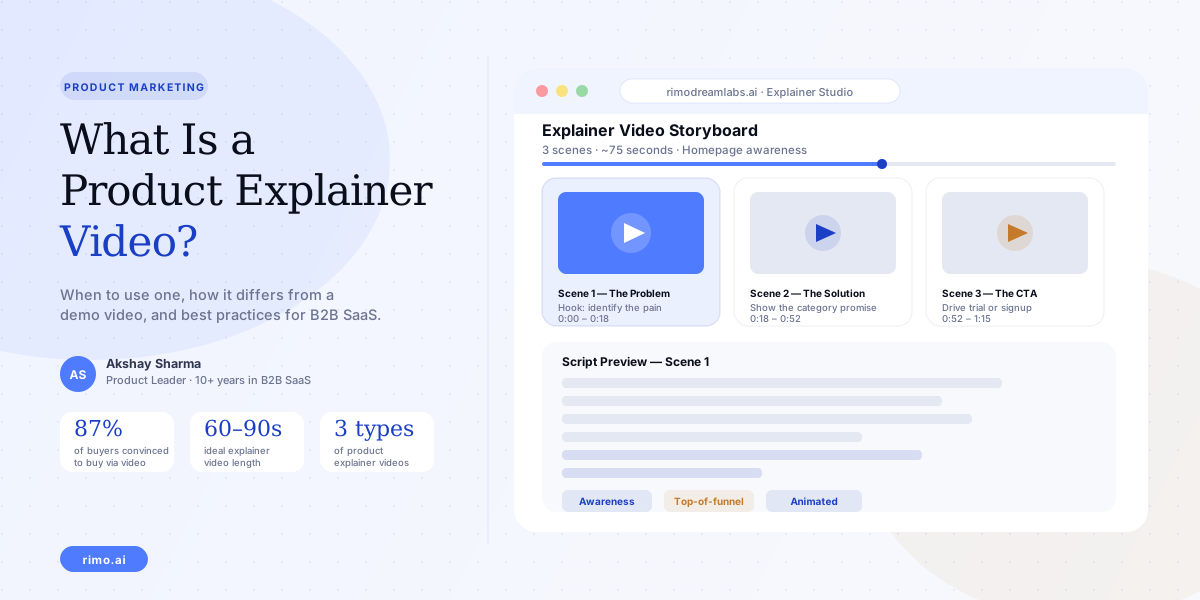
What Is a Product Explainer Video? Types, When to Use One, and Best Practices
Your designer just finished the new homepage. It looks great. Your head of marketing walks over and says, "Can we put an explainer video up top — something that just explains what we do?" Simple enough request. Two months later, the agency has delivered a 2-minute animated video that uses the word "seamless" twice, shows a stock-photo office, and never once shows the product. The homepage conversion rate goes sideways.
This is the most common failure mode in product explainer video production. Not that teams skip the video — they commission it, spend money on it, and publish it. The failure is in what the video actually does. It describes rather than explains. It talks at buyers rather than for them.
A product explainer video, done right, is a powerful top-of-funnel asset for B2B SaaS. Done wrong, it is expensive wallpaper. This guide covers what separates the two — what a product explainer video actually is, how it differs from a demo video, the three types that work, and the practices that make one effective.
What is a product explainer video?
A product explainer video is a short video — typically 60 to 90 seconds — that communicates what a software product does, who it is for, and what problem it solves. It lives at the awareness stage: its primary job is to create the right understanding in someone who may not yet know they have the problem your product solves, or who knows the problem but hasn't considered your category as the solution.
The key distinction from other video types: an explainer video is primarily conceptual. It explains a category and positions a product within it. It does not need to show the actual product interface to do that job effectively. It can use animation, motion graphics, narrated storytelling, or a combination — as long as the message lands before the visuals do.
The goal of a product explainer video is not to show buyers how your product works. That is a demo video's job. The explainer's job is to make buyers believe the problem matters — and that your category of solution exists.
This is why teams that skip the explainer entirely often struggle with top-of-funnel conversion: they ask buyers who aren't yet problem-aware to watch a detailed product walkthrough, which answers questions the buyer isn't asking yet.
Product explainer video vs. product demo video
This is the distinction most B2B SaaS teams miss, and it costs them. The two video types serve completely different jobs at completely different moments in the buyer journey.
A product demo video is for buyers in evaluation mode. They already understand the problem. They are comparing solutions. They want to see exactly how your product handles the workflow they care about. The demo video answers: Does this actually do what they say it does?
A product explainer video is for buyers earlier in the journey. They may be loosely aware of a pain point but haven't yet framed it as something a software product could solve. Or they've heard of your category but aren't sure whether it applies to them. The explainer answers: Why does this problem matter, and why is this category the right way to solve it?
| Product Explainer Video | Product Demo Video | |
|---|---|---|
| Buyer stage | Awareness / consideration | Evaluation / decision |
| Primary question | "Why should I care?" | "Does this actually work?" |
| Shows product interface? | Rarely needed | Required |
| Ideal length | 60–90 seconds | 90 seconds to 3 minutes |
| Lives on | Homepage, ads, social | Pricing page, sales outreach |
| Format | Animated, narrative, live action | Screen recording, walkthrough |
The mistake that kills conversion: putting an explainer video on a pricing page (too late — the buyer wants proof, not concept) or putting a product walkthrough on the homepage (too early — the buyer doesn't yet care enough to follow a feature-by-feature tour).
The three types of product explainer videos
Not all explainer videos use the same format. The right type depends on your audience, your category complexity, and your production resources.
Animated explainer
The classic format — motion graphics, character animation, or kinetic typography used to tell a story. No real product screens, no live footage. Just visuals designed to represent a concept clearly.
Animated explainers are best when the problem you solve is abstract or hard to show visually on a screen. If your product surfaces insights from messy data, coordinates a process that lives across five tools, or solves a workflow that happens across an entire org — animation gives you the freedom to illustrate that clearly.
The risk: animation ages quickly and costs significantly to update. A heavily branded animated explainer built around a specific visual metaphor becomes difficult to evolve as the product or messaging changes. Teams with fast-moving positioning or high release velocity often find that animated explainers become stale before the production cost is recouped.
Live action + product overlay
This format combines real people — a customer, a team member, a narrator on camera — with product screens or motion graphics overlaid to represent what's happening. The human element builds credibility; the overlay provides the conceptual illustration.
Live action works particularly well for B2B SaaS with complex enterprise buying groups where showing real humans signals legitimacy and builds trust. It also tends to perform better than pure animation in testimonial-adjacent contexts, where the viewer can see that a real person has solved the problem your video describes.
Screen-based narrative explainer
This format uses actual product screens — but not as a detailed walkthrough. It shows simplified, stylized versions of the UI as supporting visuals for a narrated story about the problem and solution. It sits between the demo video and the animated explainer.
Screen-based narrative explainers are the fastest to produce and the easiest to update when the product changes. They do not require an animation studio. They also give buyers a glimpse of the real product without the cognitive load of a full demo. For most B2B SaaS teams with limited production resources, this is the most practical starting point.
What makes a product explainer video effective
Most explainer videos that underperform share one structural flaw: they lead with the product, not the problem. The viewer has no reason to care yet, and the video never gives them one.
The problem setup is everything
The first 15 to 20 seconds of a product explainer video are the only seconds that matter for retention. If those seconds establish a problem the viewer recognises from their own experience — something specific, not something generic — the viewer will stay. If those seconds open with the company logo, a tagline about "next-generation solutions," or a product feature reveal, most viewers leave.
Concrete example of what not to do: "At Acme, we help teams move faster by centralising their workflows into one place." This tells the viewer nothing about their problem. It is a company-first framing.
Concrete example of what works: "Your team uses seven different tools to manage a single project. Files live in three places. Decisions happen in DMs that nobody can find six weeks later." Now the viewer is nodding. Now the product reveal is earned.
Length and pacing for homepage explainers
According to Wistia's 2025 State of Video report, videos under one minute achieve the highest engagement rates — with 50% average retention to completion. That number drops to 46% for one-to-three minute videos and falls sharply beyond that threshold.
For a homepage explainer, target 60 to 90 seconds. For a campaign landing page where buyers have already clicked through from a specific ad, you can stretch to 2 minutes if the additional time is used to show product context rather than repeat the problem statement. Every second after 90 seconds on a cold audience needs to earn its place.
Script structure that creates demand
The script structure that works consistently for product explainer videos: situation → problem → category promise → proof signal → CTA.
Open with the situation — the context the buyer is already in. Move to the specific problem that situation creates. Introduce the category as the solution type (not the product yet). Give one proof signal — a real-world result, a customer type, a specific outcome. Close with a single, clear call to action.
The script should not try to explain the entire product. Its job is to create enough understanding and enough desire that the buyer wants to learn more. The demo video, the trial, the pricing page — those carry the rest of the journey.
See how Rimo helps you create explainer videos faster
Rimo turns a plain-English brief into a structured video workflow — capturing real product screens, applying brand standards, and delivering a production-ready first draft without a recording pipeline.
When to use a product explainer video — and when not to
The placement question matters as much as the content question. An explainer video in the wrong place on your website will underperform no matter how good it is.
Use a product explainer video when:
- You are placing a video on your homepage above the fold — where buyers arrive with zero context about your product
- You are running paid campaigns to audiences who have not yet heard of your category
- You are presenting at a conference, trade show, or event where the audience needs fast orientation before they engage further
- You are entering a new market or ICP segment that requires education about the problem before they can evaluate a solution
Do not use a product explainer video when:
- Buyers are on your pricing page — they are evaluating, not orienting, and they need a product demo video or customer evidence
- Buyers are in a trial or onboarding flow — they already understand the problem; now they need guided product walkthroughs
- Sales reps are sending follow-up content after a discovery call — a personalised demo video or a product demo video script serves that moment better
The most common mistake is reusing one explainer video across every channel and funnel stage. An explainer that converts well in a top-of-funnel LinkedIn campaign will often underperform on a demo request thank-you page, because the buyer's question has changed.
How to create a product explainer video for B2B SaaS
The production process varies significantly by format, budget, and timeline. Here is how to think through each decision.
Start with the brief, not the format
Before deciding whether you need animation or screen-based content, write a clear brief that answers five questions: Who is the viewer? What do they currently believe about the problem? What do we want them to believe after watching? What one action should they take? What three things must the video show or say?
A brief that cannot answer those five questions cleanly will produce an unfocused video regardless of production quality. Most explainer videos that miss are built without a brief — they are assembled from stakeholder opinions rather than from a clear understanding of who the video is actually for.
Production options by budget
The range of production costs for a professional animated explainer runs from roughly $5,000 for a basic motion-graphics video from a freelancer to $30,000 or more for a studio-produced animated piece with custom illustration. Live action adds production logistics but can often be cheaper than full animation if shot efficiently.
Screen-based narrative explainers — using actual product footage structured around a narrated story — are significantly cheaper to produce and dramatically faster to update. For B2B SaaS teams that ship frequently and need their video content to stay current, this format offers the best return over time. Teams that have already automated their demo video creation with AI can apply the same workflow to explainer-style content, going from brief to publishable video in a fraction of the time a traditional production requires.
The update question
One of the most underweighted factors in production decisions is how often the video will need to change. An animated explainer built around a specific visual metaphor — say, a character navigating a maze to represent your onboarding problem — will need significant rework if the messaging shifts or if a competitor starts using the same metaphor. Screen-based content, by contrast, can be updated scene by scene without rebuilding everything from scratch.
If your product is shipping fast and your positioning is still evolving, a screen-based narrative explainer is almost always the more sustainable choice. It keeps your content current without requiring a new production budget every six months.
Product explainer video best practices for 2026
These are the habits of B2B SaaS teams that consistently produce explainer videos with strong conversion rates:
Never open with the logo. Your brand name means nothing to a first-time viewer. The first five seconds of your explainer need to establish the problem, not announce who you are. Save the logo for the CTA.
One CTA, not three. Explainer videos that end with "Visit our website, follow us on LinkedIn, or book a demo" convert worse than videos that end with one clear, specific action. Pick the one thing you most want this viewer to do and make the ask once.
Match tone to ICP. An enterprise financial services buyer and a startup founder in the productivity space do not want the same energy. The pacing, music choice, animation style, and narrator voice should reflect how your actual buyer thinks and speaks — not a generic "professional but fun" median.
Show the problem visually, not just in narration. Telling the viewer they have a problem is less effective than showing them a situation they already recognise. Where possible, represent the problem with a visual — a fragmented screen, an overloaded inbox, a broken workflow — rather than relying on narration alone to carry the emotional weight.
Test the hook in isolation. Before committing to a full production, validate the opening 15 seconds with a quick test — a low-fidelity version, a social video, an internal review. If the problem statement does not immediately resonate with someone in your ICP, the rest of the video cannot save it.
FAQ
How long should a product explainer video be?
For a homepage or top-of-funnel placement, 60 to 90 seconds is the target. Wistia's 2025 data shows videos under one minute achieve the highest average completion rates for business content. You can stretch to two minutes for a campaign landing page where the viewer has self-selected intent, but anything longer requires strong mid-video hooks to sustain attention.
What is the difference between a product explainer video and a demo video?
A product explainer video operates at the awareness stage — it explains the problem and the category, often without showing the product interface. A product demo video operates at the evaluation stage — it shows the actual product working, answering the buyer's trust question: "Does this actually do what they say it does?" Both are necessary; neither replaces the other.
Do product explainer videos need professional animation?
No. Screen-based narrative explainers — which use real product footage structured around a story — can be produced in-house without an animation studio and are easier to keep current as the product changes. Professional animation is worth the cost when the problem is abstract, the visual metaphor is central to the brand, and the positioning is stable enough to justify a fixed asset.
Where should a product explainer video live on a SaaS website?
The primary placement is above the fold on the homepage — where it orients first-time visitors who have zero prior context about your product. Secondary placements include paid campaign landing pages, "About" or "Why us" pages, and conference presentation materials. Do not place an explainer video on pricing or comparison pages — those buyers need product evidence, not conceptual orientation.
What is the ideal script length for a product explainer video?
A 90-second video at a measured speaking pace uses approximately 200 to 220 words of script. A 60-second video uses roughly 130 to 150 words. Write the script first, read it aloud with timing, and cut until it fits the target length — rather than writing freely and compressing in post-production, which tends to produce rushed pacing.
How much does a product explainer video cost to produce?
Animated explainers from a professional studio typically run $10,000 to $30,000. Freelance motion-graphics options are available from $3,000 to $8,000 for a polished output. Screen-based narrative explainers produced in-house using AI-assisted tools can be produced for a fraction of those costs, with the added benefit of being updatable quickly as the product evolves.
Akshay Sharma
Product Leader · 10+ years in B2B SaaS
Akshay has spent 10+ years building and marketing B2B SaaS products. He writes about product storytelling, demo production, and the operational side of product marketing.


