Video Production Software for B2B SaaS: 2026 Buyer's Guide
Every buying guide for video production software starts with the same premise: you are a professional editor or a filmmaker. You think in timelines, color grades, and export codecs. You want DaVinci Resolve's color science and Adobe Premiere's ecosystem integrations.
If that's you, hundreds of guides exist. This is not one of them.
This guide is for the B2B SaaS marketing manager who needs to produce twelve product demo videos before a product launch. The growth marketer who inherited a video library where half the recordings show a UI that no longer exists. The sales enablement lead who needs persona-specific demo clips for six verticals — and has zero budget for an agency and zero time to learn non-linear editing. For you, "video production software" means something categorically different. This guide covers what that actually looks like, which categories exist, and how to pick the right tool without wasting three months of budget on the wrong one.
In this guide
What is video production software?
Video production software is any application that enables teams to create, edit, assemble, and export finished video content — from raw materials like screen recordings, footage, and voiceovers through to a publish-ready file.
The phrase covers a wide spectrum. At one end: professional non-linear editors like Adobe Premiere Pro, built for feature-film-caliber work. At the other: AI-powered platforms that take a plain-English brief and produce a finished product demo in under two hours, no editor required. Both are technically "video production software." They share almost no other attributes.
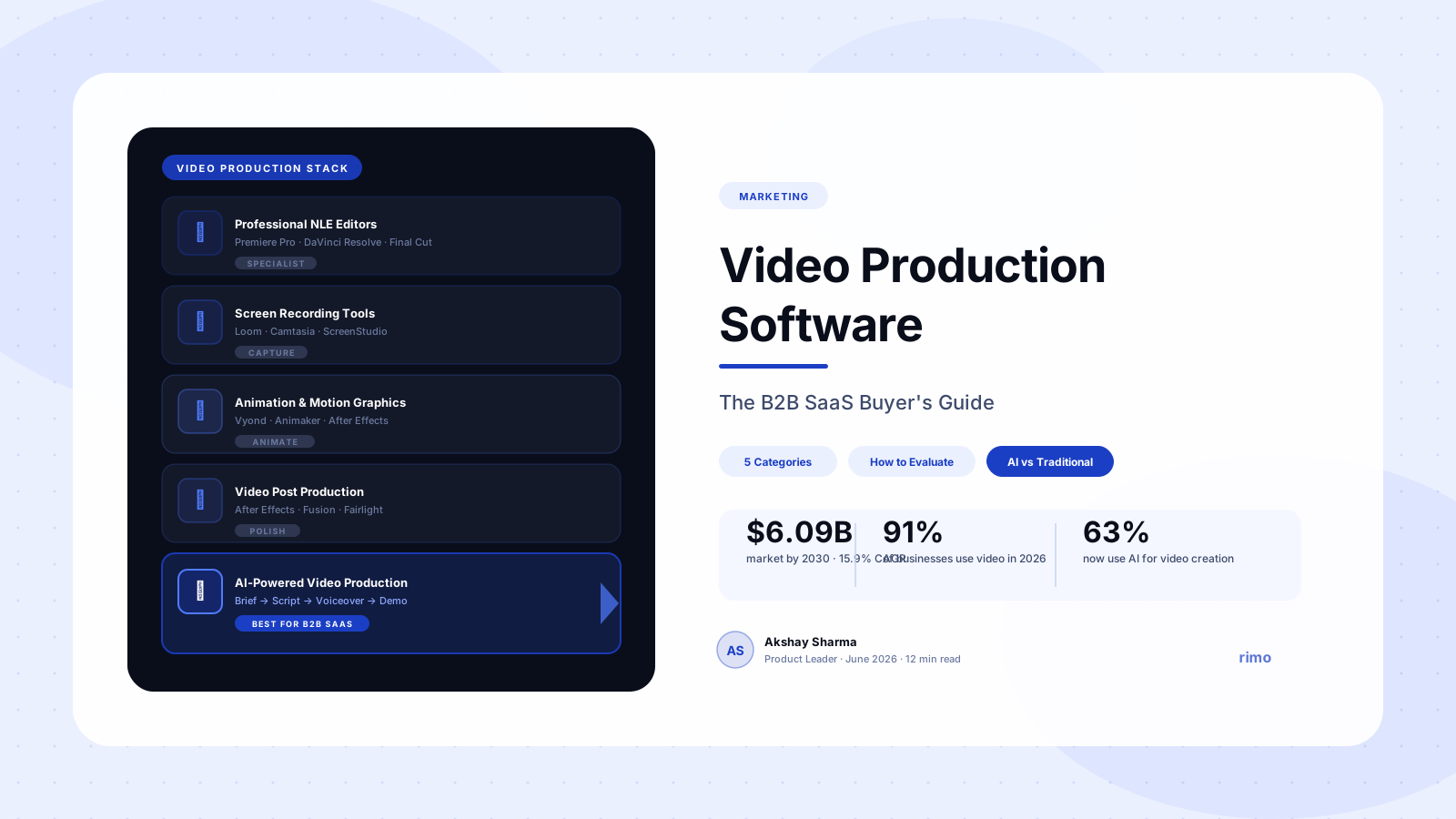
The distinction matters because most B2B SaaS teams default to tools they've heard of — usually the professional tier — and then discover, six months later, that those tools demand a skill set and workflow their team was never built for. The video production software market reached $3.37 billion in 2026 and is projected to hit $6.09 billion by 2030 at a 15.9% CAGR (Research & Markets, 2026). That growth is being driven overwhelmingly by AI-native platforms built for teams that didn't used to produce video at all.
The 5 categories of video production software
Not all video production software is the same. Here are the five distinct categories, what each is built for, and who actually uses it.
1. Professional non-linear editors (NLEs)
Tools: Adobe Premiere Pro, DaVinci Resolve, Final Cut Pro, Avid Media Composer.
These are the industry standard for film, broadcast, and commercial production. They give editors frame-level control over everything: color grading, multicam editing, multi-track audio, VFX integration. DaVinci Resolve's free version handles 90% of indie film work and is widely considered the best deal in professional NLE software.
The catch: they require a trained editor. Learning to use Premiere Pro at a professional level takes months. Rendering performance on standard machines is notoriously slow for longer projects — a complaint that appears consistently in G2 reviews across this category. Users also report that working on a laptop "is nowhere near the optimum setup." These tools were designed for production studios with dedicated hardware, not for a marketing team's MacBook.
2. Screen recording and capture tools
Tools: Loom, Camtasia, ScreenStudio, Snagit.
Screen recorders occupy a useful middle tier: lower barrier than NLEs, higher output quality than raw recordings. Loom in particular became a default asynchronous communication tool for SaaS teams during the remote-work expansion. You hit record, walk through a product, and share a link.
The limitations are real, though. Loom does not provide meaningful video editing — users are frequently forced to bring in third-party software for trimming, captions, and any meaningful post-production work. Camtasia is slightly more capable but carries its own frustrations: G2 reviews consistently flag slow rendering with longer videos as a significant blocker on tight deadlines. And Camtasia's pricing is often cited as high relative to what it delivers for non-specialist users.
Neither tool was designed for high-volume video production. They work for individual recordings. They do not work for a team that needs to maintain a library of forty product demo videos and refresh them every quarter.
3. Animation and motion graphics tools
Tools: Vyond, Animaker, Adobe After Effects, Powtoon.
For teams that want animated explainer videos without live product UI, animation tools fill the gap. Vyond and Animaker are the most accessible — they use character libraries and template-based scene builders that require no animation expertise. After Effects sits at the professional end: it produces stunning motion graphics but demands significant skill and time investment.
Animation tools are strong for top-of-funnel brand and explainer content. They're weak for anything requiring product specificity. You cannot show real product screens in a Vyond scene with any authenticity. For a B2B SaaS team whose primary video need is showing how the product actually works, this category is usually the wrong fit.
4. Video post production software
Tools: Adobe After Effects, Motion, Blackmagic Fusion, DaVinci Resolve (Fairlight and Color modules).
Video post production software refers specifically to the tools used after raw footage has been captured: color grading, visual effects, sound mixing, motion graphics composition. In traditional production workflows, this is a separate phase handled by specialists.
For most B2B SaaS marketing teams, post production software is overkill. It exists to solve problems that arise when you're starting with high-quality raw footage that needs extensive polish. If you're producing product demo videos and SaaS explainers at volume, you're not starting with raw footage — you're starting with product screenshots, screen recordings, and a brief. A full post production suite adds cost and complexity without adding value.
5. AI-powered video production software
Tools: Rimo, Synthesia, HeyGen, VEED, Runway.
This is the category with the widest internal variation. AI video production software automates some or all of the production pipeline — script generation, AI narration, visual assembly, editing, and multi-format export — using machine learning to handle work that previously required human specialists.
The important distinction within this category: some tools specialize in AI avatars and talking-head presentation videos (Synthesia, HeyGen). Others automate editing workflows for footage you've already captured (Runway, VEED). Others are end-to-end production platforms that take you from a brief to a finished product demo using your actual product screens, without requiring any footage capture at all (Rimo).
For B2B SaaS teams that need product demo videos at volume, this last type is the most relevant — and the most underrepresented in mainstream buying guides.
Why most video production software fails B2B SaaS teams
The video production tools that dominate search results were designed for specific professional contexts. Most of them are not wrong — they're just wrong for the B2B SaaS use case. Three failure modes show up repeatedly.
The learning curve trap
Professional NLEs require weeks to months of learning before a non-specialist can produce publishable output. This creates a structural problem: the person who owns the video strategy in most B2B SaaS companies is a product marketer or growth marketer, not a video editor. Building a dependency on a tool that requires a trained specialist means your video output is permanently constrained by headcount.
G2 reviewers of Adobe Premiere Pro and Camtasia return to the same complaint: "steep learning curve" for anyone who isn't already a video professional. That's not a bug in their design — it's an accurate description of what these tools are built for. But it makes them a poor fit for a PMM who needs to ship a demo video this week without a specialist on call.
The maintenance problem nobody talks about
Every buying guide for video production software evaluates tools on the basis of creating new videos. Almost none of them evaluate tools on the basis of updating existing ones.
For a B2B SaaS team, this is the wrong frame. Your product ships new features every sprint. Your UI changes. Your messaging evolves. A demo video that was accurate in January is often visibly outdated by March. In a traditional production workflow — whether via an NLE or an agency — updating a video means re-recording, re-editing, and re-exporting. For a library of twenty videos, that's a full production cycle for every update.
The real cost of video production software isn't the license fee. It's the time cost of keeping your library current. Most teams don't realize they've bought a tool optimized for creation, not maintenance — until they're six months in with forty outdated videos.
This is why update velocity matters as a selection criterion alongside initial production speed. The best video production software for a B2B SaaS team isn't the one that helps you make the first video fastest — it's the one that makes the fortieth update least painful.
The tool built for one video, not forty
Screen recorders and lightweight editors are often evaluated as "good enough" for small-scale needs. And they are — for one video, or five. The problem is structural: these tools don't scale. Each video is an independent production. There's no shared asset library, no consistent brand application across the library, no way to update a segment in one place and have it propagate across multiple videos.
B2B SaaS marketing teams don't just need video production software. They need video production infrastructure — a system that treats their demo library as a managed asset rather than a collection of individual files.
Your demo library shouldn't be forty individual files from five different tools
Rimo gives B2B SaaS teams a single AI-powered production system — from brief to finished video, brand-consistent, updatable, and ready in under two hours.
How to evaluate video production software for B2B SaaS
Before you book a demo or start a trial, ask these five questions. The answers will eliminate most options before you spend any time on them.
1. Does it require a dedicated video editor to operate?
If yes, you've introduced a headcount dependency that constrains every piece of content you produce. Unless you're planning to hire a dedicated video editor, cross this category off your list.
2. How long does it take to produce one video, end to end?
Not the editing time. The total time — brief to brief, from the moment you decide a video needs to exist to the moment it's published. Traditional NLE workflows, even for a 90-second product demo, routinely run four to eight weeks when factoring in scripting, recording, editing, review cycles, and export. AI-native platforms compress this to hours. If your team ships features weekly, four to eight weeks is not a viable production cycle.
3. How long does it take to update an existing video?
Ask this question specifically. Most vendors will not volunteer it because most tools answer it poorly. You're looking for a platform where updating a segment doesn't require a full re-production. Anything that sends you back to the recording stage for a minor UI update is the wrong tool for a product that ships continuously.
4. Can you produce multiple formats from one production run?
LinkedIn video, homepage embed, email GIF, sales follow-up clip — these are four different format requirements that often come from a single piece of product content. A tool that requires a separate re-edit for each format is multiplying your production overhead. Look for platforms where multi-format export is part of the default workflow.
5. What happens to brand consistency at scale?
In a team of three producing six videos a quarter, consistency is manageable by eye. In a team producing forty videos annually across multiple producers and personas, it requires systematic enforcement. Does the tool apply your brand kit automatically? Does it maintain consistency across colors, fonts, motion styles, and lower thirds without manual QA on every output?
The best video production software by use case
These are the tools worth evaluating, organized by the job they're actually built for.
For professional filmmaking and broadcast production: DaVinci Resolve (free version handles most use cases) or Adobe Premiere Pro for teams with dedicated editors. Both require trained operators. Resolve's free tier is exceptional value for professional-grade work.
For asynchronous product walkthroughs and internal communication: Loom is the standard for quick, shareable recordings. It's not a production tool — it's a communication tool dressed as one. Appropriate for sales follow-ups and internal updates. Not appropriate for public-facing marketing assets where quality expectations are higher.
For screen-recorded tutorial and training videos: Camtasia remains the most capable tool in this segment, with a library of templates and a more capable editor than Loom. The rendering speed issues on complex projects are real. Budget for the learning curve — even Camtasia takes time to use well.
For animated explainer videos: Vyond and Animaker are the most accessible entry points. Appropriate for top-of-funnel brand storytelling and concept explanations. Not appropriate for anything requiring accurate representation of your actual product UI.
For AI-powered product demo video production at scale: This is where the market has shifted most significantly in 2026. The defining characteristic of the best tools in this segment is pipeline completeness — not just script generation or voiceover synthesis in isolation, but the full journey from brief to finished, brand-consistent demo video. Rimo sits in this category: designed specifically for B2B SaaS teams that need to produce and maintain a demo library without a video editor, a production agency, or a six-week cycle.
For video post production on captured footage: Adobe After Effects (professional) or DaVinci Resolve's color and Fairlight modules for teams that are working with high-quality captured footage and need serious post-production capability. Most B2B SaaS teams don't need this category.
What to look for in AI video production software
Not all AI video production platforms deliver the same thing. Here's what separates the genuinely useful from the impressive demo that breaks in production.
Speed from brief to finished video
85% of marketers who use AI-generated elements in their videos say those videos perform better (Wyzowl, 2026). The question is whether the tool is fast enough to make that advantage sustainable at volume. Look specifically for platforms that don't require you to source or produce your own footage before the AI can do anything useful — the brief should be enough to start.
Update velocity
A platform that requires re-recording every time a UI changes is not solving the maintenance problem. Look for AI video production software that allows you to swap out a screen segment, update a section of narration, or change a call-to-action without re-running the entire production. This is a differentiating feature that most tools don't yet offer, and it's worth prioritizing heavily if your product ships frequently.
Multi-format output from one production run
The best AI video makers produce your LinkedIn video, your homepage embed, your email asset, and your sales clip from a single production session. If your chosen platform requires a separate re-edit for each format, you haven't eliminated production overhead — you've just relocated it.
Brand consistency enforcement
This is the unsexy feature that determines whether you can scale without constant QA overhead. Your brand kit — colors, fonts, motion style, logo placement, end card format — should be applied automatically and consistently across every video the platform produces. Without this, brand drift becomes an invisible tax on every production cycle.
Enterprise capability when you need it
Pricing friction shows up in 16.7% of G2 reviews for video production software (G2, 2025) — driven largely by flat seat fees that don't match project-based production spikes. Look for pricing structures that scale with your actual production volume rather than punishing you for occasional high-output periods. And if your team operates across SSO and SCIM, verify those features exist before you commit — they're absent from a surprising number of AI video platforms at the mid-market tier.
Making the final decision
Most B2B SaaS teams are evaluating video production software at a moment of pressure: a product launch is coming, a sales team is asking for demo assets, or someone has just pointed out that the homepage video shows a UI from eighteen months ago. Pressure makes the evaluation faster but also shallower.
The framework that holds up under pressure is simpler than most buying guides suggest. Map your actual production workflow against three questions:
- Who will use this? If the answer is "a non-specialist marketing or sales team," eliminate any tool that requires video editing expertise.
- How often will you update? If your product ships frequently, update velocity is your primary criterion — not initial production quality.
- What is your actual volume? A team producing six videos a year and a team producing sixty need categorically different tools. Don't buy for the production volume you aspire to. Buy for the production volume your team will actually sustain.
The teams that get the most from AI video production software are not necessarily the ones with the biggest budgets or the most technical sophistication. They're the ones who correctly identified their actual bottleneck — and chose a tool that directly removes it.
If your bottleneck is time-to-first-video, you need a fast production pipeline. If your bottleneck is keeping existing videos current, you need update capability. If your bottleneck is brand consistency across a growing library, you need systematic asset management. The best video production software for your team is the one that solves the right problem, not the one with the most impressive feature list.
For B2B SaaS teams that need to produce accurate, brand-consistent product demo videos at scale — without a dedicated editor, without an agency, and with the ability to update quickly when the product ships — Rimo is built specifically for that workflow.
Try Rimo free → or book a demo to see a real product demo produced end to end.
FAQ
What is video production software?
Video production software is any application that helps teams create, edit, assemble, and export finished video content. The category spans professional non-linear editors like Adobe Premiere Pro and DaVinci Resolve, screen recording tools like Loom and Camtasia, animation platforms like Vyond, and AI-powered platforms that automate the full pipeline from brief to finished video. Each type is built for a different workflow and skill level.
What is the best video production software for B2B SaaS teams?
The best video production software for B2B SaaS depends on your specific bottleneck. Teams without dedicated video editors should evaluate AI-powered platforms that don't require specialist skills. Teams that need to maintain a high-volume demo library should prioritize update velocity alongside initial production speed. For end-to-end AI production of product demo videos — brief to finished, brand-consistent output without an editor — Rimo is purpose-built for this use case.
What is video post production software?
Video post production software refers to tools used after raw footage has been captured — covering color grading, visual effects, motion graphics, and sound mixing. Common examples include Adobe After Effects, DaVinci Resolve's Color and Fairlight modules, and Blackmagic Fusion. For most B2B SaaS marketing teams producing product demo videos, post production software adds complexity without proportionate value, since the workflow typically starts from product screens rather than raw footage.
How much does video production software cost?
Pricing ranges significantly. DaVinci Resolve's free version handles most professional needs at no cost. Adobe Premiere Pro runs on a subscription model. Camtasia charges a one-time license. AI-powered platforms vary widely — from per-seat subscriptions to usage-based pricing tied to video output volume. G2 analysis of AI video tools found that pricing friction is one of the top three complaints, driven by flat seat fees that don't match project-based production spikes.
How is AI video production software different from traditional video editing software?
Traditional video editing software starts with captured footage and uses human editing to assemble it. AI video production software automates part or all of the process — generating scripts, synthesizing narration, assembling visuals, and exporting finished content — often starting from nothing more than a written brief. The primary advantage is speed and accessibility: AI-native platforms remove the specialist dependency that traditional tools require and significantly compress time from brief to published video.
Can AI video production software replace a video editor?
For certain categories of content, yes. AI video production platforms can replace a video editor for product demo videos, software walkthroughs, feature announcements, and tutorial content where the starting point is a product brief rather than raw footage. For content requiring cinematic-grade visuals, complex motion graphics, or live-action footage, a human editor remains necessary. Most B2B SaaS video needs fall in the first category, which is why AI video production software adoption has grown significantly — 63% of video marketers now use AI tools in their production workflow (Wyzowl, 2026).
Akshay Sharma
Product Leader · 10+ years in B2B SaaS
Akshay has spent 10+ years building and marketing B2B SaaS products. He writes about product storytelling, demo production, and the operational side of product marketing.