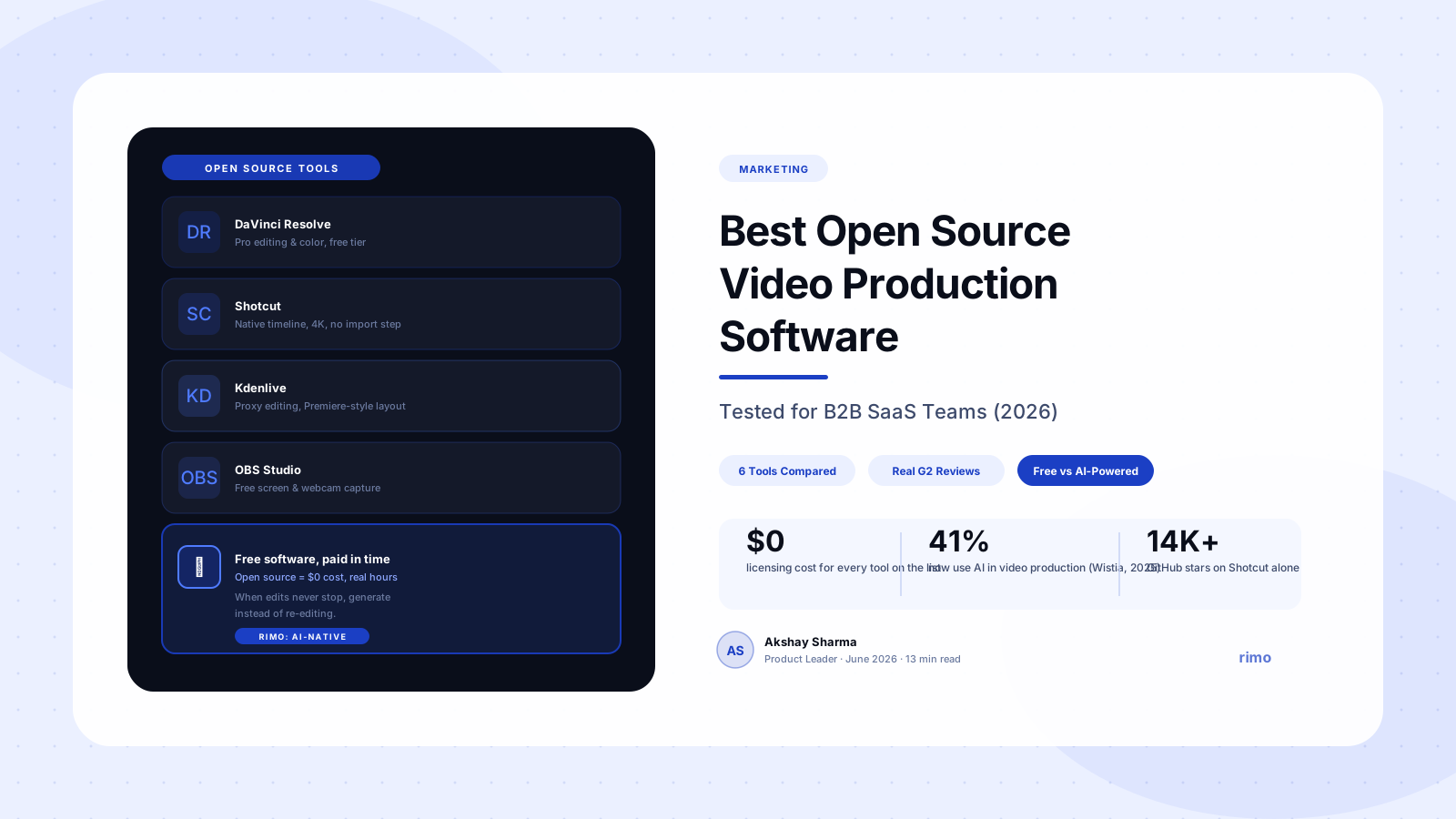
Best Open Source Video Production Software for B2B SaaS Teams (2026)
Someone on your team just asked why the design budget has a $300/month line item for video editing software, and you don't have a great answer. The honest answer is "because that's what we've always paid for," which is not an answer that survives a budget review.
So you start looking at open source video production software — DaVinci Resolve, Shotcut, OBS, the usual names that come up on Reddit threads and YouTube comparisons. Some of it looks genuinely impressive. Some of it looks like it was designed by people who have never met a marketer on a deadline.
This guide sorts through both. We tested the open source tools B2B SaaS teams actually shortlist, pulled what real users say about each one after months of use (not a five-minute install), and — because nobody else covers this — mapped each tool to the specific jobs a SaaS marketing team needs done: demo videos, tutorials, social clips, and sales enablement assets.
In this guide
- What is open source video production software?
- How we evaluated these tools
- The best open source video production software in 2026
- Open source vs. free vs. AI-powered: what's the actual difference
- The hidden cost of "free" for B2B SaaS teams
- How to choose the right tool for your team
- FAQ
What is open source video production software?
Open source video production software is video editing, recording, or compositing software whose source code is publicly available — meaning anyone can inspect, modify, and redistribute it, usually under licenses like GPL or MPL. In practice, for most teams, "open source" and "free" overlap almost completely: tools like DaVinci Resolve, Shotcut, Kdenlive, OpenShot, and OBS Studio cost nothing to download and use, with no watermarks, no trial periods, and no feature paywalls on the core editing experience.
That last part is worth sitting with. A 2026 review of the category found that none of the major open source editors watermark exports, lock features behind subscriptions, or expire after a trial period — which genuinely separates them from "freemium" commercial tools, where the free tier is usually a funnel, not a finished product (community tooling review, 2026).
For a B2B SaaS team, the appeal is obvious: zero licensing cost, no per-seat math when you add a contractor, and full control over the editing pipeline. The catch — and this is the part most "best open source editor" lists skip entirely — is that none of these tools were built with a marketing team's actual workflow in mind. They were built for editors. Whether that's a problem depends entirely on what you're producing.
How we evaluated these tools
We didn't just check feature lists — every open source project's README claims to do everything. Instead, we weighted four things: how usable the tool is for someone without a video editing background, what G2 and community reviewers say after using it on real projects (not a weekend test), how well it fits B2B SaaS-specific outputs like product demo videos and tutorials, and what — if anything — you give up compared to a paid alternative.
One thing came up repeatedly across reviews: open source tools tend to be praised for capability and criticized for friction. The features are often there. Getting to them without three tutorial videos of your own is the actual cost.
The best open source video production software in 2026
Here's the shortlist, ranked by how often B2B SaaS teams could realistically use each one.
1. OBS Studio
OBS (Open Broadcaster Software) is the default answer for free screen recording and live streaming, and it's a genuinely capable one. If your team has any technical comfort, OBS gives you full control over scene composition, multiple video/audio sources, and recording quality — at zero licensing cost. It's the most flexible tool on this list for capturing raw footage.
The tradeoff is exactly what you'd expect: no built-in editing, no templates, and a setup process (scenes, sources, audio mixers) that will intimidate a non-technical marketer on day one. OBS is best treated as a recording tool that feeds into a separate editor — not a complete production workflow on its own. If screen capture is your bottleneck, our guide to screen recording tools for B2B SaaS covers where OBS fits next to paid alternatives like Loom and Camtasia.
Best for: Free, flexible screen and webcam capture. Watch out for: Zero editing — you'll need a second tool for everything after recording.
2. DaVinci Resolve
DaVinci Resolve is the heavyweight here — a full non-linear editor, color grader, visual effects suite, and audio post tool in one package, and the free version is shockingly close to the $295 paid "Studio" edition. G2 reviewers consistently call the free tier "as close as you can get to professional video editing for free," with full 4K export and no watermark (G2).
The complaints cluster in three places. First, performance: reviewers describe the app as resource-heavy, with playback and rendering lagging on lower-end machines, especially with effects-heavy timelines (G2). Second, the learning curve — Resolve is built around a "page" workflow (Cut, Edit, Fusion, Color, Fairlight, Deliver) that overwhelms people coming from simpler editors (G2). Third, the free version does cut off some advanced effects, noise reduction tools, and the full 3D workspace (G2). For a marketing team producing short demo or tutorial videos, you'll likely never hit those limits — but you will feel the learning curve.
Best for: Teams with someone willing to learn a real NLE, and who need color grading or audio post in the same tool. Watch out for: The onboarding time. Budget a real week before anyone is editing efficiently.
3. Shotcut
Shotcut is the most actively developed open source editor on this list — frequent releases, a large community, and native timeline editing that doesn't require importing or converting your footage first. It supports 4K, a wide range of formats, and a multi-format timeline where clips of different resolutions and frame rates can sit side by side without conversion headaches.
Reviewers consistently praise the feature set relative to the price (free) but note the interface feels dated compared to modern commercial editors — menus and panel layouts that haven't been redesigned in years (G2). It's also generally considered more stable than OpenShot on larger, longer projects, with better performance on demanding exports.
Best for: Teams that want a "real" timeline editor without DaVinci Resolve's learning curve. Watch out for: An interface that looks (and sometimes behaves) like it's a decade behind.
4. Kdenlive
Kdenlive (KDE Non-Linear Video Editor) is the closest open source equivalent to a commercial editor's professional layout — proxy editing for smooth playback on lower-end hardware, multi-track timelines, and keyframe-based effects. For teams scrubbing through 4K footage on a mid-range laptop, Kdenlive's proxy workflow is one of the most genuinely useful features on this entire list, because it's the difference between an editor that's usable and one that stutters on every preview.
The interface is closer to Adobe Premiere Pro than Shotcut's, which makes it a more comfortable landing spot for anyone who's used a paid editor before. The flip side: it has more moving parts, and a fresh install with default settings is more likely to need configuration before it feels smooth.
Best for: Anyone migrating from Premiere Pro who wants a familiar layout without the subscription. Watch out for: First-run configuration — it's not as plug-and-play as Shotcut.
Two more worth knowing about, briefly. OpenShot is the gentlest on-ramp for total beginners — drag-and-drop simplicity — but G2 reviewers note performance gets unstable on larger projects (G2). Blender, better known for 3D, includes a surprisingly capable video sequence editor and is the right call only if your videos need 3D elements or motion graphics alongside editing — for a standard demo or tutorial cut, it's overkill.
Open source video production software at a glance
| Tool | Best B2B SaaS use case | Learning curve | Where it falls short |
|---|---|---|---|
| OBS Studio | Capturing raw screen/webcam footage | Medium | No editing at all |
| DaVinci Resolve | Polished demo videos with color/audio post | High | Heavy on lower-end hardware |
| Shotcut | Quick edits on a real timeline | Low–Medium | Dated interface |
| Kdenlive | Editors migrating from Premiere | Medium | Needs setup tuning |
| OpenShot | First-time editors, simple cuts | Low | Unstable on big projects |
| Blender | Motion graphics-heavy demos | High | Overkill for simple cuts |
Skip the editing learning curve entirely
Rimo turns a product brief into a polished, narrated demo video automatically — no timeline, no codecs, no week-long ramp-up on a new editor.
Open source vs. free vs. AI-powered: what's the actual difference
These three categories get used interchangeably, and that's causing teams to compare the wrong things. Open source describes the licensing model — the code is public, and usually the software is free as a result. Free just describes the price, and includes plenty of closed-source freemium tools (Loom's free tier, CapCut, Canva's video editor) that limit exports, watermark output, or cap usage. AI-powered describes the production model — the software generates or assembles video from a script, brief, or recording, often reducing or removing manual editing entirely.
A tool can be any combination of these. DaVinci Resolve is open source-adjacent and free, but not AI-powered — you're still doing the editing. CapCut is free and increasingly AI-assisted (auto-captions, background removal) but closed source. The category that's growing fastest, per Wistia's 2025 data showing AI video production usage more than doubling year over year (Wistia, 2025), is the third one — and it's growing because it addresses a different problem than the first two.
Here's the contrarian part: open source tools and AI-powered tools aren't actually competitors. They solve different bottlenecks. Open source tools solve a cost bottleneck — you're paying $0 instead of $20–50/month per seat. AI-powered tools solve a time bottleneck — they remove editing hours, not editing dollars. A team with one person and unlimited time should look at open source first. A team with a budget but no spare hours should look at AI-powered tools first. Most B2B SaaS marketing teams, if they're honest, are the second kind — and they're shopping in the first category anyway, because "free" is an easier line item to defend than "new software."
The hidden cost of "free" for B2B SaaS teams
Here's what every other open source roundup misses: the software is free, but the time isn't. A demo video that takes a professional editor two hours in Premiere Pro can take a marketer with no editing background two days in Shotcut or DaVinci Resolve — not because the software is bad, but because every decision (which transition, which audio levels, which export settings) that a paid tool's templates make for you, an open source tool leaves entirely up to you.
DaVinci Resolve is incredible once you know what you're doing. The problem is "once you know what you're doing" took me about three weeks of YouTube tutorials I didn't have time for.
That three-week ramp-up has a real dollar value — it's just not on an invoice, so it never shows up in the "we saved money on software" narrative. For a marketing team that needs to ship a polished demo before a launch date that isn't moving, the math often doesn't favor open source at all, even though the software itself costs nothing.
There's a second, less obvious cost: maintenance. Open source tools don't generate voiceover, don't auto-update screenshots when your product UI changes, and don't have a "regenerate this scene with new copy" button. If your demo videos need updating every time you ship a feature — which, for most SaaS products, is constantly — every open source edit is a from-scratch re-edit. Teams that have gone through automated demo video workflows with AI typically made that switch not because the open source tool was bad, but because the update cycle was the actual bottleneck, not the initial edit.
None of this means open source tools are a bad choice. For one-off projects, internal videos, or teams with a dedicated editor who already knows these tools, they're genuinely excellent — free, capable, and (per the GitHub activity on Shotcut and Kdenlive) actively maintained. The question isn't "is this software good." It's "does my team have the spare hours this software assumes I have."
How to choose the right tool for your team
If you need to capture screen recordings and nothing else, start with OBS — it's free, powerful, and you can pair it with whatever editor you choose next. If you have someone on the team willing to invest a week in learning a real NLE and you need color grading or audio mixing in the same tool, DaVinci Resolve's free tier is genuinely best-in-class. If you want a timeline editor with a gentler curve and don't need Resolve's full post-production suite, Shotcut or Kdenlive will get most teams to a finished video.
If your bottleneck isn't the software but the hours — if your team is producing the same kind of demo or tutorial video repeatedly, and every product update means another round of editing — that's a different problem than any editor on this list solves, open source or not. That's the gap AI-native tools like Rimo are built for: generating a finished, narrated video from a brief and your product's current screens, so updates are a regeneration, not a re-edit.
A useful gut check: if you're producing fewer than five videos a quarter, open source software is almost certainly the right call — the cost savings outweigh the time investment at that volume. If you're producing five or more demo, tutorial, or sales enablement videos a month, run the math on hours spent editing before assuming "free" is actually cheaper.
In conclusion, there's no universally "best" open source video production software — there's the tool that matches the time your team has to invest. For B2B SaaS teams producing video at any real volume, that calculus increasingly points toward AI-native tools that remove the editing step rather than open source tools that make it free. If that's where your team is, try Rimo free and see how a brief becomes a finished demo without anyone touching a timeline.
FAQ
What is the best open source video production software overall? DaVinci Resolve is the most capable overall, offering professional-grade editing, color grading, and audio post for free — but it has the steepest learning curve. For teams that want a simpler timeline editor, Shotcut and Kdenlive are the most actively maintained alternatives.
Is DaVinci Resolve really free? Yes — the free version of DaVinci Resolve includes 4K export, no watermark, and most editing, color, and audio tools. The paid "Studio" version adds advanced noise reduction, certain effects, and the full 3D workspace, which most marketing teams producing demo or tutorial videos won't need.
Is open source video editing software safe to use for business? Generally yes. Tools like DaVinci Resolve, Shotcut, Kdenlive, and OBS are widely used by individuals and companies, actively maintained, and licensed for commercial use. As with any software, download only from official sites to avoid bundled adware from third-party mirrors.
What's the difference between open source and free video editing software? Open source means the source code is publicly available, which usually (but not always) means the software is free. Free software can also be closed-source and "freemium" — limiting exports, adding watermarks, or capping usage until you upgrade. Most major open source video editors have no such limits on their core features.
Can open source software replace AI video tools for B2B SaaS demos? For one-off or low-volume video production, yes. For teams producing demo or tutorial videos regularly — especially ones that need updating every time the product changes — open source editors don't solve the recurring editing workload the way AI-generated video does, since every update is still a manual re-edit.
Do I need to know how to edit video to use these tools? Not for OpenShot or Shotcut, which have a gentler learning curve and are usable within a day for basic cuts. DaVinci Resolve and Kdenlive are more capable but assume more comfort with editing concepts like multi-track timelines, color correction, and audio mixing.
Tags: Open Source Video Production Software · Free Video Editing Software · DaVinci Resolve · Video Production Software · B2B SaaS · Demo Video
Category: Marketing
Related posts:
- Video Production Software for B2B SaaS: 2026 Buyer's Guide
- Best Video Editing Tools for B2B SaaS Teams (2026)
- Best Screen Recording Tools for B2B SaaS Marketing Teams (2026)
Schema: Article, FAQPage
Akshay Sharma
Product Leader · 10+ years in B2B SaaS
Akshay has spent 10+ years building and marketing B2B SaaS products. He writes about product storytelling, demo production, and the operational side of product marketing.